How to improve buybox sales
A practical guide to improving BuyBox performance across 220.lv, Pigu.lt, Kaup24.ee, and HobbyHall.fi through better monitoring, realistic minimum and maximum prices, and careful strategy testing.
How this guide can help
This guide is relevant when your products are being processed by B2BLIX but are not winning the BuyBox as often as expected, or when BuyBox activity is not leading to the sales results you want.
Improvement usually does not come from making every product cheaper. A better approach is to identify the products and categories that matter most, collect sufficiently recent marketplace data, and confirm that your pricing limits allow the selected strategy to react.
The marketplace decides which seller receives the BuyBox. B2BLIX can help your prices respond more quickly to observed competition, but it cannot guarantee a BuyBox position, order volume, revenue, or profit.
Short answer
To improve your BuyBox outcomes, concentrate on four areas:
- Identify the marketplaces, categories, and products where improvement has the greatest business value.
- Increase monitoring frequency for important or highly competitive categories when fresher observations are needed.
- Review products where the configured MIN or MAX price prevents the strategy from using a more competitive or profitable calculated price.
- Test pricing changes on a limited product group before enabling them across a larger catalog.
Important: Increasing monitoring frequency can increase usage costs. Changing pricing strategies or price limits can also change calculated prices and, when automatic export or API updates are enabled, may affect prices sent to the marketplace. Verify your limits and test changes on a small product group before applying them widely.
How BuyBox optimization works
B2BLIX uses the latest available marketplace observations together with your imported product data, pricing strategy, and permitted price range.
Depending on the situation and your selected strategy, the calculated price may be reduced, maintained, matched to another offer, or increased. However, the result must remain within the product's available minimum and maximum price limits.
This means that a suitable strategy may still be unable to compete when the permitted price range is too restrictive. For example, if the competitive price is below your configured MIN, B2BLIX cannot calculate a price below that limit. The calculation may therefore stop at the minimum price even when that price is not competitive enough to win.
Minimum and maximum prices may come directly from your imported product data. They may also be derived from category-level coefficients. When explicit product-level limits are provided, they take precedence over category-derived values.
What to check in your account
1. Review your current BuyBox performance
Start by reviewing your account-level results. Look at discovered products, monitored offers, winning and non-winning positions, recent activity, and synchronization results.
Do not optimize every category equally. Focus first on categories that are profitable, strategically important, highly competitive, or responsible for a meaningful share of your sales.
When you are logged in, open Statistics. To understand the available account metrics, read Statistics dashboard: understanding your account metrics.
2. Review monitoring frequency for important categories
Monitoring collects updated marketplace information. When a competitive category is monitored infrequently, the most recent known seller positions and prices may no longer represent the current marketplace situation.
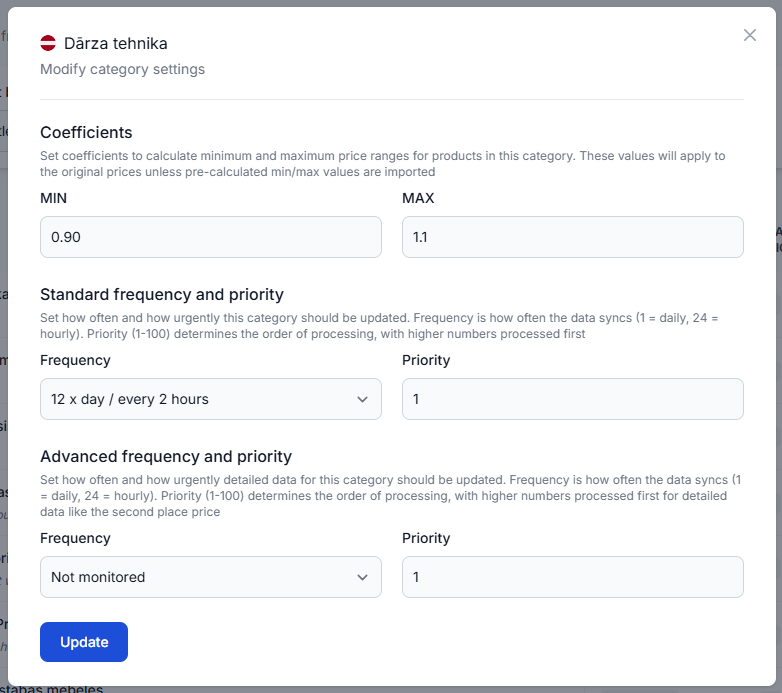
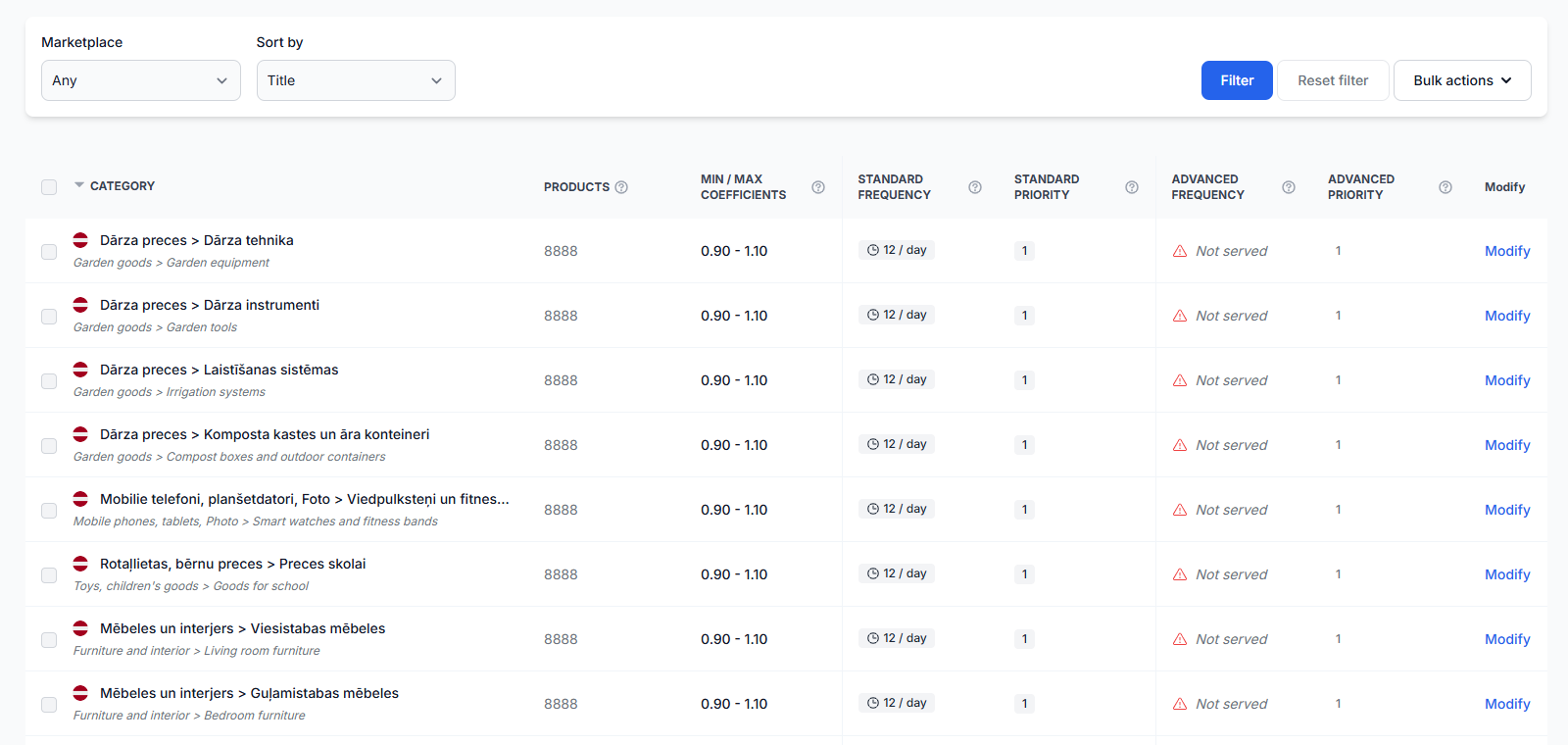
Increasing the standard monitoring frequency can provide fresher information for later calculations. This is most useful for categories where prices or competing offers change often.
Avoid increasing frequency across the entire catalog without reviewing the expected value. Faster monitoring should normally be concentrated on products and categories where fresher information is likely to support better decisions.
When you are logged in, open Category Management. To understand category monitoring frequencies and price coefficients, read Category management: monitoring frequencies and price coefficients.
3. Give selected products a different monitoring schedule
A small number of important products may need more frequent monitoring than the rest of their category. Product-specific monitoring allows you to prioritize those products without applying the same schedule to every item in the category.
When you are logged in, open Individual Products. To understand product-specific monitoring schedules, read Individual products: set product-specific monitoring frequencies.
4. Check whether MIN or MAX limits restrict the calculation
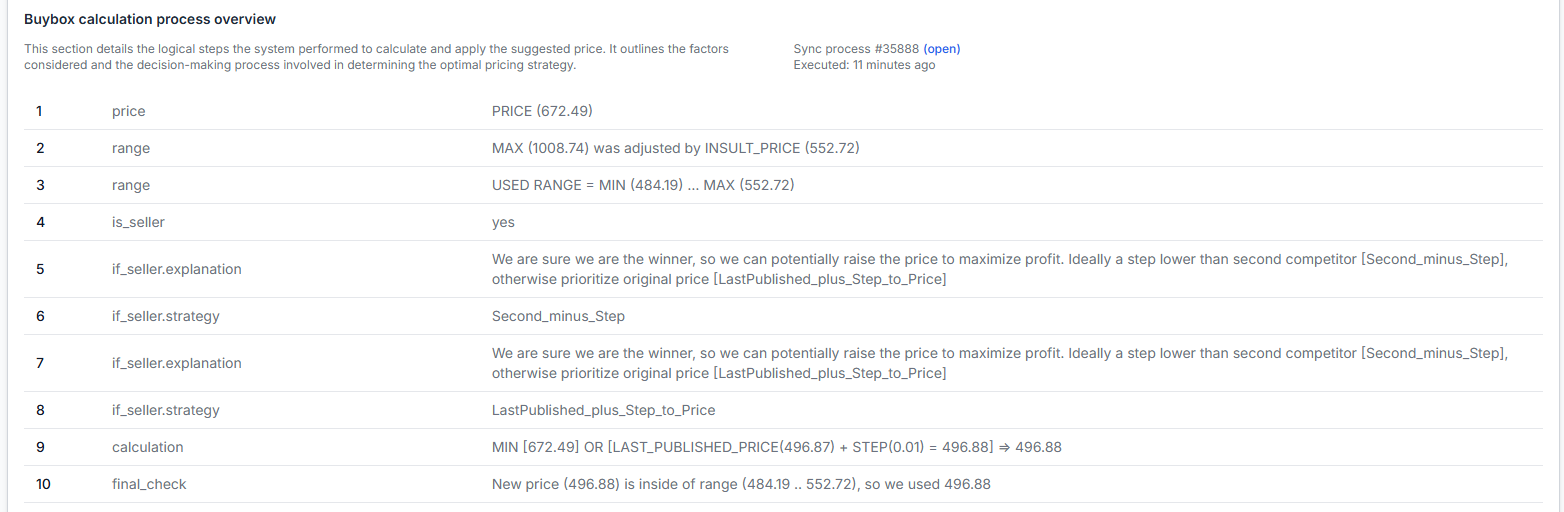
Review products that repeatedly lose despite having a pricing strategy enabled. Check the known competitive price, your configured limits, the selected strategy, and the final calculated price.
Pay particular attention to these situations:
- The competitive price is below your MIN, so the algorithm can only use the minimum permitted price.
- The MIN was calculated from an outdated or unsuitable base price.
- A category coefficient creates a price range that is too narrow for products with different margins.
- An explicit product-level MIN or MAX overrides the values expected from category settings.
- The MAX prevents a winning product from using a higher price when the selected strategy identifies an opportunity to increase it.
Do not lower a minimum price only to pursue the BuyBox. First confirm that the new limit still protects your required margin, fees, delivery costs, taxes, and other commercial requirements.
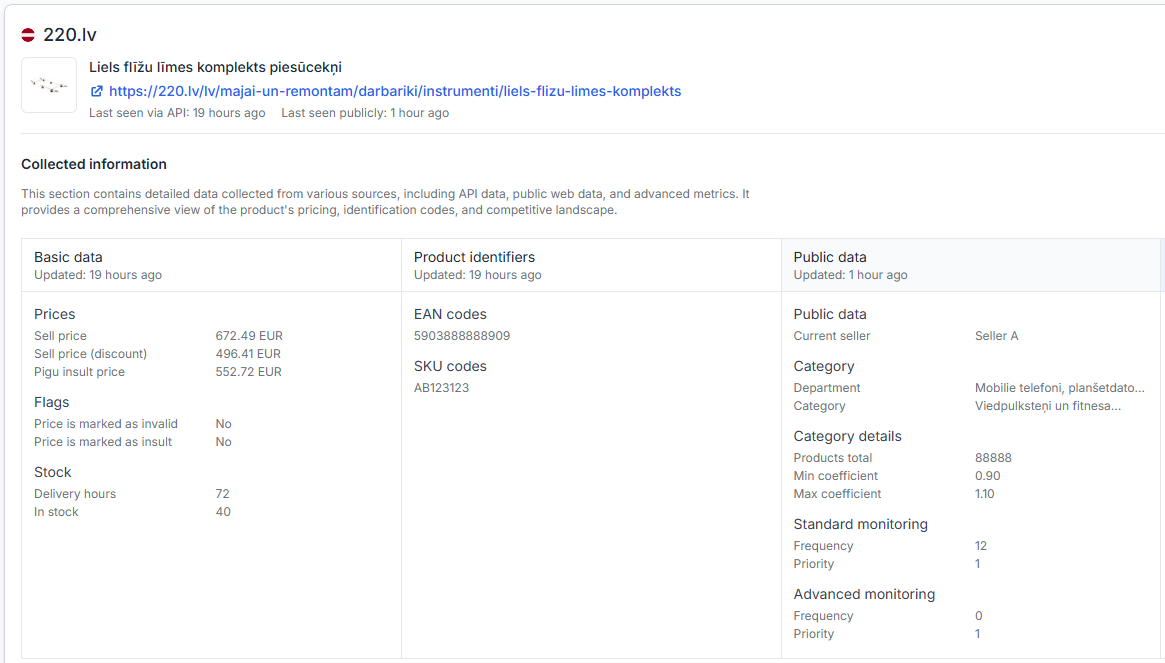
When you are logged in, open Product Checker. To understand the product data, calculation decisions, price limits, and export information shown there, read Product Checker: review product data, price calculations, and exports.
5. Confirm that your strategy matches your objective
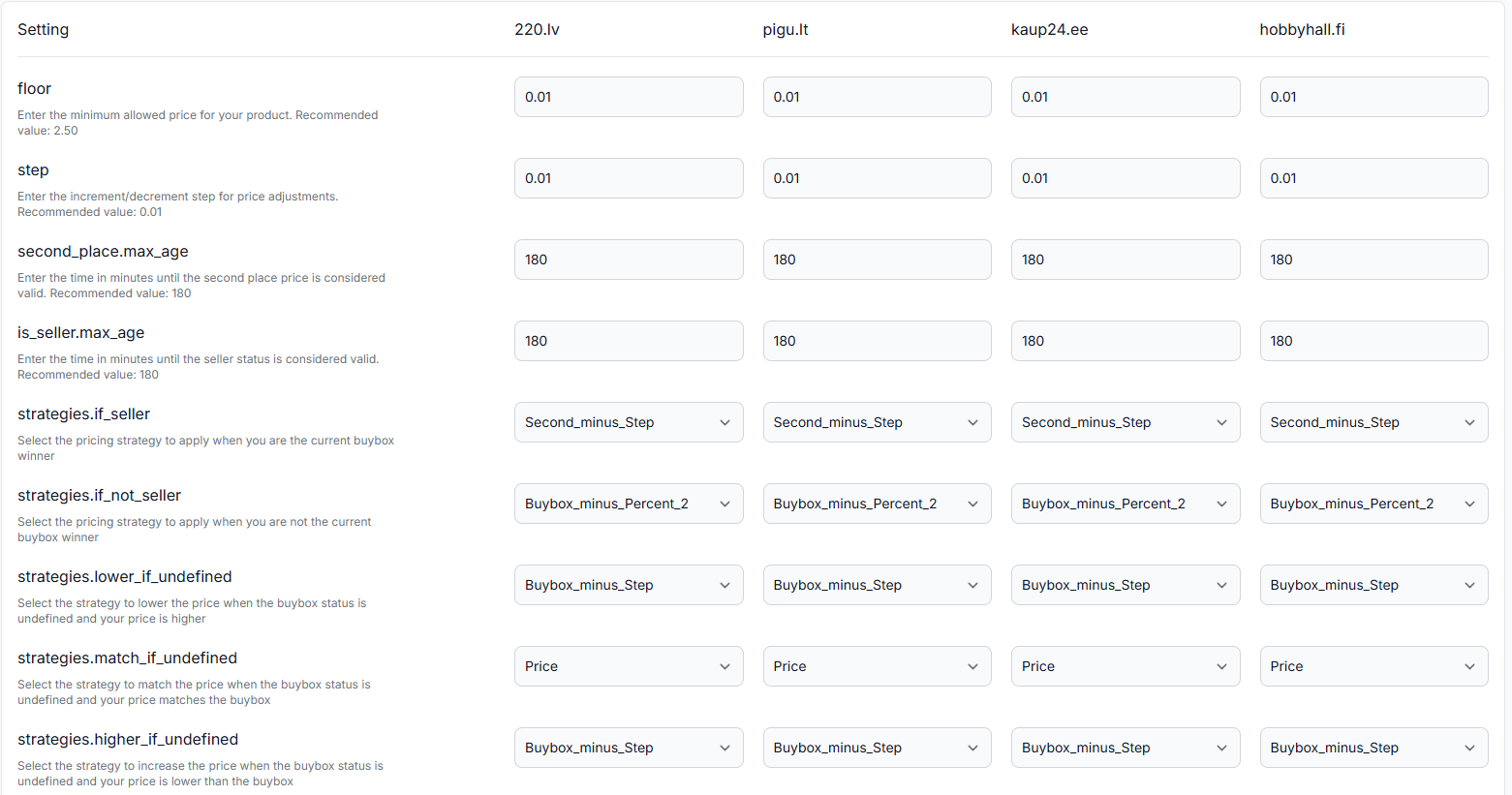
A strategy that is suitable for protecting a strong margin may not be suitable for aggressively competing for the BuyBox. Similarly, a strategy designed to move below a competing offer may be unnecessary when you are already winning.
Review how the service should react when your offer is winning, losing, or based on older marketplace information. Confirm the settings before changing price limits, because a calculation is affected by both the selected strategy and the permitted price range.
When you are logged in, open BuyBox Settings. To understand the settings available on that page, read BuyBox settings page.
6. Test possible changes before publishing them
Use the BuyBox Simulator to test a representative product situation with different price limits and strategies. This helps you understand the possible calculation without depending on a live publication workflow.
When you are logged in, open BuyBox Simulator. For instructions, read Using the BuyBox Simulator.
7. Check whether calculated prices reached the output stage
Monitoring, calculation, export, and the actual marketplace update are separate stages. A price shown as calculated in B2BLIX is not necessarily live on the marketplace.
If your calculation looks correct but marketplace results do not change, review recent synchronization runs and export results. This can help you distinguish a pricing-strategy issue from an import, processing, or output issue.
When you are logged in, open Synchronization Reports. To understand the reported import, calculation, and export results, read Synchronization reports: review import, BuyBox calculation, and export results.
Common reasons BuyBox performance may not improve
- Marketplace observations are not recent enough. The category or product may need a more frequent monitoring schedule.
- The minimum price blocks the competitive calculation. The strategy may attempt to match or move below another offer, but the permitted minimum prevents it.
- The maximum price is too restrictive. A winning product may be prevented from increasing its price when the selected strategy would otherwise allow it.
- The strategy does not match the product's purpose. A high-margin product, a clearance product, and a key traffic product may require different commercial decisions.
- Monitoring is spread too broadly. Frequent monitoring of low-priority products may create costs without providing enough business value.
- The calculated price has not become the live marketplace price. The price may still be waiting for synchronization, export, submission, acceptance, or application by the marketplace.
- Price is not the only marketplace factor. Even a competitive price does not guarantee that the marketplace will select the offer for the BuyBox.
Example: the minimum price prevents a competitive result
Assume the latest observed BuyBox price is EUR 20.00.
- Your selected strategy attempts to calculate a price slightly below the observed BuyBox price.
- The product's configured MIN price is EUR 20.50.
- B2BLIX cannot calculate a price below EUR 20.50.
- The product may therefore remain above the competitive price and continue losing.
In this situation, review how the minimum was created and whether your commercial margin safely permits a lower value. If the minimum is correct and must not be reduced, keeping the protected margin may be more important than pursuing the BuyBox for that product.
What to do next
- Use Statistics to identify the marketplaces, categories, or product groups where improvement matters most.
- Choose a limited group of representative products instead of changing the entire catalog.
- Use Product Checker to review their latest observations, strategies, price limits, calculations, and export status.
- Correct unsuitable MIN or MAX values only after confirming your margin requirements.
- Increase monitoring frequency for selected high-value categories or individual products where fresher data is useful.
- Test strategy or limit changes in the BuyBox Simulator.
- Review calculated results before enabling wider XML exports or API price updates.
- Compare the results over time and keep the changes that improve useful BuyBox outcomes without creating unacceptable margin or monitoring costs.
BuyBox optimization should be gradual. Start with a limited catalog, verify the calculations, review the output, and expand only after the results match your pricing and margin requirements.