Individual products: set product-specific monitoring frequencies
Learn how to add individual products, choose their monitoring frequency, review existing settings, and control usage costs when using advanced product-level monitoring.
What the individual products page is for
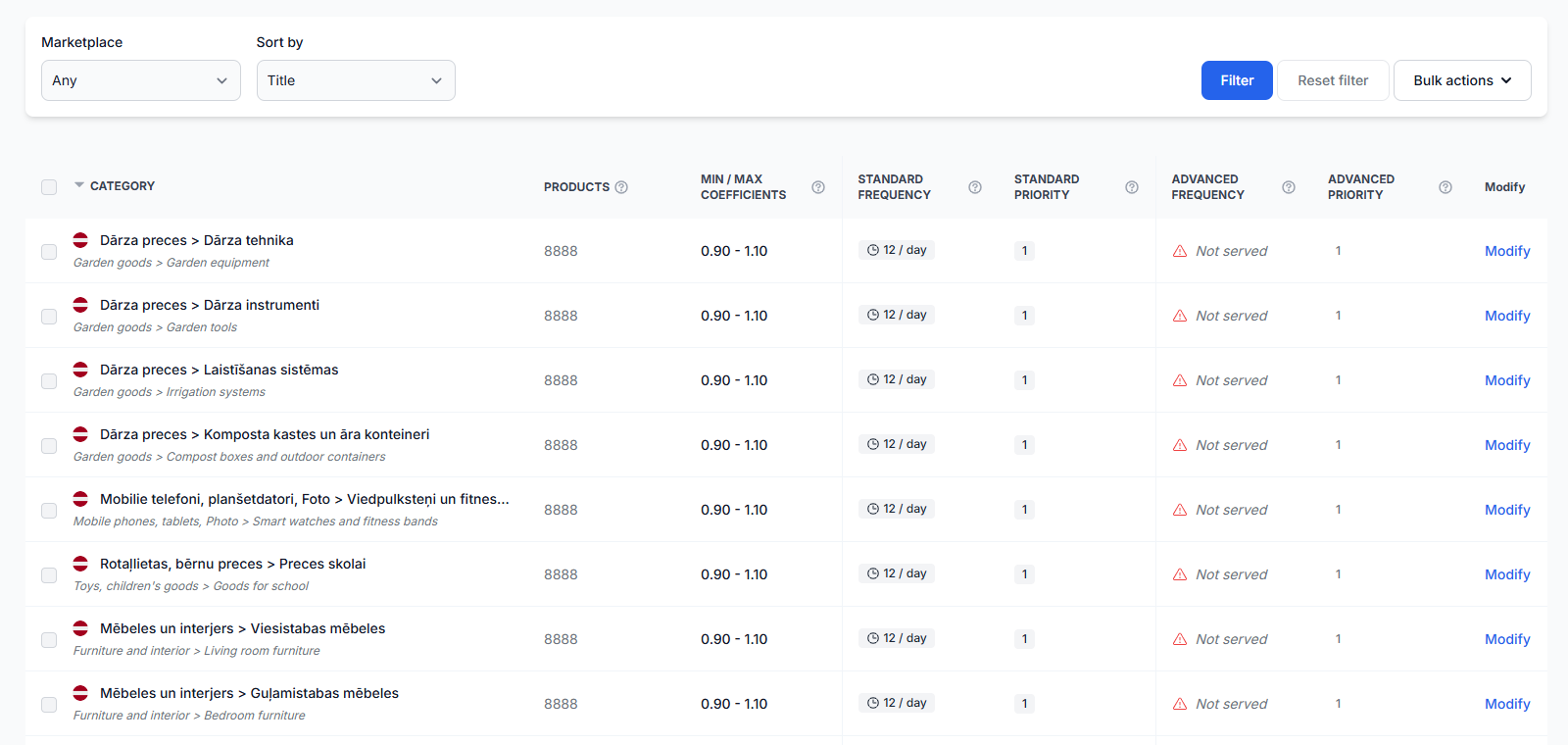
The Individual products page is used to create product-level exceptions to your normal category monitoring schedule.
For example, a category may contain hundreds or thousands of products and be monitored only a few times per day. You can add a smaller group of bestsellers to this page and monitor them more frequently, such as once per hour.
Each product is identified by its EAN, which is the barcode number B2BLIX uses to match the product across supported Pigu Group marketplaces. The selected individual schedule applies wherever that EAN is available through your connected marketplace accounts.
Important: Individual product monitoring uses advanced product-level data collection and can cost more than standard category monitoring. Higher frequencies and large EAN lists may significantly increase account usage and charges.
When to use this page
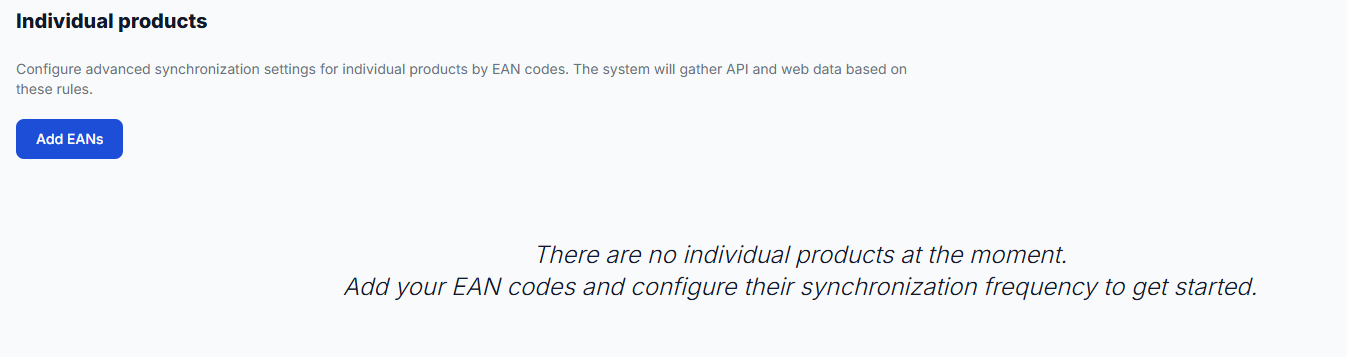
Open this page when selected products need a different monitoring frequency from their category. Typical examples include:
- Bestselling products that require more frequent price observations.
- Highly competitive products whose marketplace situation changes quickly.
- A small priority product group that should be monitored more often than the rest of the catalog.
- Products you want to test with advanced monitoring before applying it to a larger group.
This page is not intended for changing pricing strategies, minimum prices, maximum prices, or publication settings. It controls how often B2BLIX collects updated marketplace information for the selected products.
What you can do on this page
- Add one or more EAN codes.
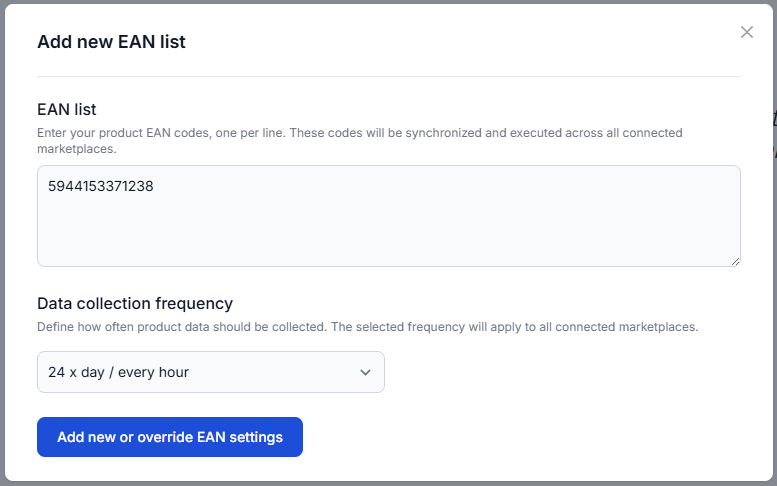
- Choose one data collection frequency for the submitted EAN list.
- Override the broader category frequency for selected products.
- Review each configured EAN and its current frequency.
- See how recently each product was last seen by the system.
- Delete an individual product rule when it is no longer needed.
Main fields and controls
| Field or control | What it means | When to use it |
|---|---|---|
| Add EANs | Opens the form for adding product EAN codes and selecting their data collection frequency. | Use it when creating a new individual rule or changing the frequency for an EAN already configured on this page. |
| EAN list | A required text field for product barcode numbers. Enter one EAN per line. | Use it to submit one product or a group of products that should share the same individual frequency. |
| Data collection frequency | A required selection that defines how often B2BLIX should refresh marketplace information for the entered EAN codes. | Select a frequency based on how important and competitive the products are, while considering usage costs. |
| Add new or override EAN settings | Saves the submitted EAN list and frequency. The wording also indicates that an existing individual setting can be replaced with the newly selected frequency. | Use it after checking the EAN codes and confirming that the selected frequency is appropriate. |
| EAN | Shows the product identifier currently using an individual monitoring schedule. | Use it to confirm that the intended products were added. |
| Frequency | Shows how many times per day the product is scheduled for data collection. | Use it to review whether each product has the expected monitoring schedule. |
| Last seen | Shows how recently the product was last observed by the system. | Use it as a quick indication of recent collection activity. It does not confirm that a new price has been published to the marketplace. |
| Delete | Removes the product-specific monitoring rule. | Use it when the product no longer needs an individual frequency. After removal, the product is no longer listed as an individual exception. |
Available data collection frequencies
The frequency is displayed as the number of collections per day. The available choices correspond to the following approximate intervals:
| Frequency | Approximate interval |
|---|---|
| 1 per day | Every 24 hours |
| 2 per day | Every 12 hours |
| 4 per day | Every 6 hours |
| 6 per day | Every 4 hours |
| 8 per day | Every 3 hours |
| 12 per day | Every 2 hours |
| 24 per day | Every hour |
| 48 per day | Every 30 minutes |
| 96 per day | Every 15 minutes |
Cost warning: Do not select 96 per day for a large list without first considering the expected usage. Every 15 minutes is the highest available frequency and may consume a substantial number of chargeable actions.
Reviewing configured products
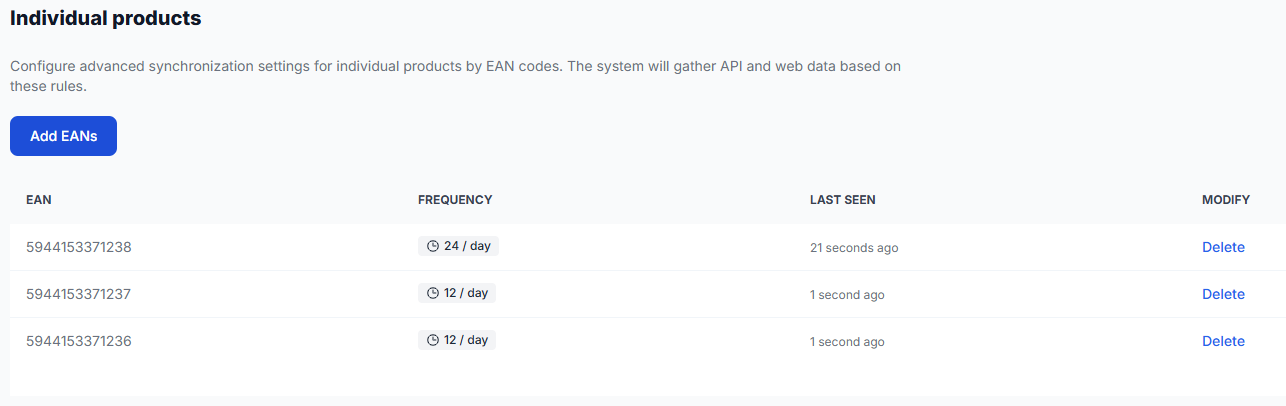
After individual products have been added, the page displays them in a table. Each row shows the EAN, its selected frequency, the last-seen time, and the available delete action.
Different products can use different frequencies. For example, one product can be monitored 24 times per day while other products are monitored 12 times per day.
What happens after saving
After you submit the EAN list, B2BLIX schedules those products according to the selected individual frequency. This product-level schedule overrides the broader category schedule for the configured EAN codes.
The setting applies across the supported marketplaces connected to your account. You do not need to add the same EAN separately for Latvia, Lithuania, Estonia, and Finland. B2BLIX will use the rule for each marketplace where the product is available and associated with your setup.
More frequent monitoring provides newer marketplace observations for later calculations. However, collecting new data is separate from calculating, exporting, or publishing a price. A recent Last seen value does not by itself mean that a marketplace price was changed.
How to use this page safely
-
Confirm the product exists in B2BLIX.
Check that the EAN appears in the All products interface before adding it here. The product must also belong to the catalog you sell through the connected Pigu marketplaces.
-
Start with a small list.
Add only the products that genuinely need faster monitoring, such as a limited group of bestsellers.
-
Choose a reasonable frequency.
Use hourly or more frequent monitoring only when the product's importance and competitive activity justify the additional cost.
-
Check every EAN before saving.
When copying codes from a spreadsheet or internal document, check for missing digits, extra spaces, or incorrect product identifiers.
-
Review the saved table.
Confirm that each EAN appears with the intended frequency and watch the Last seen column for collection activity.
-
Remove rules that are no longer needed.
Keeping unnecessary products on a high-frequency schedule may increase usage without providing useful value.
Common mistakes
-
Entering an EAN that is not part of your discovered products.
If B2BLIX cannot find the product, the individual rule cannot provide useful monitoring results. Verify the code in All products.
-
Copying an incorrect or incomplete EAN.
Check each line carefully, especially when pasting a large list from another system.
-
Using the highest frequency for too many products.
Advanced monitoring is intended for selected priority products. A large list monitored every 15 minutes can create significant usage charges.
-
Assuming the frequency changes the live marketplace price directly.
This page controls data collection. Price calculation and publication are separate parts of the B2BLIX workflow.
-
Adding the same EAN separately for each marketplace.
The individual rule is applied across connected marketplaces where that product is available.
Example use case
A seller has a category containing 2,000 products. The category is monitored four times per day, which is approximately every six hours.
Ten products in that category are bestsellers and face frequent price changes from competing offers. The seller adds those ten EAN codes to the Individual products page and selects 24 per day / every hour.
B2BLIX then collects marketplace information for those ten products according to the hourly individual schedule, while the remaining products continue to use the less frequent category schedule. This gives the priority products fresher observations without applying the more expensive frequency to the entire category.