Practical Pigu BuyBox guides
Explore practical guides to importing products, setting min/max price limits, choosing repricing strategies, configuring monitoring, and exporting updates through XML or API.
Getting started with B2blix pigu buybox
Getting started
This guide explains how to complete the first B2BLIX Pigu BuyBox setup: connect your seller account, prepare your product data, enable marketplace monitoring, test the calculations, and choose how prices will be sent to Pigu.
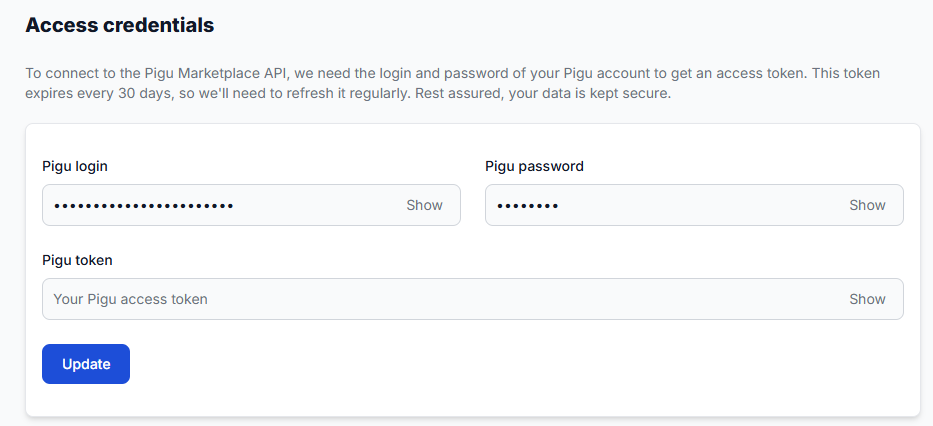
Access credentials for the Pigu connection
Interfaces· Access credentials· Pigu integration· Api synchronization
Learn how to enter and maintain the credentials used for synchronization between B2BLIX and Pigu, including when credentials must be updated and how token expiration can affect the connection.
All products page
Interfaces· Product data· Buybox monitoring· Export
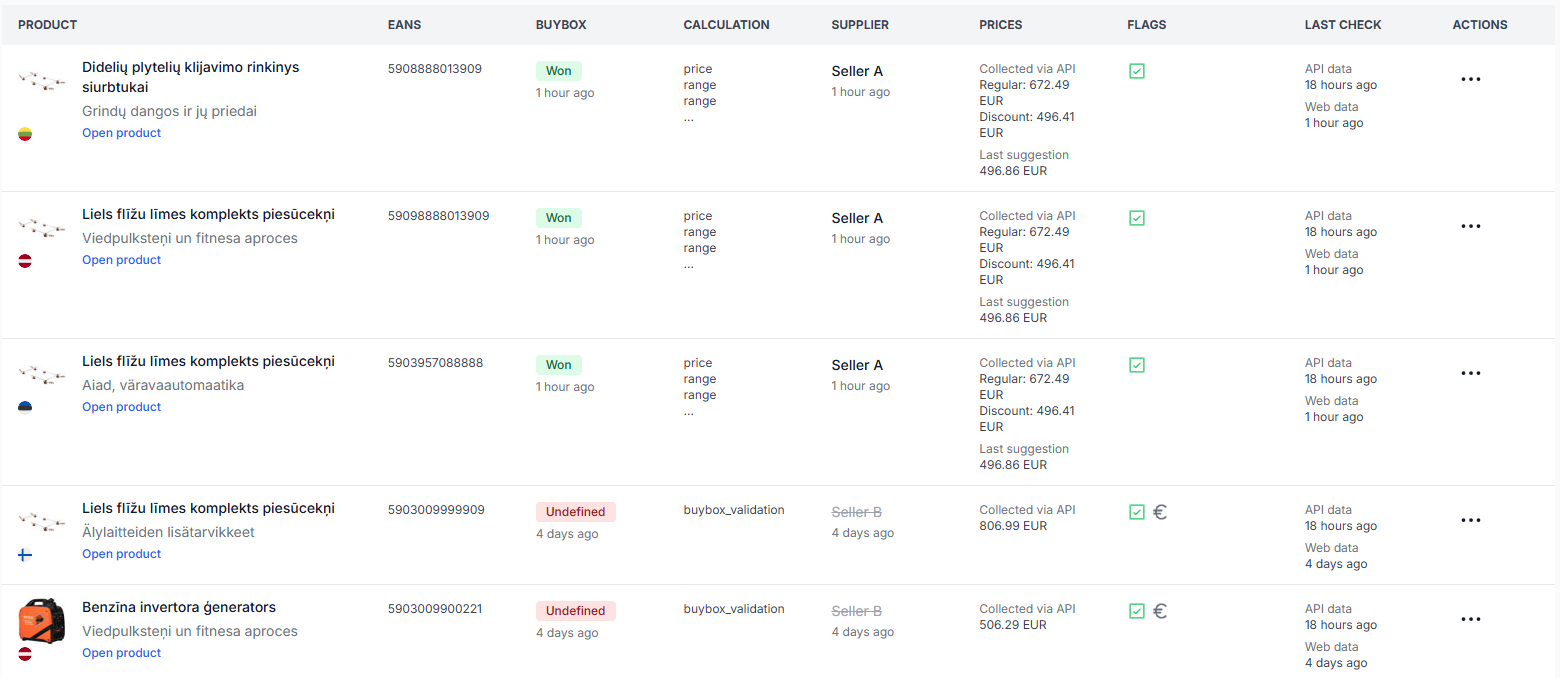
The all products page shows the products stored for your account together with the latest available marketplace observations, imported price data, buybox results, calculation labels, and data timestamps.

Api export limits, intervals, and large-catalog delays
Support questions· Export· Api limits· Troubleshooting
Understand why API price updates may take longer for large catalogs, how marketplace request limits affect publishing, and what to check when calculated prices are not yet live.
Buybox exclusion rules
Interfaces· Exclusion rules· Price calculation· Marketplace settings
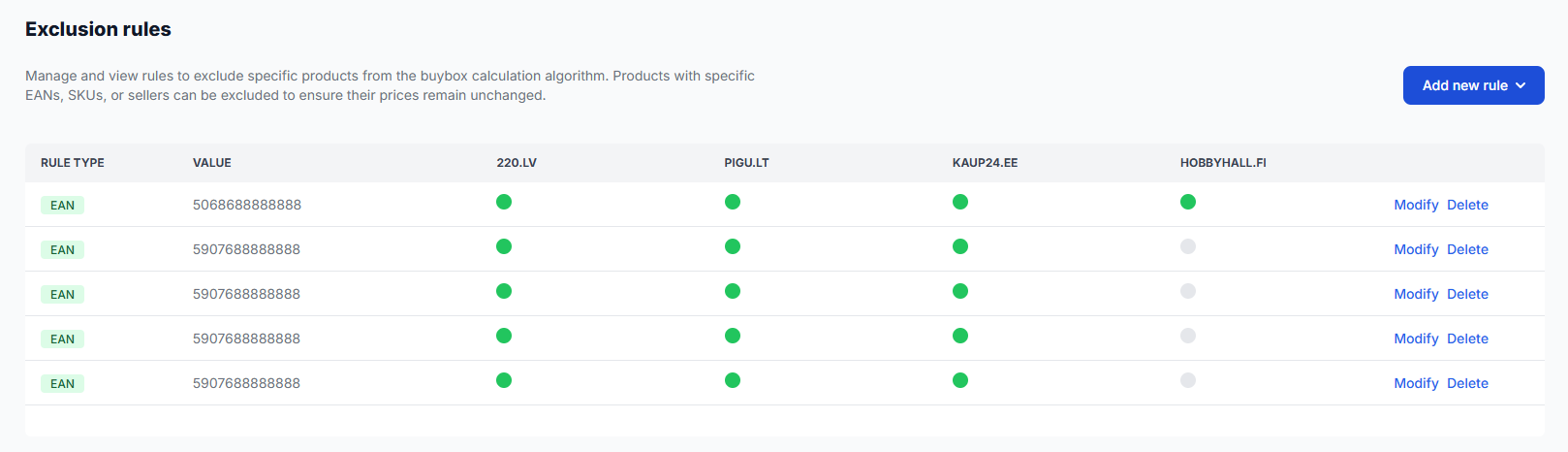
The BuyBox Exclusion Rules page lets you prevent selected products or seller situations from being processed by the automatic BuyBox price calculation.