Practical Pigu BuyBox guides
Explore practical guides to importing products, setting min/max price limits, choosing repricing strategies, configuring monitoring, and exporting updates through XML or API.
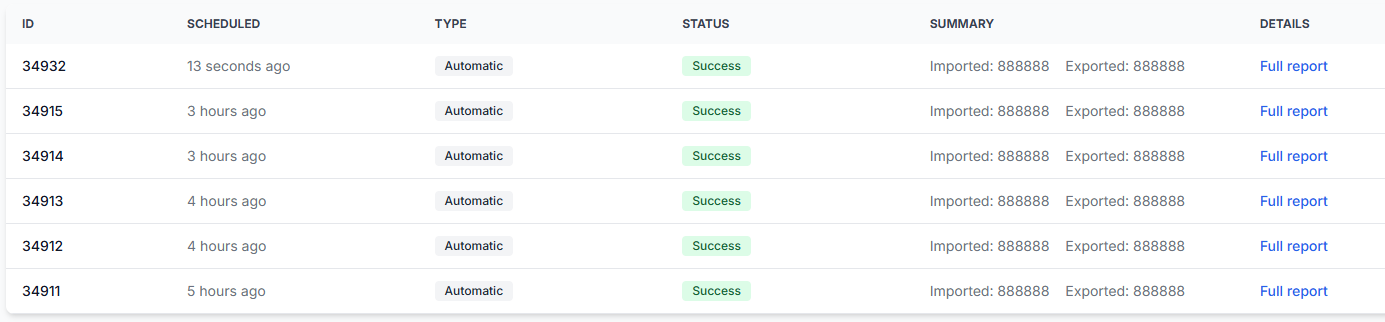
Synchronization reports: review import, BuyBox calculation, and export results
Interfaces· Synchronization· Buybox results· Export
Learn how to read the B2BLIX synchronization reports page, understand its processing statistics, and identify products that require attention before calculated prices are published.
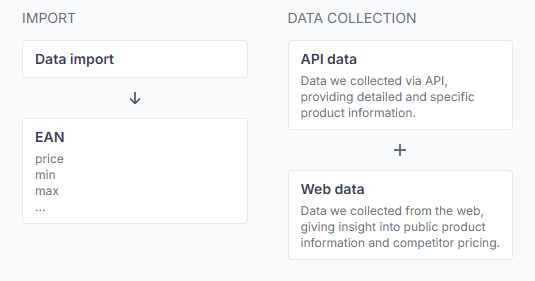
Understanding the buybox schema
Interfaces· Buybox schema· Pricing strategies· Data freshness
Learn how to read the B2BLIX BuyBox Schema, including data import, marketplace data collection, seller-status segmentation, data freshness, and the general purpose of each strategy group.
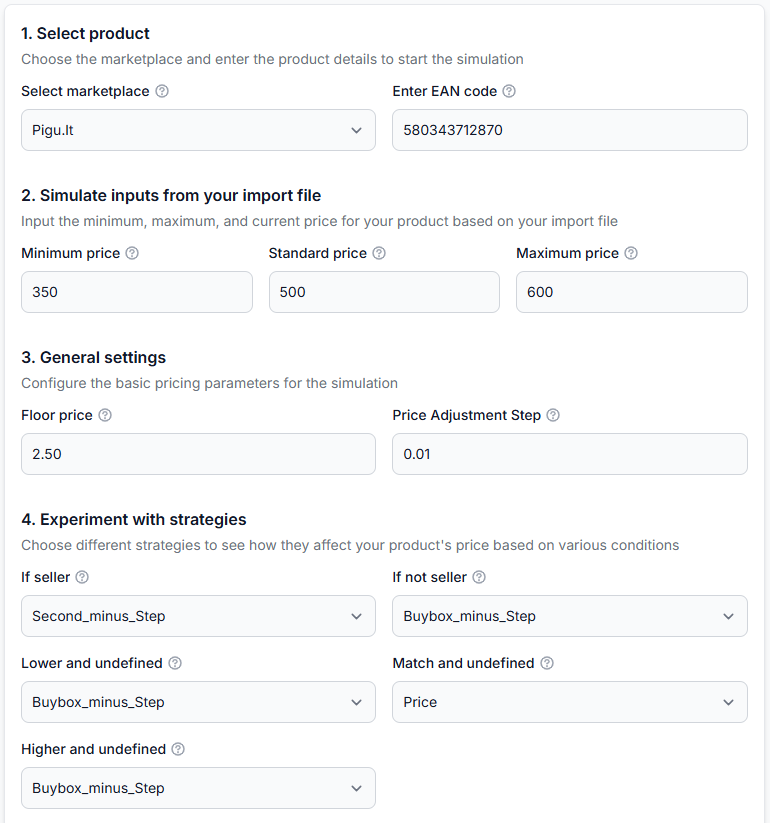
Using the BuyBox simulator
Interfaces· Buybox simulator· Pricing strategies· Price calculation
The BuyBox simulator lets you test pricing strategies with real marketplace product data without changing or publishing your live prices. Learn how to enter product prices, select BuyBox strategies, run a simulation, and interpret the suggested price and calculation process.
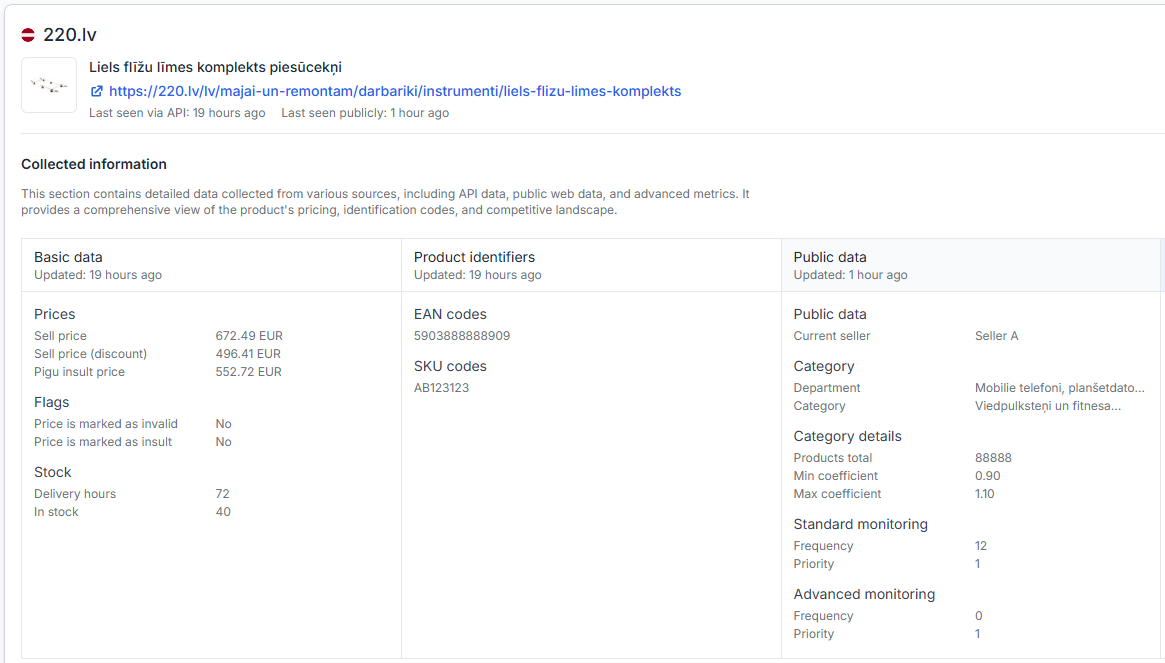
What B2blix can and cannot control in pigu
Support questions· Export to pigu· Synchronization· Troubleshooting
Understand which parts of price monitoring, calculation, export, marketplace processing, and product visibility are controlled by B2BLIX and which are controlled by Pigu.
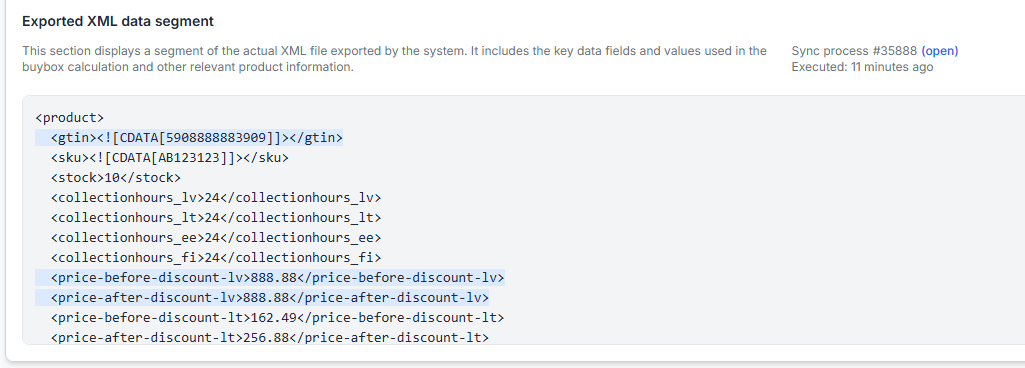
What to check if prices are updated in b2blix but not visible on pigu
Support questions· Export to pigu· Synchronization· Troubleshooting
Check Product Checker, the generated XML or API export, synchronization reports, and Pigu import timing when a calculated price is not yet visible on the marketplace.