Understanding the buybox schema
Learn how to read the B2BLIX BuyBox Schema, including data import, marketplace data collection, seller-status segmentation, data freshness, and the general purpose of each strategy group.
What the buybox schema page is for
The BuyBox Schema page is an educational overview of how B2BLIX interprets product and marketplace data before applying a pricing strategy.
It shows the main flow from your imported product information to marketplace data collection, seller-status identification, and the strategy group that may be used during calculation.
This page does not change product prices and does not contain settings that you can save. Its purpose is to help you understand the available pricing situations before you select strategies elsewhere in the service.
Sellers should review this page after onboarding and before enabling automatic price publication. Setting aside approximately 15 minutes to read the schema and its tooltips can help prevent incorrect strategy choices.
Important: The schema itself is informational, but the strategies it explains can affect calculated and published prices when selected in your settings. Review the relevant tooltips and confirm your minimum and maximum price limits before enabling automatic publication.
How to read the schema
The schema is arranged as a flow with four main stages:
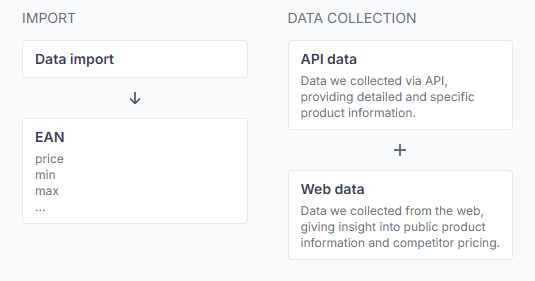
- Import: B2BLIX receives your product data.
- Data collection: Available marketplace observations are collected.
- Segmentation: The system evaluates whether your shop can currently be identified as the BuyBox seller.
- Strategy: The appropriate group of available pricing actions is shown for that situation.
What you can do on this page
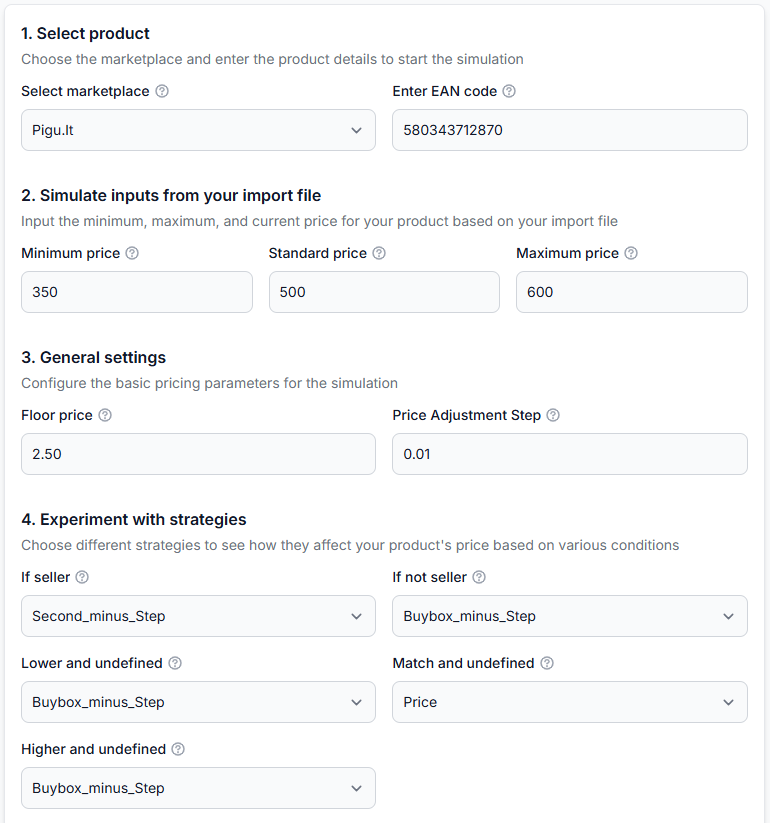
- Understand which data B2BLIX uses during a pricing calculation.
- Learn the difference between confirmed seller, confirmed non-seller, and undefined situations.
- Review the general types of pricing actions available in each situation.
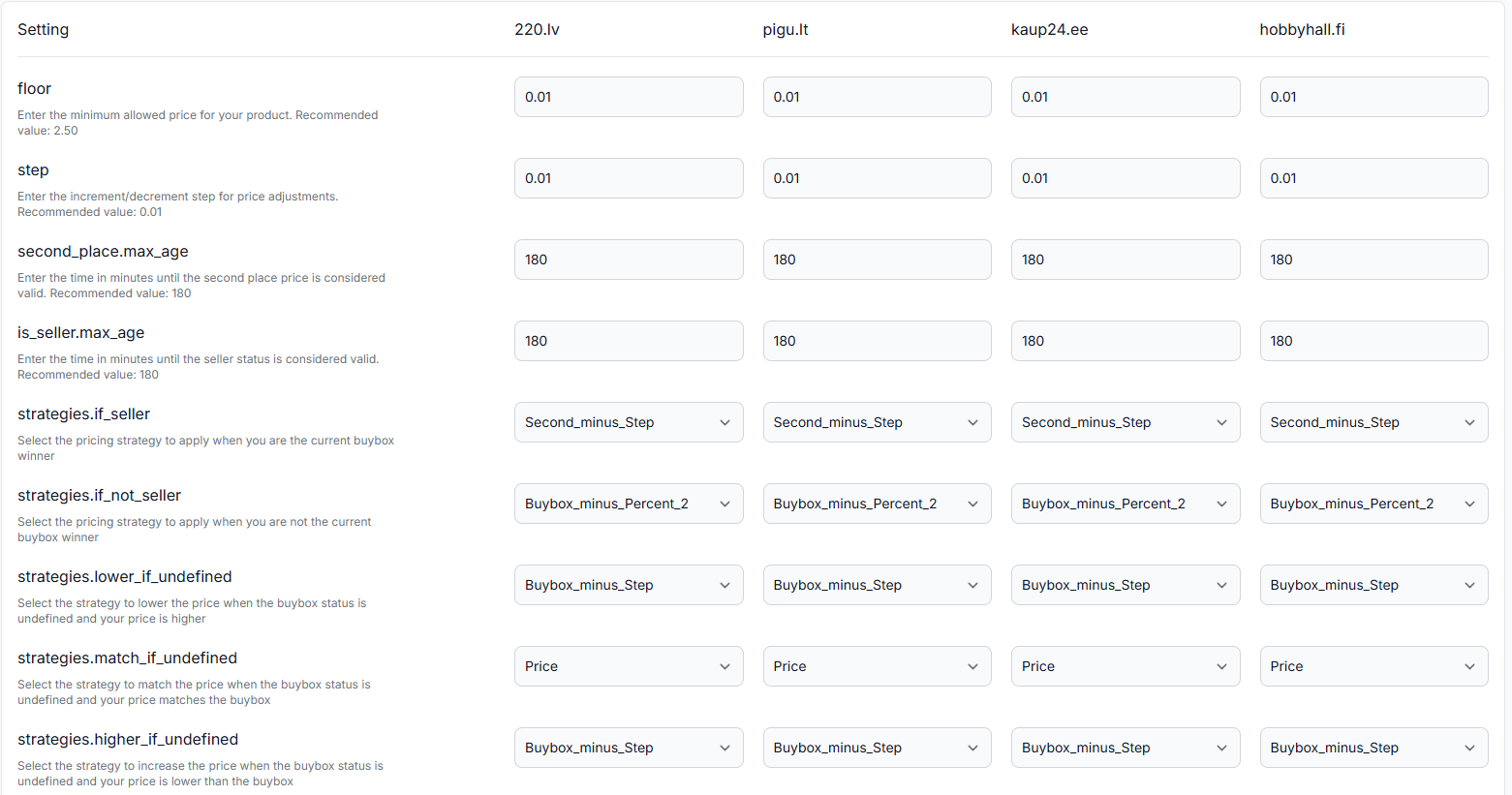
- Open the question-mark tooltips to read the current explanation of each strategy.
- Use the schema as a reference while configuring synchronization and pricing settings.
There are no editable fields, filters, save buttons, or enable switches on this page.
Main sections of the page
| Section | What it means | What to check |
|---|---|---|
| Data import | Your product information supplied through a supported source, such as XML, CSV, or Google Sheets. | Confirm that each product has the required identifiers and price information. |
| EAN | The product identifier normally used to match your offer with marketplace product information. | Incorrect or missing EAN values may prevent the correct product from being matched. |
| Price | The original or base price supplied in your product source. | Make sure it represents the intended starting price for the product. |
| Minimum price | The lowest permitted price for the product. | Check that it protects your required margin and is not entered too low. |
| Maximum price | The highest permitted price for the product. | Check that it is not lower than the minimum price or unsuitable for the product. |
| API data | Structured marketplace product information available to B2BLIX. | Treat it as observed marketplace data, not as information supplied by your import. |
| Web data | Public marketplace information that can provide additional product and competitor-price context. | Remember that marketplace observations have a collection time and may become outdated. |
| Segmentation | The pricing situation assigned after comparing your shop information with sufficiently recent marketplace observations. | Check whether the status is confirmed or undefined before interpreting the strategy group. |
| Strategy | The group of pricing actions available for the detected situation. | Open the tooltip for the exact current explanation before selecting a strategy in your settings. |
How seller status is interpreted
Your shop is identified as the seller
This situation applies when a sufficiently recent marketplace observation identifies your shop as the current BuyBox seller.
Strategies in this group may keep the current price, use the original imported price, use a previous calculated price, or look for a controlled opportunity to increase the price while remaining within the permitted range.
Another shop is identified as the seller
This situation applies when a sufficiently recent observation identifies another shop as the current BuyBox seller.
Strategies in this group may keep the original price, reduce a price gradually, or adjust it in relation to the last known BuyBox price. The exact action depends on the strategy selected in your settings.
The seller status is undefined
The status becomes undefined when the available observation is too old to confirm whether your shop currently holds the BuyBox.
In this situation, the schema may also compare your price with the last known BuyBox price. This provides additional context for deciding whether to keep the price, move it cautiously, or wait for fresher data.
An undefined status does not necessarily mean there is an error. It means the current seller position cannot be treated as confirmed using the available observation.
Data freshness and monitoring frequency
The seller-status decision depends on how recently the product was observed. The observation time is updated when B2BLIX collects new marketplace pricing information.
Collection frequency is controlled through your monitoring configuration, including the schedule selected for the relevant category or individual product. More frequent monitoring can provide fresher observations, while less frequent monitoring may result in more products temporarily entering the undefined branch.
Monitoring and synchronization are separate processes. Monitoring collects marketplace observations. Synchronization imports your latest product source, evaluates the product using the available observations and configured strategies, and prepares the selected output.
Using the tooltips
Question-mark icons appear beside strategy groups and individual strategies. Open these tooltips to see what each option currently does.
The tooltip may explain whether a strategy:
- Uses your original imported price.
- Uses the last calculated price.
- Moves the price by a configured step.
- Uses the last known BuyBox or competitor price as a reference.
- Raises, lowers, or maintains a price within the permitted limits.
Read the tooltip for every strategy you plan to use. Strategy names can be compact and should not be interpreted only from their wording.
How to use this page safely
- Confirm that your imported products contain valid EAN, price, minimum price, and maximum price values.
- Review the three main seller-status situations shown in the schema.
- Open the tooltip for each strategy you are considering.
- Check how your category and individual-product monitoring schedules affect data freshness.
- Configure your strategies only after you understand which situation activates each one.
- Test the result with a limited product group before enabling wider automatic publication.
A calculated or exported price is not necessarily live on the marketplace. It becomes live only after it has been submitted, accepted, and applied through the selected marketplace workflow.
Common mistakes
- Guessing from the strategy name: Always open the tooltip and read the full explanation.
- Ignoring the undefined branch: Older observations can change which strategy group is used.
- Confusing imported and observed data: Your source price is different from a marketplace price collected by B2BLIX.
- Assuming this page changes settings: The BuyBox schema is a reference page only.
- Skipping price-limit checks: Incorrect minimum or maximum values can make an otherwise suitable strategy unsafe.
- Expecting a guaranteed BuyBox result: B2BLIX can adjust pricing responsiveness, but the marketplace determines the BuyBox winner.
Example use case
A seller imports a product with an EAN, an original price, and a permitted minimum and maximum price. Recent marketplace data shows that another shop currently holds the BuyBox.
The seller opens the BuyBox schema and reviews the not seller branch. Instead of choosing a strategy only from its name, the seller opens the available tooltips and checks whether each option uses the original price, the latest BuyBox price, or a gradual price adjustment.
After understanding the difference, the seller selects the appropriate strategy in the relevant settings, tests it on a small product group, and reviews the calculated results before enabling automatic publication.