Practical price aggregators guides
Explore practical guides to importing product data, setting minimum and maximum price limits, configuring pricing rules, monitoring market prices, and exporting adjusted selling prices through XML or API.
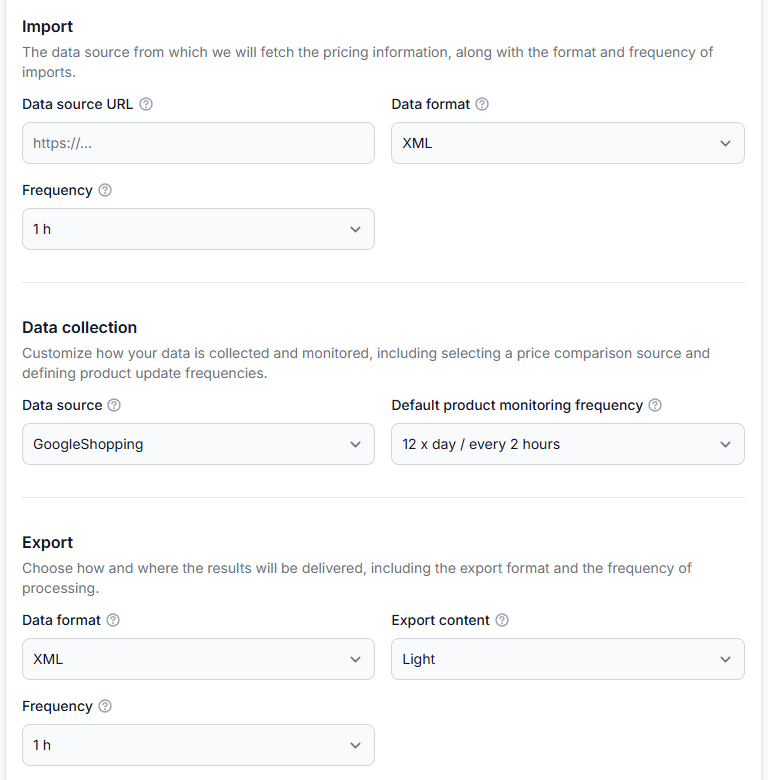
Getting started with b2blix price aggregators
Getting started· Price aggregators· Synchronization· Buybox· Import· Xml· Store integration
Create your first price synchronization, prepare a small product feed, collect competitor prices, review calculated results, and safely test XML or store delivery before expanding to your full catalog.
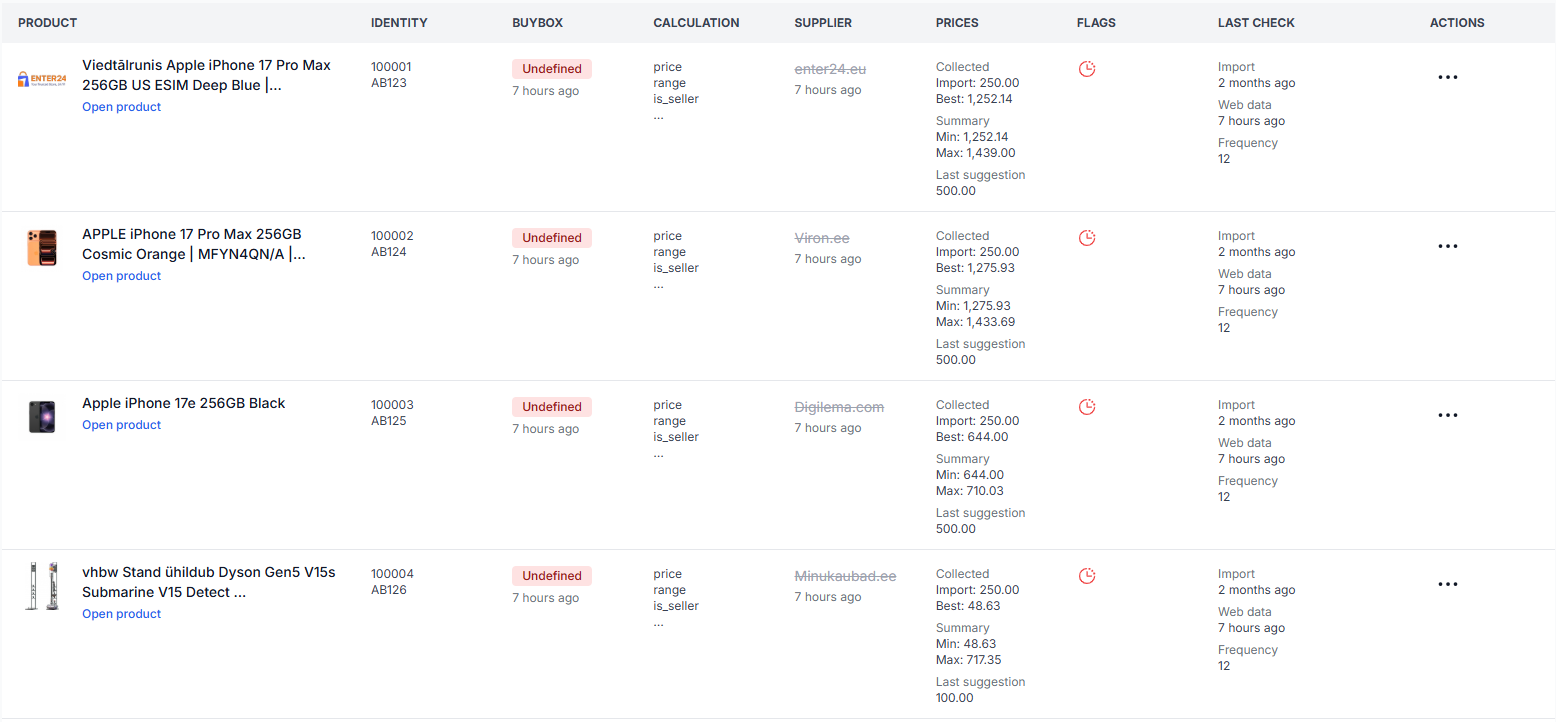
All products interface
Interfaces· Product data· Monitoring· Buybox status· Supplier catalog
This guide explains the filters, product table, price fields, status labels, timestamps, and actions available on the B2BLIX Price Aggregators All Products page.
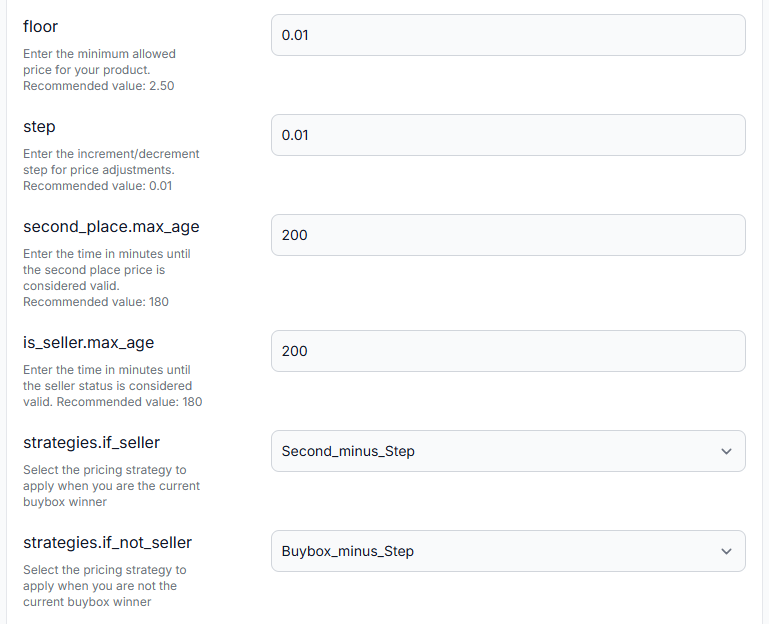
Configure buybox settings for a price synchronization
Interfaces· Buybox settings· Price synchronization· Repricing
This guide explains the pricing floor, adjustment step, data-validity periods, strategy selectors, seller identification, target position, and seller filters available in the BuyBox Settings interface.
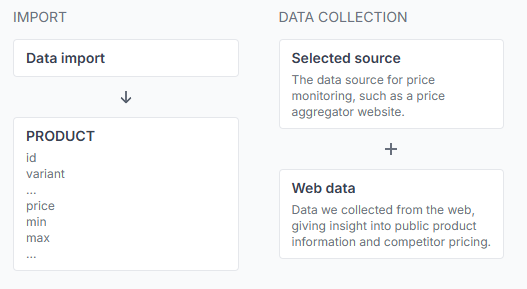
How B2BLIX aggregators monitors prices and calculates recommendations
Support questions· B2BLIX aggregators· Price monitoring· Buybox algorithm
This guide explains product queries, competitor monitoring, comparison-target selection, pricing strategies, safety limits, and the checks sellers should complete before exporting calculated prices.
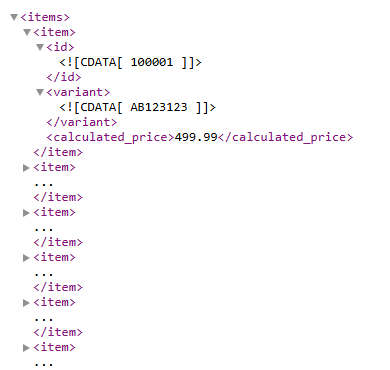
How calculated prices are delivered to a store or another sales channel
Support questions· Integrations & exports· Price synchronization· Woocommerce
B2BLIX can deliver calculated prices as an XML output or send them through a supported store integration. A connected store such as WooCommerce can then update product prices automatically. Learn how calculated prices leave B2BLIX, where to select the export method, and what to verify before enabling automatic price updates in your store.