Practical price aggregators guides
Explore practical guides to importing product data, setting minimum and maximum price limits, configuring pricing rules, monitoring market prices, and exporting adjusted selling prices through XML or API.
How monitoring frequency, catalog size, and pilot scope affect your setup
Support questions· Monitoring· Catalog planning· Pilot setup
Learn how to choose a monitoring frequency, start with a limited EAN pilot, and monitor only part of your store catalog when using B2BLIX Price Aggregators.
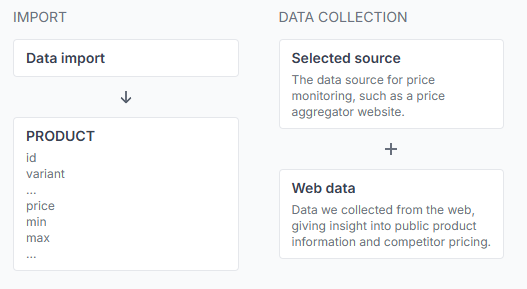
How optimized prices are calculated within seller-defined min/max limits
Support questions· Pricing algorithm· Min/max prices· Product checker
See how competitor offers from Kaina24.lt and your product-level price limits are combined to calculate a competitive price without going below or above the range you allow.
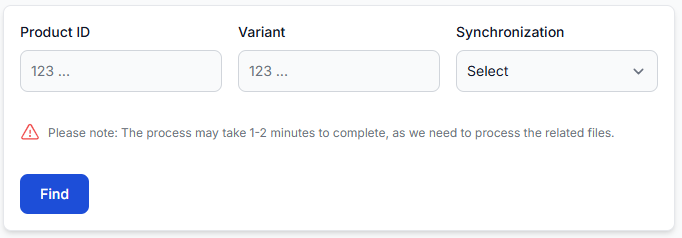
How to find and review a monitored product by ean
Support questions· Diagnostics· Product checker· Monitoring
Search for a known EAN in B2BLIX to locate a monitored product and review its imported data, collected market information, and calculated price recommendation.
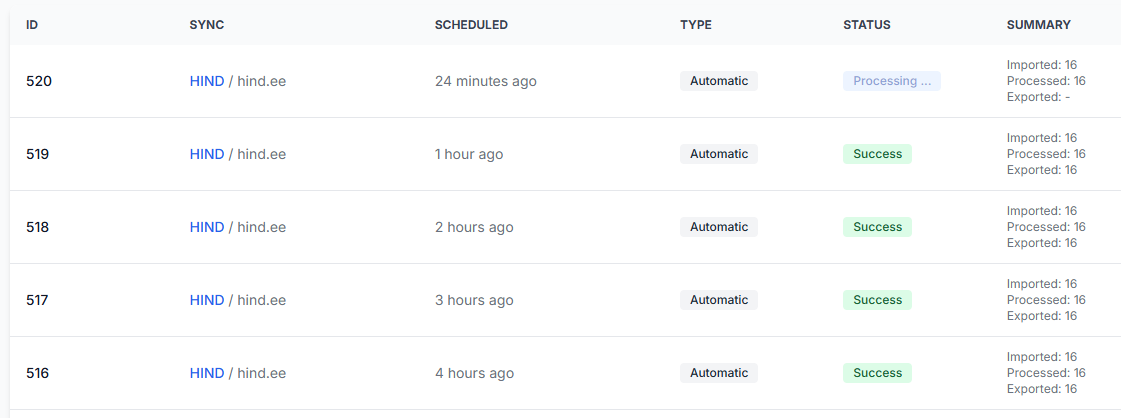
How to view reports for a price synchronization
Interfaces· Synchronization reports· Price synchronization· Processing status
Open the reports for a specific price synchronization to review its latest runs, current status, and basic import, processing, and export totals.
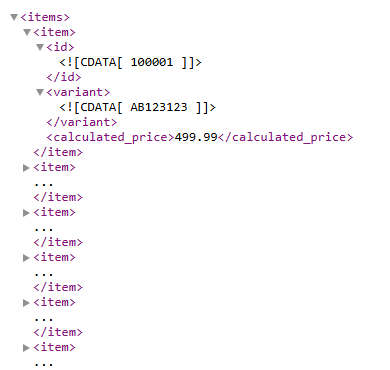
Price synchronization: edit general settings
Interfaces· Price synchronization· General settings· Xml export
The General Settings page lets you update the main configuration of an existing price synchronization, including its status, data source, schedules, and export method.