How monitoring frequency, catalog size, and pilot scope affect your setup
Learn how to choose a monitoring frequency, start with a limited EAN pilot, and monitor only part of your store catalog when using B2BLIX Price Aggregators.
Description: This guide explains how monitoring frequency and product volume affect rollout, data freshness, and usage. It also shows why a small pilot reduces testing risk but does not remove the need to prepare the core synchronization setup.
When this guide is relevant
This guide is useful when you are planning a new B2BLIX Price Aggregators synchronization and need to decide:
- How often product offers should be monitored.
- Whether you can begin with a smaller group of EANs.
- Whether your store may contain more products than the catalog monitored by B2BLIX.
These decisions affect data freshness, monitoring usage, testing effort, and how quickly you can safely expand the synchronization.
Short answer
You can start with a limited product group and expand later. Your full website catalog does not need to be monitored: B2BLIX can process only the selected products included in the synchronization import.
Monitoring frequency should be selected according to how quickly competitor information changes, how many products you monitor, and how fresh the data needs to be. For example, a Kaina24.lt setup may begin with daily monitoring, while products with faster price changes may require more frequent checks.
A smaller pilot reduces the number of products being tested and monitored, but the main setup work is still required. The synchronization, import structure, data source, calculation settings, and output workflow must be prepared even when the pilot contains only a small number of EANs.
Monitoring frequency affects usage and price freshness. More frequent monitoring creates more data-collection operations. Before increasing the frequency or expanding the catalog, verify the selected products, monitoring settings, calculation limits, and current commercial terms.
How monitoring and synchronization work together
Monitoring and synchronization are related, but they are not the same process.
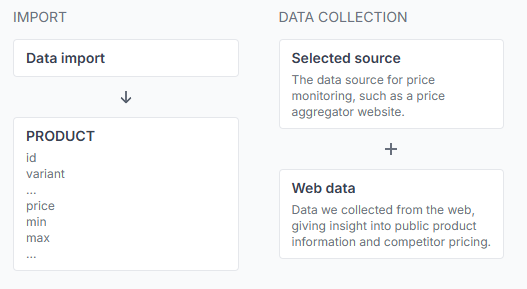
- Monitoring collects public offer data from the selected price comparison source using each product's configured query.
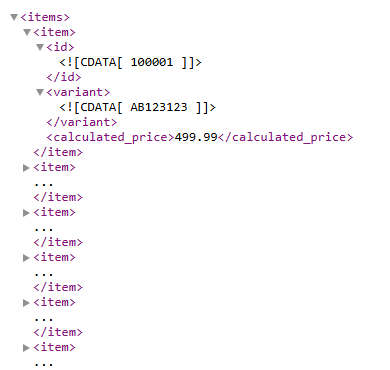
- Import updates B2BLIX with your store's product data, such as the product ID, query, base price, minimum price, maximum price, and optional product-level frequency.
- Calculation uses sufficiently recent collected information and your BuyBox settings to prepare a suggested price.
- Export produces or sends the calculated result according to its own configured schedule.
Increasing the monitoring frequency does not automatically increase the import or export frequency. Check each schedule separately when planning how quickly new market information should reach your store workflow.
B2BLIX monitoring is scheduled according to the configuration. It should not be treated as continuous or instantaneous because source availability, the selected query, synchronization status, and the configured schedules can affect when new information becomes available.
What to check in your account
1. Confirm which products belong in the pilot
Choose a limited group that is easy to review. A useful pilot usually includes products with:
- A stable product ID or EAN.
- A query that returns the intended product on the selected comparison platform.
- A known base price.
- Defined minimum and maximum prices for safe automatic calculation.
- Enough commercial importance to make the test meaningful.
The pilot list can be smaller than your website catalog. Only products included in the synchronization import are monitored and processed by that synchronization.
2. Review the synchronization schedules
Check the default product-monitoring frequency, import frequency, and export frequency. Select values that match the required freshness without monitoring every product more often than necessary.
To check this in your account, open Price synchronization. To understand the available general settings, read Price synchronization: edit general settings.
3. Check for product-level frequency overrides
A product may have its own monitoring frequency in the imported data. When provided, this can override the synchronization's default frequency.
This allows you to monitor important or fast-moving products more frequently while checking slower products less often. Confirm that an unexpected product-level value is not causing a product to be monitored more or less frequently than planned.
4. Verify the imported product count
Confirm that the synchronization contains only the products you intend to monitor. Your store can have a much larger catalog; the monitored product count depends on the records supplied to this synchronization.
To review the stored products, open All products. For an explanation of the product table and available filters, read All products interface.
5. Test individual pilot products
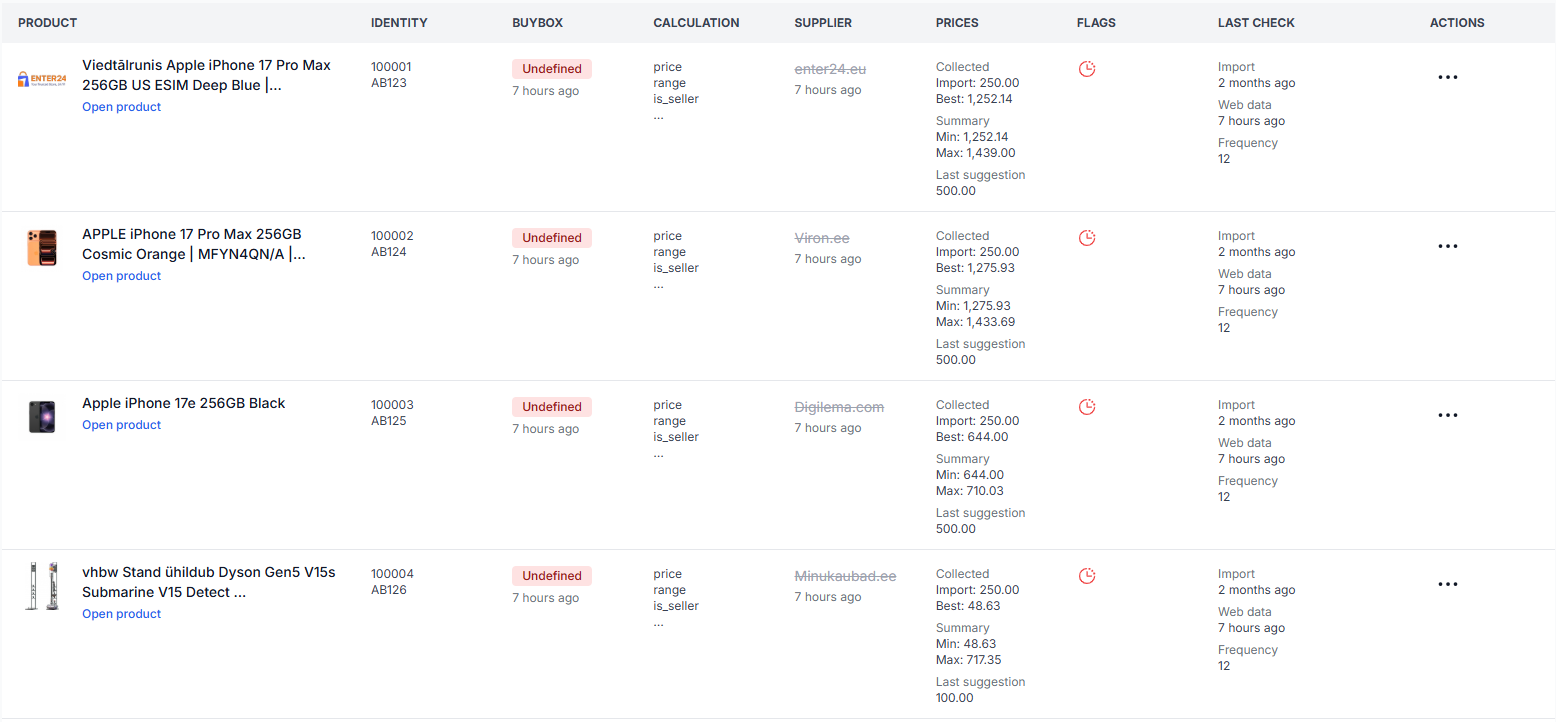
For each initial product, verify the imported query, collected public offers, minimum and maximum prices, monitoring frequency, selected strategy, provisional calculation, and final price.
To investigate a product, open Product checker. For instructions on reviewing the product data and calculation, read Product checker: review product data and price calculations.
Common planning scenarios
You need at least one update per day
Set a monitoring schedule that provides the required daily observation and confirm that the synchronization and export schedules are suitable for your workflow. A daily monitoring check does not guarantee that a connected store receives a new price at exactly the same time unless the other processing schedules also support that timing.
You want to begin with only a few EANs
This is a recommended way to test queries, seller identification, collected results, price limits, and exported values before expanding.
However, setup effort does not decrease in direct proportion to the number of products. You still need to prepare the synchronization and its main configuration, including:
- The product import source and required attributes.
- The selected price comparison source.
- The monitoring schedule.
- The BuyBox calculation settings.
- The minimum and maximum prices for each repriced product.
- The export or integration method.
Your website contains more products than you want to monitor
This is supported. The store catalog and the monitored synchronization catalog are separate.
For example, your website may contain 20,000 products while the initial synchronization includes only 300 selected EANs. B2BLIX will monitor and calculate prices for those imported records rather than automatically monitoring every product on the website.
Some products need fresher data than others
Use the synchronization default for the general catalog and a product-level frequency override for selected products when your configuration supports it. This can help balance freshness and monitoring usage.
You are monitoring the same products on several platforms
Each price comparison platform uses an independent synchronization. Monitoring the same product through several synchronizations creates separate data-collection operations, settings, reports, and usage for each platform.
Example rollout
A store has 8,000 products on its website but initially wants to monitor 100 important EANs on one price comparison source.
- The seller creates one synchronization for the selected source.
- The import contains only the 100 pilot products.
- Each product has a tested query, base price, minimum price, and maximum price.
- The default monitoring frequency is selected according to the required data freshness.
- A few priority products receive a different product-level frequency where needed.
- The seller reviews collected offers and calculations in Product Checker.
- The generated output is checked before prices are sent to the store workflow.
- More EANs are added only after the pilot results are understood.
The remaining website products continue to exist in the store catalog but are not monitored by this synchronization.
What to do next
- Select a small but representative product group for the initial rollout.
- Test each product's exact query directly on the selected price comparison platform.
- Confirm the imported base price, minimum price, maximum price, and monitoring frequency.
- Review the default monitoring, import, and export schedules in the synchronization settings.
- Run the pilot and inspect individual products in Product Checker.
- Review the generated output before enabling wider automatic updates.
- Expand the monitored catalog or increase frequency only after checking the results and expected usage.
Before changing live-price processing: verify that the selected queries return suitable products, that every automatically repriced product has appropriate minimum and maximum limits, and that the calculated output has been reviewed. A successful collection does not by itself confirm that the returned offers are commercially comparable.