Exclude products from BuyBox repricing
Learn how to exclude products by EAN, when exclusions are useful, and what to check before saving the list.
What this page is used for
The Exclude products page is used to select products that should not be automatically repriced by the B2BLIX BuyBox algorithm.
When an EAN is included in the exclusion list, B2BLIX skips the normal BuyBox price calculation for that product. During synchronization and export, the suggested price remains the standard price provided in the seller’s imported product data.
This page is useful when a product must follow a specific pricing agreement. For example, a supplier or wholesaler may require the seller to use an agreed price and not change it automatically according to marketplace competition.
Important: Excluding a product stops B2BLIX from automatically repricing it, but it does not permanently lock the price. If the standard price changes in your imported product data, the price prepared during the next synchronization may also change.
What you can do on this page
- Add product EAN codes that should be skipped by the BuyBox repricing algorithm.
- Review the EAN codes currently included in the exclusion list.
- Update the list by saving the EAN codes shown in the text field.
The page does not contain product filters or a product table. Products are identified only by their EAN codes.
Main fields and controls
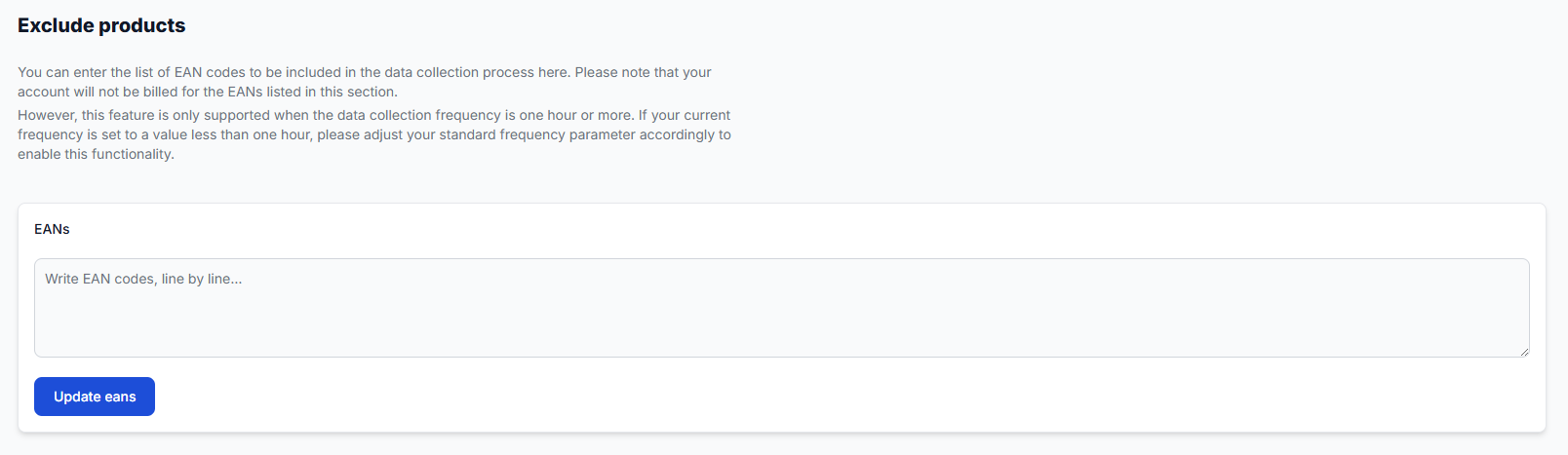
| Field or control | What it means | How to use it |
|---|---|---|
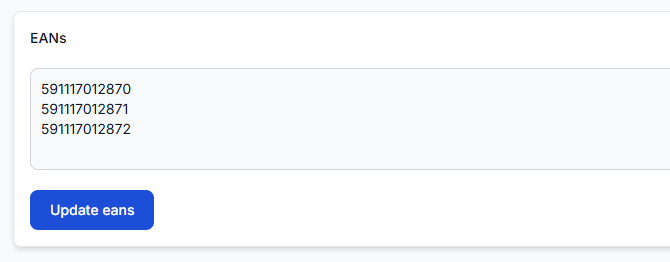
| EANs | A text field containing the product identifiers that B2BLIX should exclude from automatic repricing. | Enter one exact EAN code per line. Use the same EAN that identifies the product in your imported data and in the All products section. |
| Update eans | Saves the EAN exclusion list. | Click this button after checking that every code is correct. The exclusions are applied from the next synchronization. |
The exclusion list has an account-specific size limit. The permitted number of exclusions is normally limited to a few hundred products, but the exact allowance depends on the account’s internal settings.
According to the information shown on the page, EANs included in this section are not billed for data collection. The feature is supported when the standard data collection frequency is one hour or more. If the current frequency is shorter than one hour, adjust the standard frequency before relying on the exclusion list.
What happens after saving
After you click Update eans, the saved EANs are checked during the next synchronization.
When B2BLIX processes an excluded product:
- The normal BuyBox repricing calculation is skipped.
- The suggested price is set to the standard price received from the imported product data.
- The prepared export or supported publication workflow uses that result.
Pricing warning: An exclusion can affect the price prepared for export and may therefore affect the marketplace price when automatic publication is enabled. Check the imported standard price before adding the EAN. A calculated or exported price is not necessarily live until it has been accepted and applied by the marketplace.
How to use this page safely
- Open the All products section and confirm that the product exists in your account.
- Copy the exact EAN shown for the product.
- Check that the standard price in your import source is the price you want B2BLIX to use.
- Confirm that your standard data collection frequency is one hour or more.
- Enter each EAN on a separate line in the EANs field.
- Review the complete list for missing digits, incorrect products, and duplicate entries.
- Click Update eans.
- After the next synchronization, review the product result and confirm that the standard imported price was used.
Only exclude products when there is a clear reason to prevent automatic repricing. Products that are not listed continue to follow the configured BuyBox pricing rules and price limits.
Common mistakes
- Entering the wrong EAN: The code must exactly match the product EAN known to B2BLIX. Check it in All products before saving.
- Assuming the price is permanently fixed: The excluded product follows the standard price in the import data. A change in the source price can still change the next prepared price.
- Using an unsupported collection frequency: The exclusion feature requires a standard collection frequency of one hour or more.
- Exceeding the account limit: The exclusion list is not unlimited. Keep the list focused on products that genuinely require fixed or externally controlled pricing.
- Expecting an immediate change: Saved exclusions take effect during the next synchronization, not necessarily at the moment the button is clicked.
Example use case
A seller has a product supplied under an agreement that requires a specific retail price. The seller does not want the BuyBox strategy to lower, match, or increase that product’s price.
The seller finds the product in All products, confirms its exact EAN, and verifies that the required contract price is present as the standard price in the import source. The seller then adds the EAN to the exclusion list and clicks Update eans.
During the next synchronization, B2BLIX skips the BuyBox calculation for that EAN and prepares the standard imported price instead. Other products that are not excluded continue to use their configured repricing strategies.