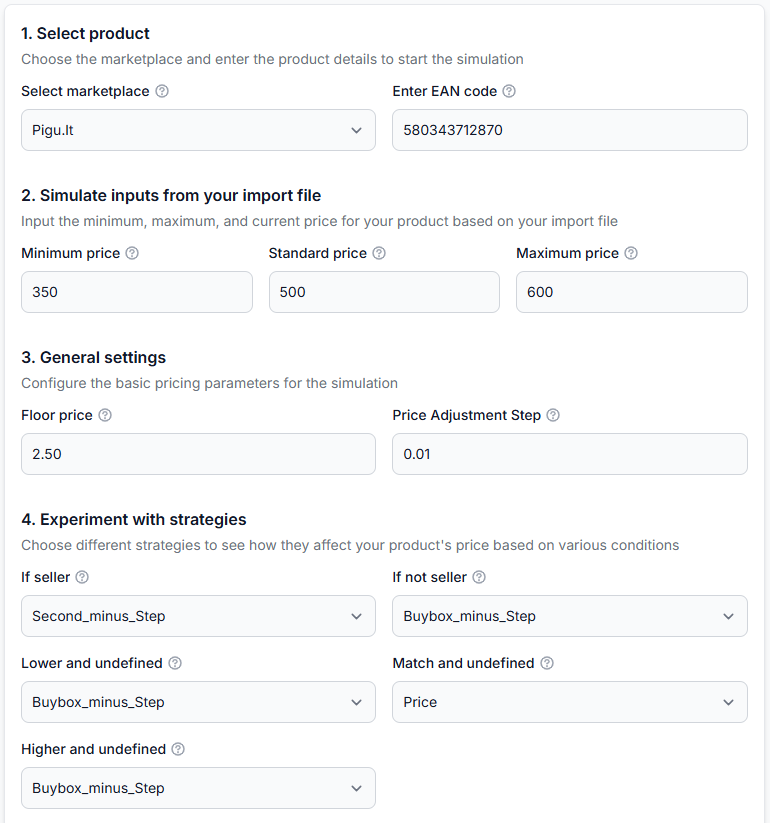
Synchronization reports: review import, BuyBox calculation, and export results
Learn how to read the B2BLIX synchronization reports page, understand its processing statistics, and identify products that require attention before calculated prices are published.
What the synchronization reports page is for
The synchronization reports page keeps a history of synchronization processes performed by B2BLIX. It includes both scheduled automatic synchronizations and synchronizations started by a user.
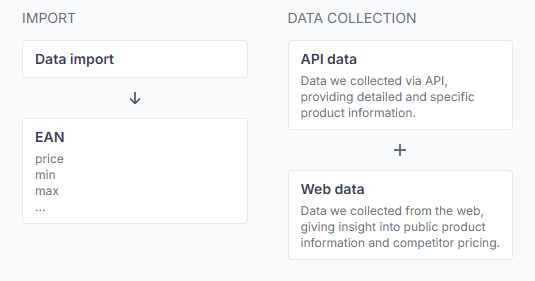
During synchronization, B2BLIX downloads the seller's configured product source, checks the imported data, matches products using EAN codes, applies the configured BuyBox settings, and prepares the selected output.
Depending on the seller's synchronization settings, the result may be prepared as an XML file or submitted through a supported API integration.
Open this page after a synchronization to confirm that the expected number of products was processed. It is also useful when you need to understand why some products were repriced, excluded, returned with their original prices, or reported with validation problems.
Important: A calculated or exported price is not necessarily live on the marketplace. The marketplace must still receive, accept, and apply the result. B2BLIX does not control the BuyBox selection and cannot guarantee that a calculated price will win the BuyBox.
What you can do on this page
- Review recent automatic and user-initiated synchronization runs.
- Check when each synchronization was performed.
- See whether the process completed successfully.
- Compare the high-level imported and exported item counts.
- Open a full report for a specific synchronization.
- Review import validation, marketplace matching, exclusion rules, BuyBox cases, calculated price actions, and export results.
- Find EAN codes that require corrections or further review.
This is mainly an informational page. It does not change your product source, pricing rules, exclusion rules, or export configuration.
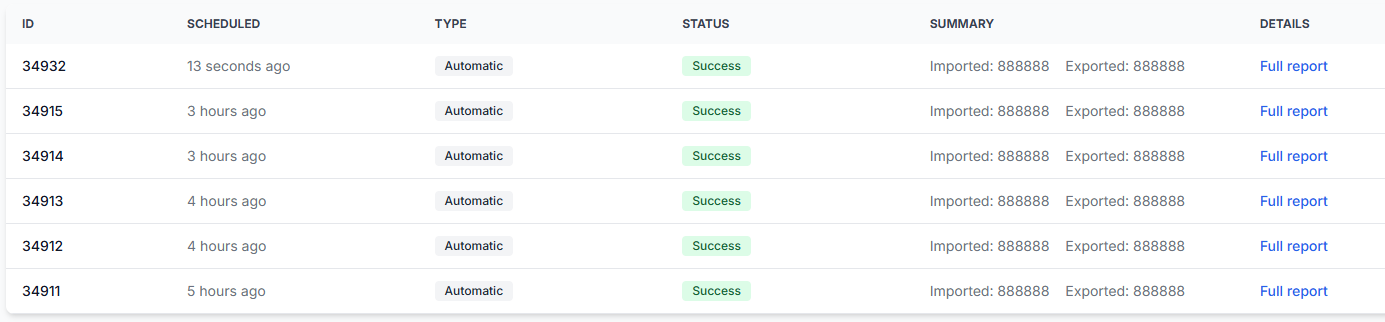
Synchronization report list
The main table provides a quick overview of previous synchronizations.
| Column | What it means | What to check |
|---|---|---|
| ID | A reference number for the individual synchronization run. | Use it to distinguish one report from another when several synchronizations were performed close together. |
| Scheduled | Shows when the synchronization was scheduled or performed. | Confirm that the most recent synchronization ran at the expected time. |
| Type | Shows how the process was started, such as automatically or by a user. | Use this to confirm whether you are reviewing a scheduled synchronization or a manually started one. |
| Status | Shows the result of the synchronization process. For example, Success means the B2BLIX process completed successfully. | If the status is not what you expected, open the full report and review the available details. |
| Summary | Displays high-level imported and exported item counts. | Look for an unexpected difference between the amount of source data and the resulting output. |
| Full report | Opens the detailed report for that synchronization. | Use it to review each stage of import, processing, validation, and export. |
What the full report contains
The full report provides general information about the selected run and may include references to the settings used during that synchronization. It then divides the process into import, marketplace processing, validation, and export sections.
Data import
The import section explains what B2BLIX received from the configured product source.
| Field | Meaning | Recommended action |
|---|---|---|
| Items received | The total number of product rows extracted from the provided source. | Compare this number with the number of products you expected the source to contain. |
| Valid items | Products that contain the information required for basic identification and processing. | A large difference between received and valid items should be reviewed in the source data. |
| Invalid items | Products that cannot be identified because the required EAN code is missing. | Add the correct EAN codes to the source before the next synchronization. |
| Downloaded file size | The size of the downloaded source file, normally shown in megabytes. | Use it as a general confirmation that the expected source file was downloaded. |
For example, if the source contains 10,000 rows but only 9,000 valid items, approximately 1,000 rows are missing a usable EAN code and cannot be processed normally.
Data processing by marketplace
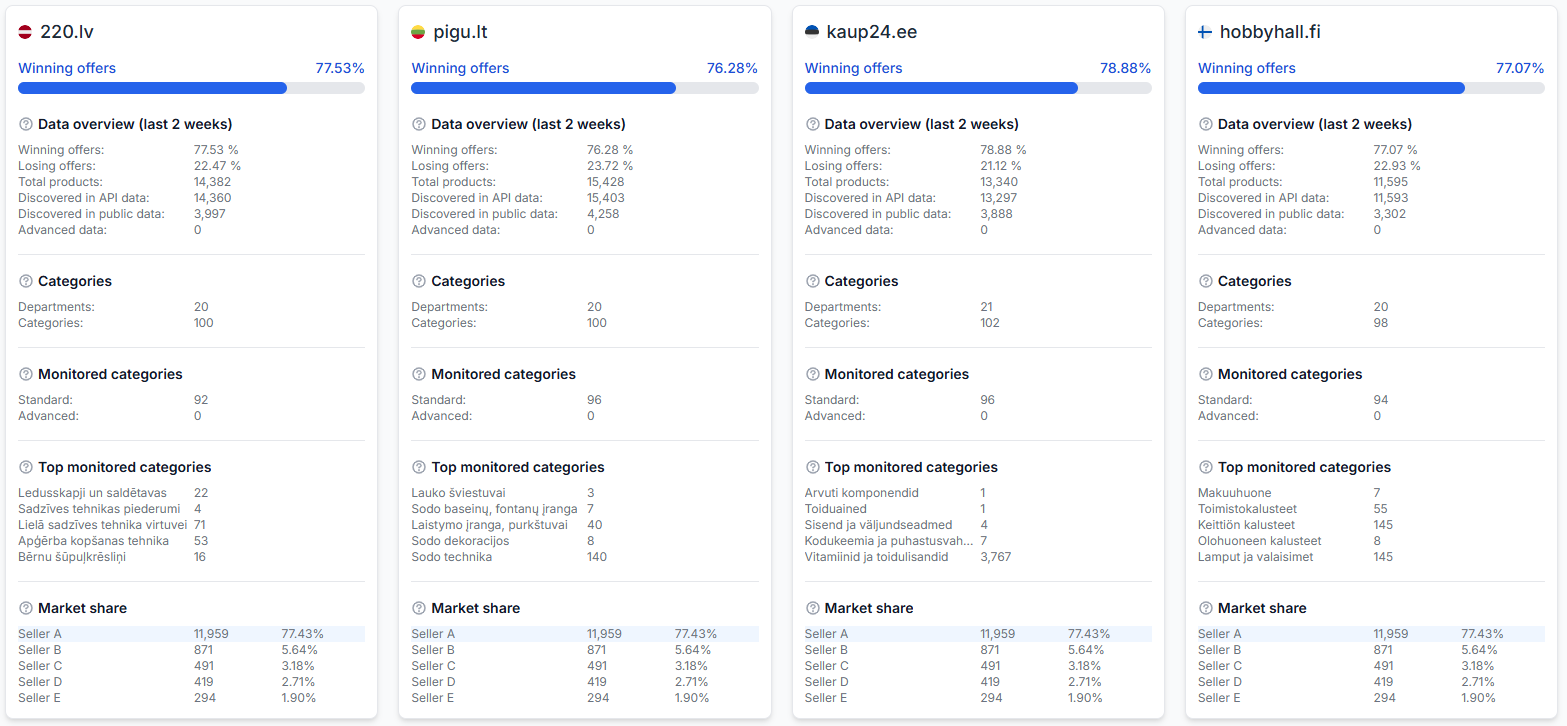
The processing section is divided into separate cards for the relevant marketplace destinations, such as 220.lv, Pigu.lt, Kaup24.ee, and HobbyHall.fi.
Each card summarizes what happened to products for that marketplace during the selected synchronization.
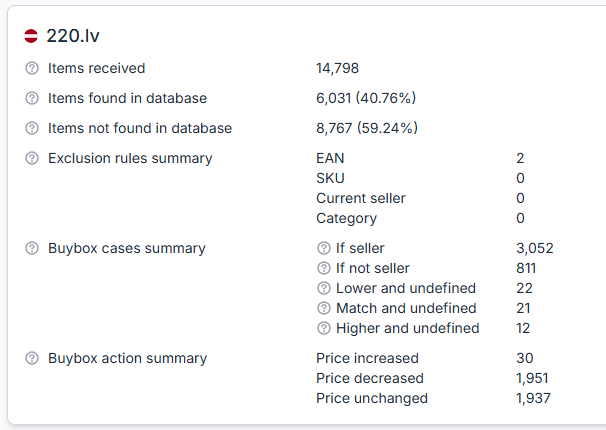
| Field | What it means | Effect on processing |
|---|---|---|
| Items received | The number of items included in the processing summary for this marketplace. | This is the starting point for comparing matching, exclusions, and BuyBox results. |
| Items found in database | The number and percentage of imported items matched with known marketplace products using their EAN codes. | Matched items can be evaluated using the available marketplace observations and configured BuyBox rules. |
| Items not found in database | The number and percentage of imported EAN codes that could not be matched with a product in the available B2BLIX marketplace data. | These items are returned using the seller's source price without a BuyBox calculation. |
| Exclusion rules summary | Shows how many items were excluded by rules based on EAN, SKU, current seller, or category. | Excluded products keep the sender's price and do not go through the automatic BuyBox calculation. |
| BuyBox cases summary | Groups processed products according to the marketplace situation detected during calculation. | The configured pricing strategy for each case determines how B2BLIX calculates the suggested price. |
| BuyBox action summary | Shows how many calculated prices increased, decreased, or remained unchanged. | This describes the calculated output. It does not by itself confirm that the marketplace applied the prices. |
Understanding database matching
Items found in database shows how much of your submitted product list can be connected to products known to B2BLIX for the selected marketplace.
A low matching percentage does not necessarily mean that the source file is invalid. It may mean that the submitted list includes products that are not currently sold on that marketplace, products that have not yet been discovered, or EAN codes that do not match the marketplace product data.
However, the submitted source should normally represent the products you actually sell on the relevant Pigu Group marketplace. If many products are not found, review the source list and verify the EAN codes.
Important distinction: An item with no EAN is an invalid imported item. An item with an EAN that is not found in the database passed the basic import check but could not be matched with known marketplace data.
Understanding the exclusion rules summary
The exclusion summary shows products intentionally skipped by the automatic BuyBox calculation. The report separates exclusions by rule type:
- EAN — excluded because of a rule for a specific EAN code.
- SKU — excluded because of a rule for the seller's SKU.
- Current seller — excluded because of the currently observed seller condition.
- Category — excluded because the product belongs to an excluded category.
These products are not automatically repriced during that calculation. Their sender prices are passed through without applying the BuyBox strategy.
If the exclusion counts are unexpected, review the BuyBox exclusion rules configuration. Do not assume that every unchanged price was caused by a pricing strategy; some products may have been excluded before calculation.
Understanding the BuyBox cases summary
A BuyBox case describes the situation detected for a product at the time of calculation. B2BLIX then uses the seller's selected strategy for that situation.
| Case | How to interpret it |
|---|---|
| If seller | B2BLIX has sufficient indication that the seller is currently in the BuyBox. The configured strategy for a winning position is used, which may keep or increase the price within the permitted limits. |
| If not seller | B2BLIX has sufficient indication that another seller is currently in the BuyBox. The configured non-winning strategy is used, which may reduce or match the observed price within the permitted limits. |
| Lower and undefined | The seller status is not confirmed, but the available price situation causes the configured price-lowering case to be used. |
| Match and undefined | The seller status is not confirmed and the seller's price matches the observed BuyBox price. The configured strategy for this uncertain matching situation is used. |
| Higher and undefined | The seller status is not confirmed and the configured strategy for moving the price toward the observed BuyBox situation is used. |
These categories explain which strategy branch was selected. They do not guarantee the product's current marketplace position or the result of a later BuyBox selection.
Understanding the BuyBox action summary
The action summary measures the direction of the calculated price changes:
- Price increased — the calculated price is higher than the imported or comparison price used for the synchronization.
- Price decreased — the calculated price is lower.
- Price unchanged — the calculation did not produce a different price.
Use these totals as a quick reasonableness check. For example, an unexpectedly large number of decreases may be a reason to review your BuyBox settings, source prices, minimum prices, and recent marketplace observations before expanding automatic publication.
Pricing safety warning: Synchronization results may be sent to a live marketplace when automatic API publication is enabled. Always verify minimum and maximum price limits, validation warnings, and unexpected price movements before using automatic publication for a large catalog.
BuyBox validation summary
The BuyBox validation summary identifies product data that does not meet the basic conditions required for safe price calculation. It includes the number of affected cases and the relevant EAN codes.
When a long list is shown, the interface may initially display only the first EAN codes. Use the available expansion control to view the remaining values.
Validation messages may include checks such as:
- MIN must be defined and higher than 0 — the product does not have a usable minimum price.
- MAX must be defined and higher than 0 — the product does not have a usable maximum price.
- The minimum price must not be higher than the seller's current or source price.
- The maximum price must not be lower than the seller's current or source price.
- Pigu insult price is less than defined MIN — the latest known Pigu price limit shown by B2BLIX is below the minimum price defined by the seller.
The last case indicates a conflict between the seller's minimum price and the marketplace price limit known to B2BLIX. The seller should review the affected EANs and decide whether the product's pricing policy needs to be adjusted.
To inspect a specific case, open All products, search for the affected EAN, and review the latest known marketplace price information. For a more detailed explanation of one product's calculation, use Product checker.
Data export information
The data export section summarizes the output prepared during synchronization. Depending on the configured workflow, it may include:
- The number of items added to the export output.
- The generated file size.
- A public download URL when an export file was generated.
- Information related to the configured API submission workflow.
The output method is controlled in synchronization settings. The report only describes what happened during the selected run.
Do not assume that the exported count must always equal the number of received rows. Invalid products, marketplace matching results, validation conditions, and other processing decisions can affect the final output.
How to review a synchronization safely
-
Open the latest expected report.
Confirm the time, type, and status so that you do not review an older or manually started process by mistake.
-
Check the import totals.
Compare received, valid, and invalid items with the expected size of your product source.
-
Review missing EANs.
Correct invalid source rows before relying on the synchronization for the full catalog.
-
Check the database matching percentage.
If many EANs are not found, verify that the source contains the products you currently sell and that the EAN values are correct.
-
Review exclusions.
Confirm that excluded EANs, SKUs, sellers, and categories match your intended exclusion rules.
-
Read the validation summary.
Pay particular attention to missing price limits and conflicts between the seller's minimum price and the known marketplace limit.
-
Check the price action totals.
Look for unexpected increases, decreases, or unusually large groups of unchanged products.
-
Confirm the export result.
Verify that the output count and file information are reasonable for the selected synchronization configuration.
There are no settings to save on the report itself. Corrections are made in the product source, BuyBox settings, BuyBox exclusion rules, or synchronization settings. The next synchronization then creates a new report describing the new result.
Common mistakes
-
Treating success as confirmation that prices are live.
Success confirms completion of the B2BLIX synchronization process, not necessarily marketplace acceptance or publication.
-
Confusing invalid items with items not found in the database.
Invalid items have no usable EAN. Not-found items have an EAN but were not matched with known marketplace data.
-
Ignoring a low database match rate.
A low rate may mean that the submitted catalog does not match the products currently sold or discovered on the marketplace.
-
Forgetting that exclusions bypass repricing.
An excluded item keeps the sender's price even when other products are processed by the BuyBox strategy.
-
Reading the BuyBox cases as guaranteed marketplace results.
The cases describe which calculation situation was used. The marketplace still determines the actual BuyBox winner.
-
Ignoring validation EANs because the overall report succeeded.
A synchronization can complete while individual products still have missing limits or conflicting price data.
-
Looking only at imported and exported totals.
Open the full report to understand matching, exclusions, validations, and price movements.
Example use case
A seller expects to synchronize 10,000 products. The report shows 10,000 items received, 9,000 valid items, and 1,000 invalid items.
The seller first checks the source and finds that the invalid rows are missing EAN codes. Of the 9,000 valid products, 6,000 are found in the B2BLIX database and 3,000 are not found. The seller reviews whether those 3,000 products are currently listed on the relevant marketplace and checks their EAN values.
The exclusion summary shows that 100 products were intentionally excluded. Those products keep their source prices without BuyBox calculation.
The seller then reviews the validation summary, corrects missing minimum and maximum prices, and checks any EANs where the known Pigu price limit is below the defined minimum. After updating the source and settings, the seller starts or waits for another synchronization and reviews the newly generated report before enabling wider automatic publication.