B2BLIX Pigu BuyBox guides
Export
All products page
Interfaces· Product data· Buybox monitoring· Export
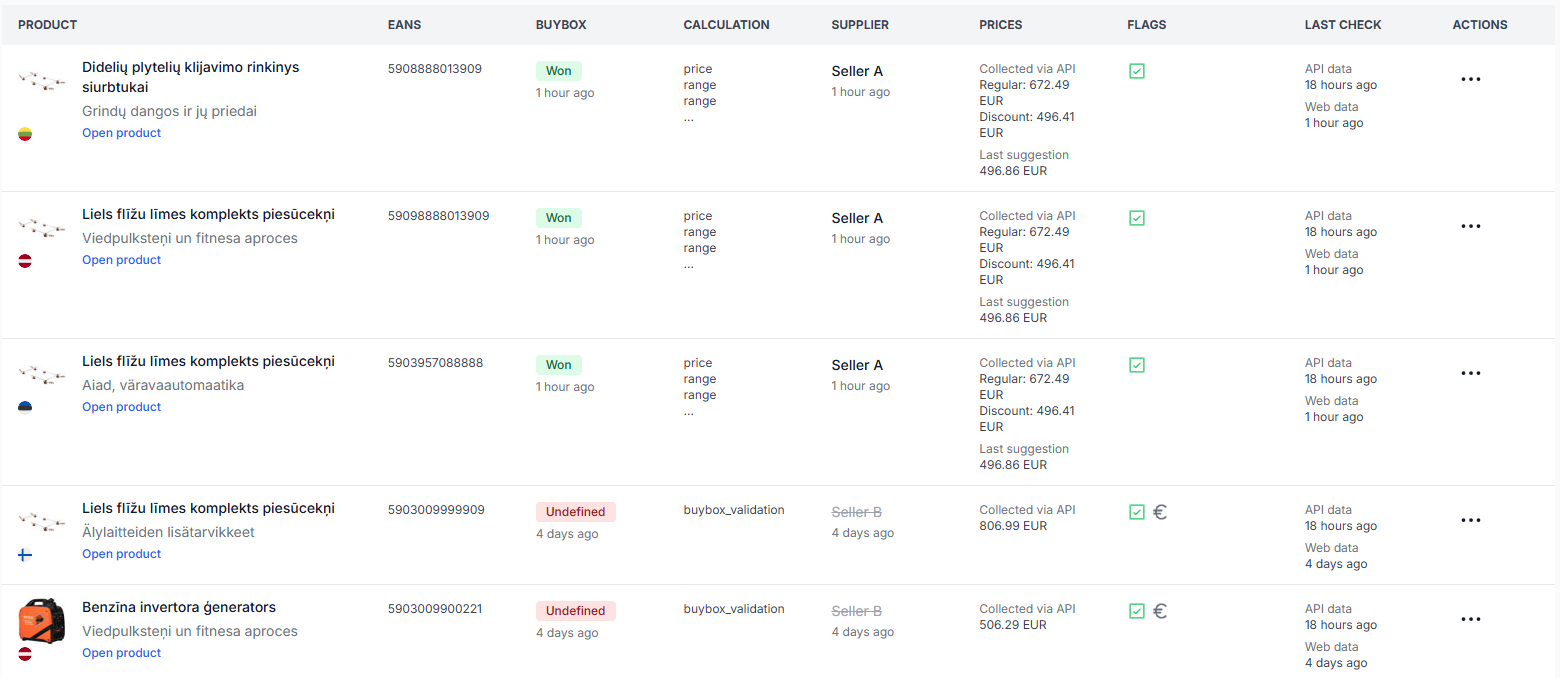
The all products page shows the products stored for your account together with the latest available marketplace observations, imported price data, buybox results, calculation labels, and data timestamps.

Api export limits, intervals, and large-catalog delays
Support questions· Export· Api limits· Troubleshooting
Understand why API price updates may take longer for large catalogs, how marketplace request limits affect publishing, and what to check when calculated prices are not yet live.
How discount mode and campaign price export work
Support questions· Discount mode· Synchronization· Export
Learn how B2BLIX exports normal and discounted prices to Pigu, when discount mode should be enabled, and why a discount may not appear on the marketplace.
How to export product data from B2BLIX
Support questions· Export· All products· Csv
Learn how to create a product export from the All Products page, download the generated CSV file, and use it as a starting point for spreadsheet workflows.
How to remove a product from export safely
Support questions· Export· Synchronization· Stock removal
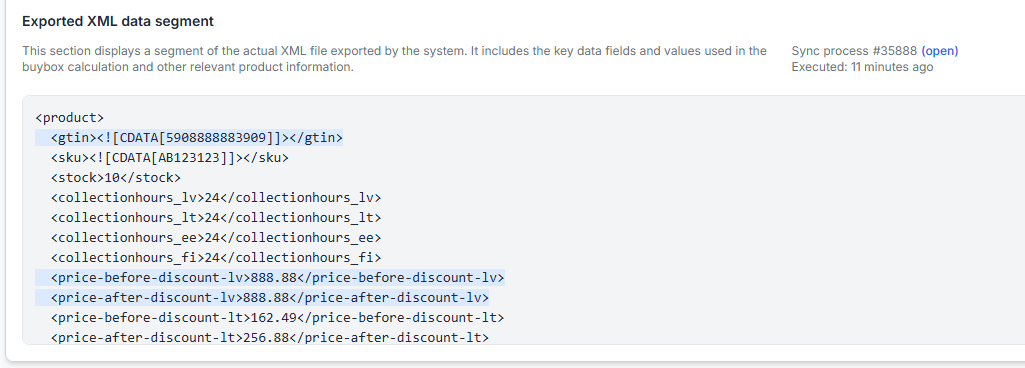
Safely remove a product from B2BLIX export by sending its stock as zero before removing it from your imported product data. This guide explains why a product should normally remain in the import with zero stock until the update has been exported and applied by the marketplace.
Sync settings: configure product import and price export
Interfaces· Synchronization· Product data· Export
Use this guide to configure your product feed, synchronization interval, XML or API output, discount mode, and public export URL safely.
Synchronization reports: review import, BuyBox calculation, and export results
Interfaces· Synchronization· Buybox results· Export
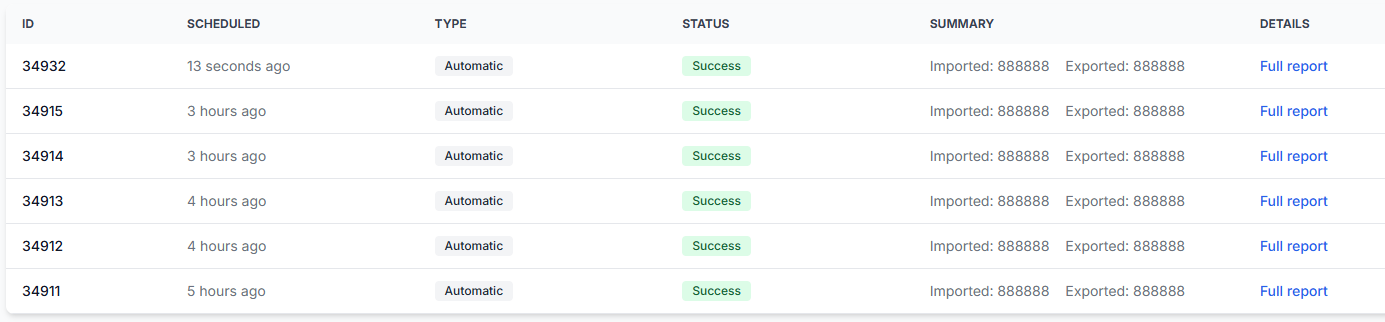
Learn how to read the B2BLIX synchronization reports page, understand its processing statistics, and identify products that require attention before calculated prices are published.
Why products may be missing from export
Support questions· Export· Product data· Troubleshooting
Learn how to diagnose products that are missing from a B2BLIX export by checking the imported standard price, minimum and maximum limits, synchronization reports, and product-level export information.