B2BLIX Pigu BuyBox guides
Synchronization
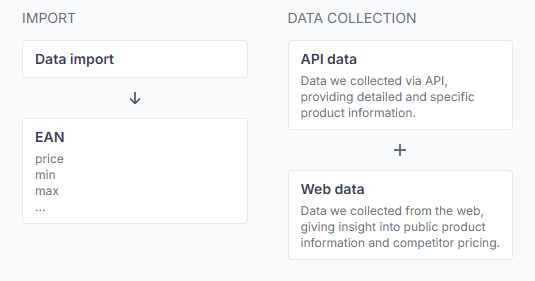
How B2BLIX Pigu Buybox works
Support questions· Getting started· Buybox algorithm· Synchronization
This guide explains how B2BLIX monitors marketplace offers, calculates prices within seller-defined limits, and prepares updates for Pigu Group marketplaces.

How B2blix synchronization works and when updates run
Support questions· Synchronization· Import & export· Troubleshooting
A practical guide to the complete B2BLIX synchronization workflow, including product imports, monitoring schedules, calculation frequency, manual synchronization, exports, and marketplace updates.
How discount mode and campaign price export work
Support questions· Discount mode· Synchronization· Export
Learn how B2BLIX exports normal and discounted prices to Pigu, when discount mode should be enabled, and why a discount may not appear on the marketplace.

How stock affects buybox calculation and xml export
Support questions· Synchronization· Xml export· Troubleshooting
Learn how B2BLIX handles products with zero stock, when stock changes can be sent to Pigu, and how to verify stock or delivery-hour values in the exported XML. This guide explains the difference between BuyBox price calculation and stock export. It also provides practical checks for products that remain active, inactive, or out of stock after synchronization.
How to connect and use the B2BLIX XML feed in Pigu
Support questions· Xml export· Pigu import· Synchronization
Copy your permanent B2BLIX XML export URL into Pigu’s stock and price import settings, confirm the field mapping, and verify that Pigu can read the feed.
How to enable live price updates and export prices to pigu
Support questions· Export to pigu· Synchronization· Go-live
Learn how to review calculated prices safely, choose XML or API export, and connect B2BLIX price updates to your Pigu account.
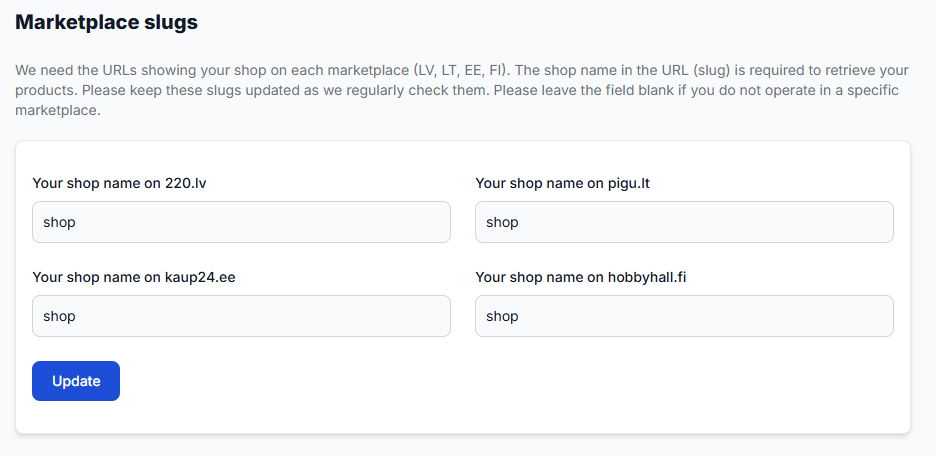
How to enable marketplaces and use marketplace-specific fields
Support questions· Marketplace setup· Synchronization· Min/max prices
Learn how to provide separate prices, minimum and maximum limits, and delivery hours for 220.lv, Pigu.lt, Kaup24.ee, and HobbyHall.fi, and what to check when a new marketplace is not appearing.
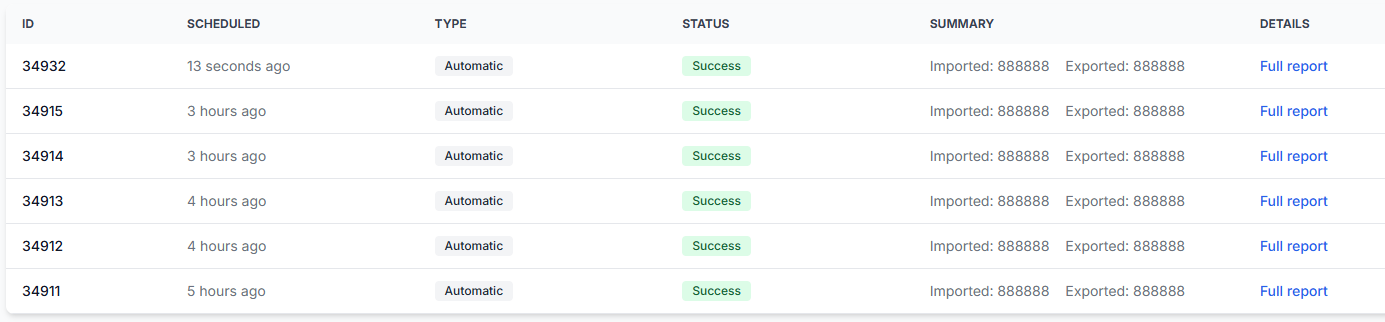
How to fix synchronization, import-column, ean, and report validation problems
Support questions· Synchronization· Import validation· Troubleshooting
Troubleshoot failed synchronization reports, unrecognized import columns, faulty EANs, items not found, and temporary source-reading problems.
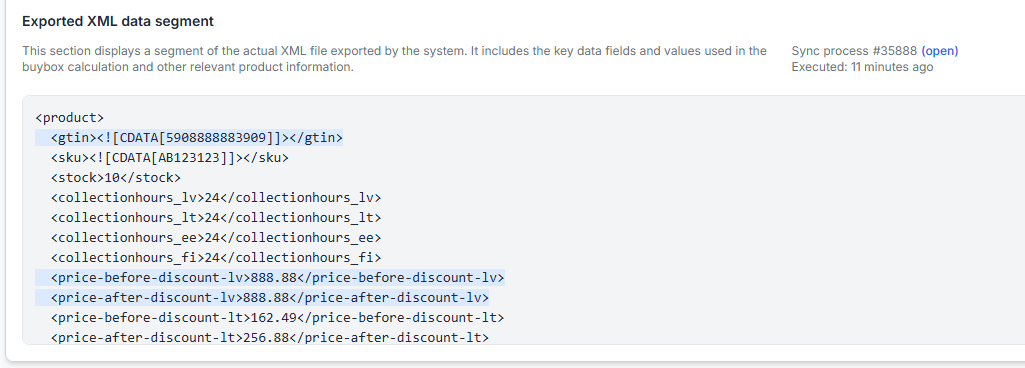
How to remove a product from export safely
Support questions· Export· Synchronization· Stock removal
Safely remove a product from B2BLIX export by sending its stock as zero before removing it from your imported product data. This guide explains why a product should normally remain in the import with zero stock until the update has been exported and applied by the marketplace.
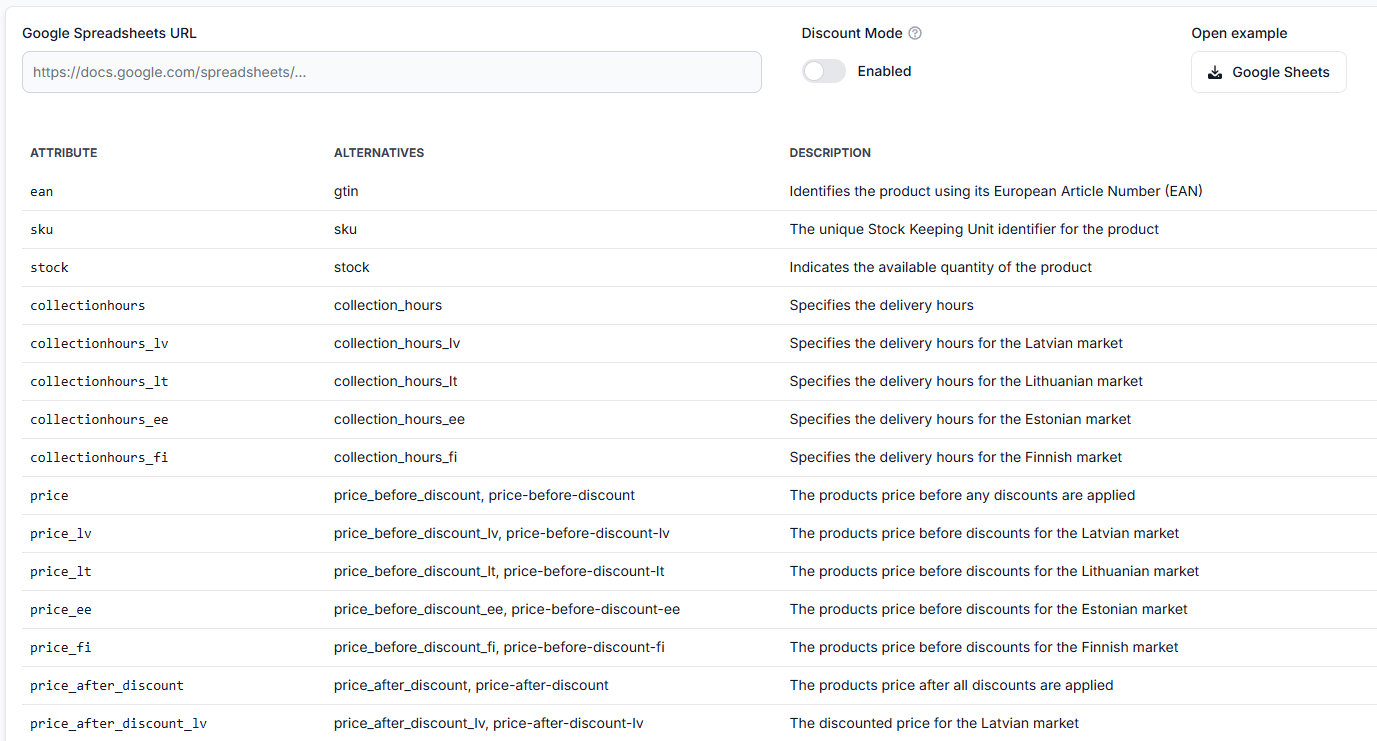
How to set up google sheets import for buybox repricing
Support questions· Google sheets· Synchronization· Setup
This guide explains how to create and connect a Google Spreadsheet for B2BLIX BuyBox repricing, including required product data, sharing permissions, synchronization testing, and XML export setup.
How to start using the Pigu BuyBox algorithm
Support questions· Getting started· Synchronization· Buybox algorithm
This guide explains how to prepare a new B2BLIX Pigu BuyBox account safely, test the workflow, and verify calculated prices before enabling marketplace updates for a wider catalog.
How to test and validate BuyBox repricing before live updates
Support questions· Testing· Synchronization· Min/max prices
Learn how to test B2BLIX BuyBox calculations with a small Google Spreadsheet, identify missing or incorrect price limits, and review results before enabling live synchronization.
How to use b2blix with an existing pigu xml feed
Support questions· Export to pigu· Xml integration· Synchronization
Learn how to place B2BLIX between your existing product feed and Pigu, what to verify before enabling price exports, and how to check that products and calculated prices are being processed correctly.
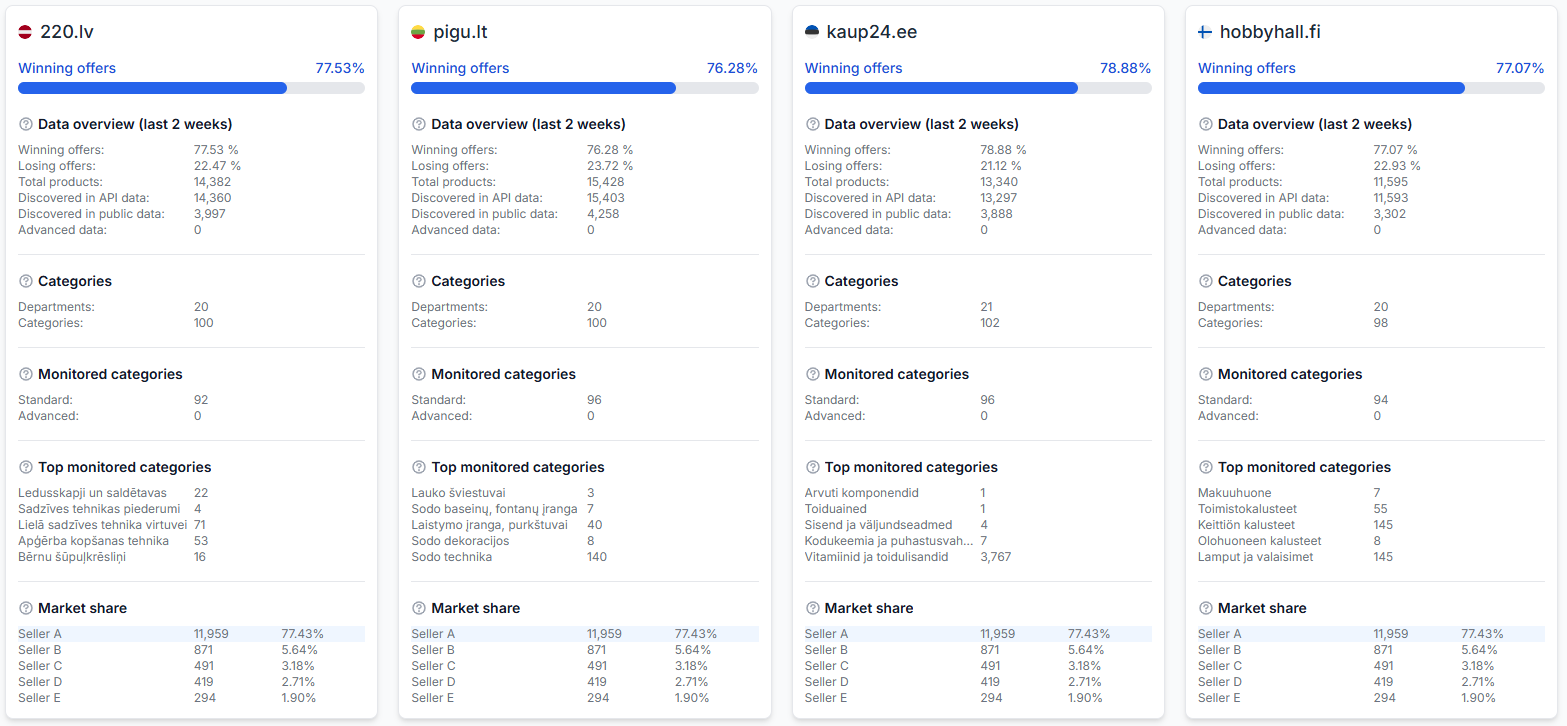
Statistics dashboard: understanding your account metrics
Interfaces· Statistics· Monitoring· Synchronization
The statistics dashboard provides a read-only summary of marketplace performance, monitored catalog coverage, competitor activity, and recent account processes.
Sync settings: configure product import and price export
Interfaces· Synchronization· Product data· Export
Use this guide to configure your product feed, synchronization interval, XML or API output, discount mode, and public export URL safely.