How to enable live price updates and export prices to pigu
Learn how to review calculated prices safely, choose XML or API export, and connect B2BLIX price updates to your Pigu account.
When this guide is relevant
Use this guide when your prices have been calculated in B2BLIX and you are ready to send them back to Pigu Group marketplaces. It covers both supported export methods:
- XML export, where Pigu regularly downloads prices from a constant B2BLIX URL.
- API export, where B2BLIX sends individual price changes directly through the Pigu API.
Monitoring, price calculation, export, and the final marketplace update are separate steps. A price shown as calculated or exported in B2BLIX is not necessarily live on the marketplace yet.
Short answer
Open Synchronization Settings and select the required Export type.
- Choose XML to generate a permanent public XML URL that can be added to your Pigu account as a stock and price import source.
- Choose API to send calculated price changes directly to Pigu when API export is available for your account.
For a safer first launch, start with XML, review the generated prices, and enable direct API updates only after you are satisfied with the results.
Warning: Enabling an XML connection or API export can affect live marketplace prices. Before connecting the export, verify your minimum and maximum prices, pricing strategies, imported product data, and a sample of calculated results. Do not treat a calculated price as live until Pigu has retrieved, accepted, and applied it.
How the export process works
At the configured synchronization frequency, B2BLIX imports the latest product information from your selected source. It then evaluates each product using the available marketplace observations, your pricing settings, and the permitted price limits.
When a product can be evaluated by the BuyBox calculation, the calculated price is prepared for export. If a product cannot be matched or calculated, it may be included in the export without a calculated price change.
With XML export, the result is made available through a constant, personalized public URL. The same URL can continue to be used for later synchronization runs, while the product information inside the XML is updated.
With API export, B2BLIX sends the relevant calculated price updates directly through the supported Pigu API connection.
The marketplace remains responsible for applying the submitted information and selecting the BuyBox offer. B2BLIX can improve pricing responsiveness, but it does not guarantee the BuyBox or any sales result.
Recommended go-live process
- Prepare a limited product group. Start with a small catalog or selected products rather than enabling live updates for every product immediately.
- Verify your imported data. Check that EANs, current prices, availability, and any product-level minimum and maximum prices are correct.
- Review your pricing settings. Confirm that the selected strategies and safety limits match your intended pricing rules.
- Use XML as the first export type. This lets you inspect the calculated output before relying on direct price-change requests.
- Check representative products. Review products that are winning, not winning, close to their minimum price, and not found in the monitored marketplace data.
- Connect the XML URL to Pigu or enable API export. Proceed only after the reviewed calculations look correct.
- Review the first live synchronization results. Check the export status and confirm that the expected prices appear on the marketplace.
What to check in your B2BLIX account
1. Check the synchronization configuration
Open Synchronization Settings. To understand the available import, frequency, and export controls, read Sync Settings: Configure Product Import and Price Export.
Verify the following before changing the export type:
- The correct product source is configured.
- The source can be accessed and contains the expected products.
- The synchronization frequency is appropriate for your workflow.
- The selected Export type is XML or API.
- Any discount-related settings match the structure of your product data.
- The configuration has been saved.

2. Review calculated and exported product information
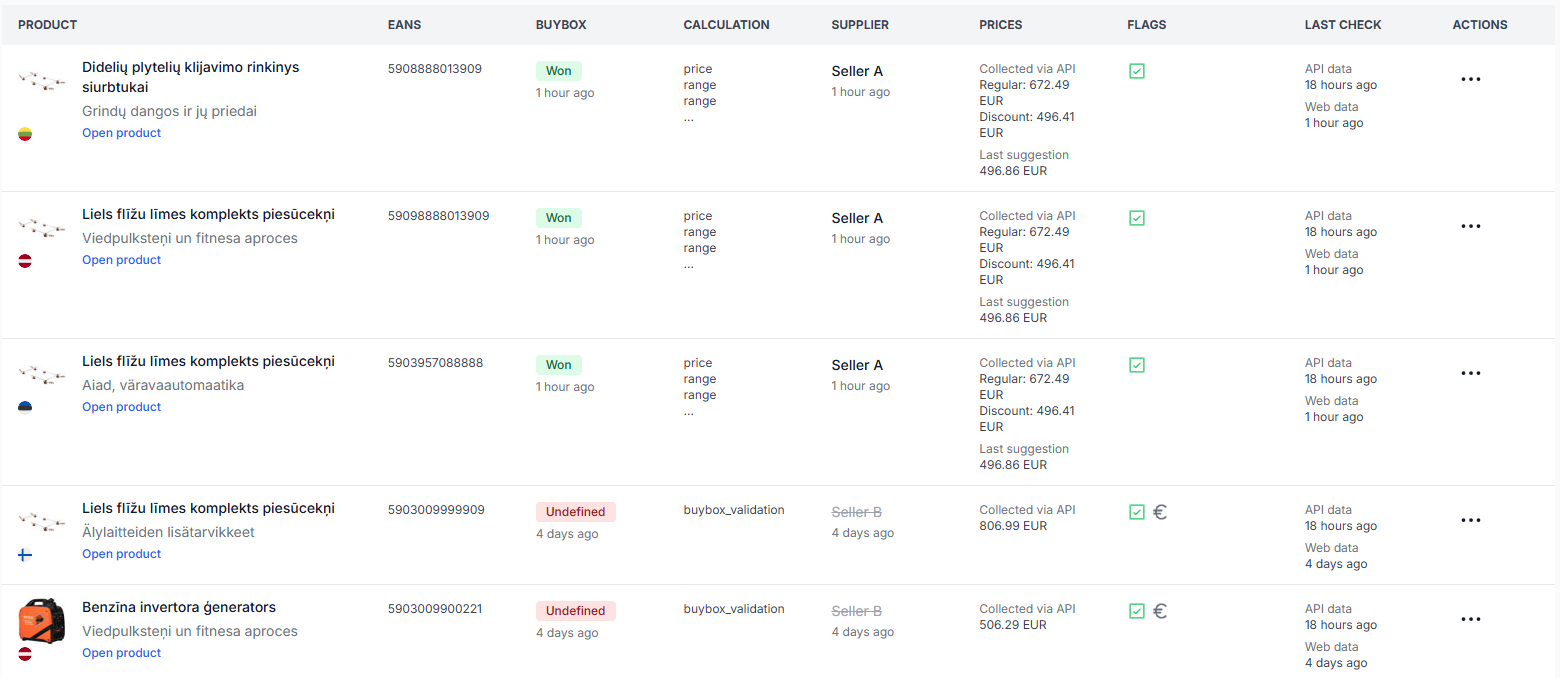
Open Product Checker. For an explanation of its calculation and export information, read Product Checker: Review Product Data, Price Calculations, and Exports.
For several representative EANs, check:
- The imported current or base price.
- The minimum and maximum permitted prices.
- The latest known marketplace information.
- The selected pricing strategy.
- The calculated price and the reason for the calculation.
- The value prepared for XML or API export.
3. Review synchronization reports
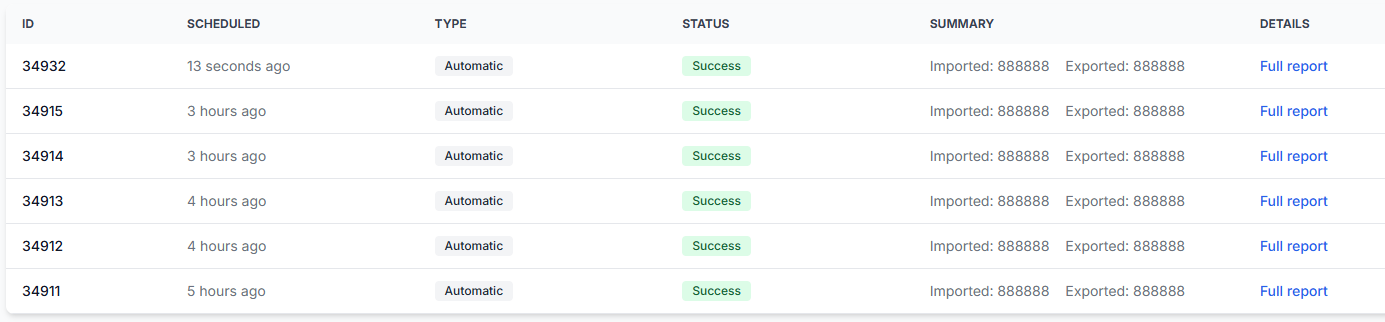
After running synchronization, open Synchronization Reports. To understand the processing and export summaries, read Synchronization Reports: Review Import, BuyBox Calculation, and Export Results.
Check whether products were received, matched, excluded, calculated, left unchanged, or included in the selected export. This helps separate an import problem from a calculation problem or an export problem.
How to connect the B2BLIX XML URL in Pigu
When Export type = XML, B2BLIX provides a constant personalized public URL in Synchronization Settings.
To add this URL as the pricing source in your Pigu account:
- Log in to your Pigu seller account.
- Open the Products section.
- Find the Import menu near the upper-left area of the page.
- Select Stock and Prices Import.
- Open Import Source. If it is not shown directly, open the three-dot menu and select Import Source.
- Select HTTPS link.
- Paste the public XML URL copied from B2BLIX.
- Click Confirm.
After the source is connected, Pigu can periodically retrieve the latest XML information from B2BLIX. B2BLIX updates the content available at that URL according to your synchronization configuration.
Keep the XML URL private. It is personalized for your account and may contain product and pricing information intended for your integration.
When to switch from XML to API
XML is useful for reviewing the output and establishing a controlled first connection. API export is more suitable when you are ready for B2BLIX to submit individual price changes directly and the integration is available for your account.
Before switching to API, confirm that:
- You have reviewed calculated prices for a representative product sample.
- Minimum and maximum prices are correctly configured.
- Your synchronization runs complete without unexpected import or calculation problems.
- The required Pigu connection information is configured.
- You understand which existing Pigu import source currently controls your prices.
To review the Pigu connection information, open Access Credentials. For details about that page, read Access Credentials for the Pigu Connection.
Avoid conflicting price sources. When API export is enabled, an older Pigu-side table, file, or import connection may still continue supplying prices. Check whether the previous source must be disconnected or removed so that it does not overwrite or conflict with API updates.
Common reasons live prices are not updating as expected
The XML was generated but not connected in Pigu
Generating the XML URL in B2BLIX does not automatically add it to your Pigu account. The URL must be configured as an HTTPS stock and price import source in Pigu.
The export type is not enabled
The synchronization may import and calculate products without sending them to a live destination. Check the selected Export type in Synchronization Settings.
Pigu has not applied the latest file yet
B2BLIX synchronization and Pigu retrieval are separate processes. The XML may already contain a new price while the marketplace is still using an earlier retrieved value.
Another source is overwriting the price
A previous XML feed, table import, stock and price file, or another integration may still be active in Pigu. Review your Pigu import sources when prices repeatedly return to an older value.
The product was not calculated
A product may be unmatched, excluded, outside the required data conditions, or processed without a price change. Use Product Checker and Synchronization Reports to see what happened to the EAN.
The calculated price is restricted by a safety limit
A selected strategy cannot move the price outside the permitted minimum and maximum range. The exported result may therefore be different from the unrestricted strategy result.
The marketplace rejected or did not apply the update
An exported value is only the information sent or made available to the marketplace. Check the synchronization report and the actual Pigu product offer before assuming that the live update succeeded.
Example
A seller imports a product with a current price of €20.50, a minimum price of €19.00, and a maximum price of €22.00. B2BLIX calculates a suggested price of €19.99.
With XML export, €19.99 is placed in the generated XML output. The price does not become live merely because the XML was generated. Pigu must retrieve the XML and apply the value to the seller’s offer.
With API export, B2BLIX submits the calculated update through the supported API connection. The seller should still verify the resulting offer price in Pigu and check that no older import source replaces it later.
What to do next
- Open Synchronization Settings and verify the import source, frequency, and export type.
- Start with XML and review a small product sample in Product Checker.
- Confirm that minimum and maximum prices protect the intended margins.
- Copy the generated public XML URL and add it as an HTTPS stock and price import source in Pigu.
- Review the first results in Synchronization Reports and verify the actual marketplace prices.
- Switch to API only after the XML output and live results have been checked, and remove or disconnect any old price source that could create conflicting updates.