How B2BLIX Pigu Buybox works
This guide explains how B2BLIX monitors marketplace offers, calculates prices within seller-defined limits, and prepares updates for Pigu Group marketplaces.
What this guide explains
This article explains the main workflow of the B2BLIX Pigu BuyBox service. It is relevant when you want to understand where calculated prices come from, how marketplace monitoring is connected to synchronization, or whether B2BLIX directly controls the BuyBox.
B2BLIX is an independent seller-controlled repricing and marketplace-monitoring service for sellers operating on 220.lv, Pigu.lt, Kaup24.ee, and HobbyHall.fi. It is not affiliated with or officially connected to Pigu Group.
Short answer
B2BLIX combines your imported product data with recently collected marketplace information. It then applies your configured pricing settings and calculates a price within the permitted minimum and maximum limits.
Depending on the product situation and your selected strategy, the calculated price may be reduced, maintained, matched to another offer, or increased. The result can be reviewed, included in an XML output, or submitted through a supported integration.
The marketplace determines the BuyBox winner. B2BLIX can help your prices respond to competitive changes, but it cannot guarantee the BuyBox, orders, revenue, or profit.
How the service works
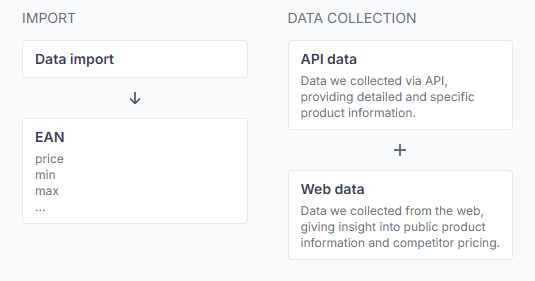
The B2BLIX workflow has two main parts: Data collection and Synchronization.
1. Data collection monitors marketplace information
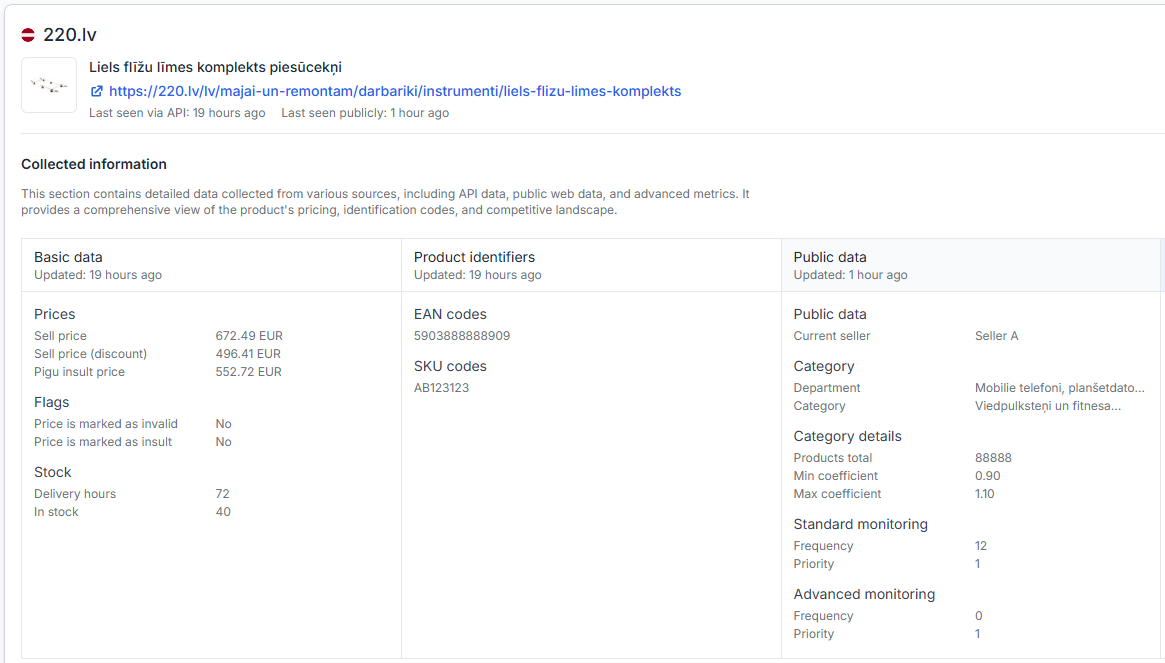
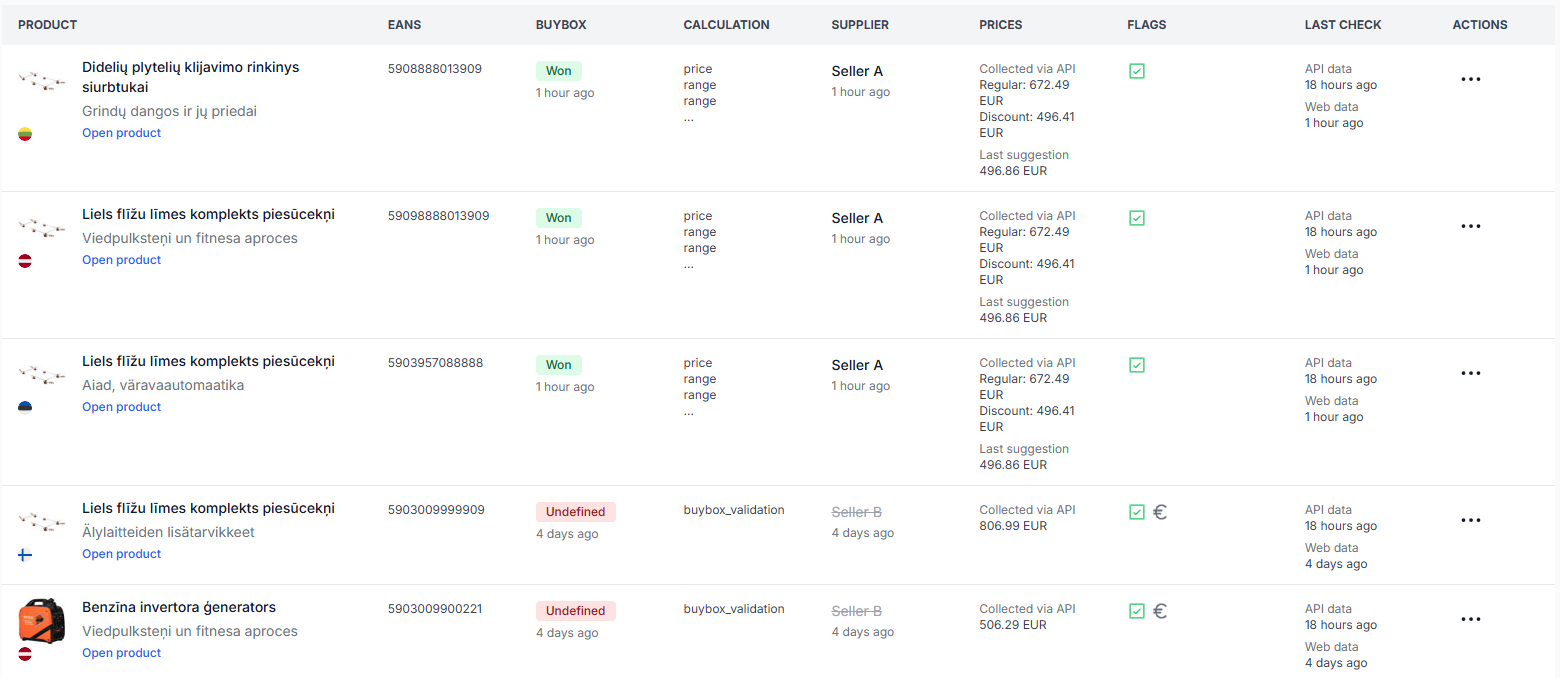
B2BLIX discovers products and collects available marketplace information for the supported countries. Products are generally matched by their EAN, which is the shared product identifier used to connect your offer with the corresponding marketplace product.
The collected information may include the latest known BuyBox position, competing offers, observed prices, seller information, and the time of the observation.
Monitoring frequency is configured by marketplace category. Selected products can also have an individual monitoring schedule that overrides the broader category schedule.
2. Synchronization processes your product data
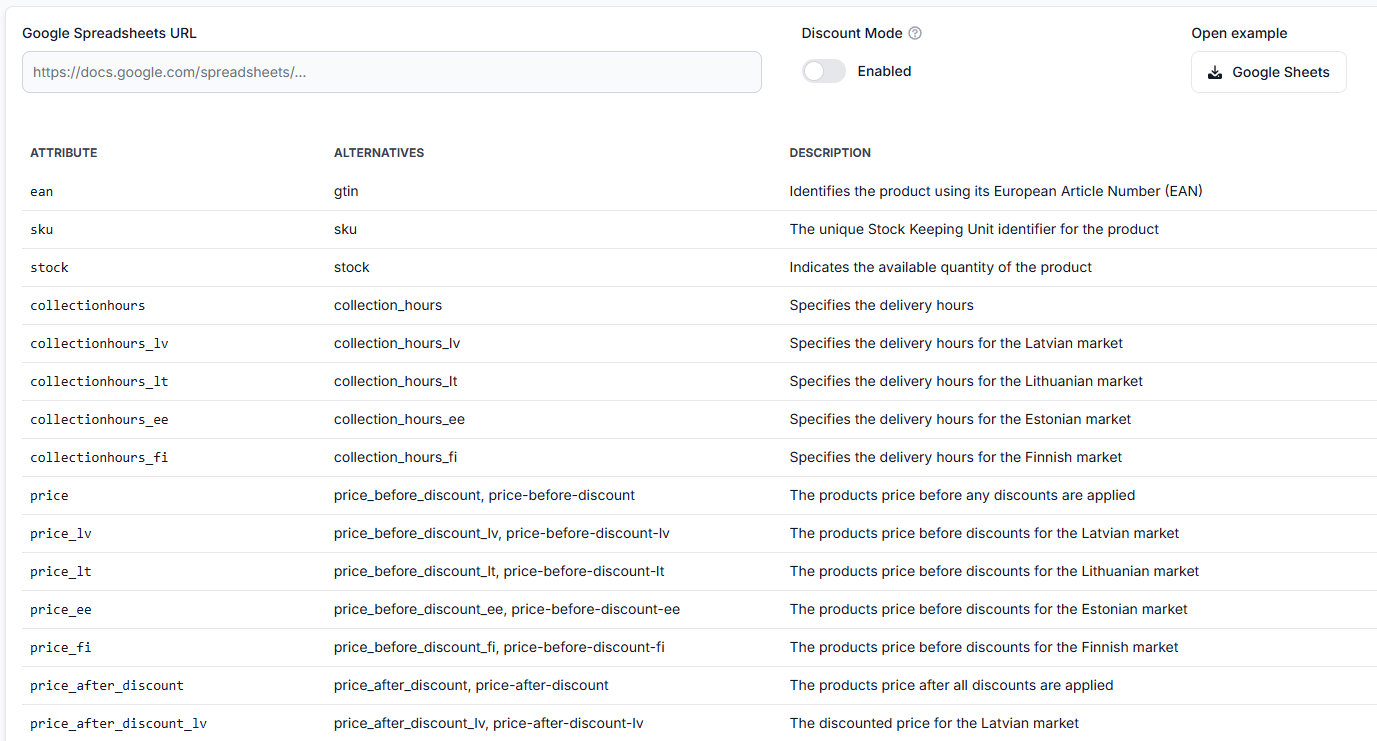
During synchronization, B2BLIX downloads or receives your latest product data from the configured source. Depending on your setup, this may be an XML file, CSV file, Google Sheet, URL-based feed, or supported integration.
The imported data may contain fields such as:
- EAN and SKU
- Your current or base price
- Product availability
- Marketplace information
- Optional minimum and maximum prices
- Delivery or offer information supported by the selected import format
B2BLIX matches this information with sufficiently recent marketplace observations, applies your BuyBox settings, and calculates the result.
3. The result is prepared for review or publication
A calculation does not automatically mean that a new price is already live on the marketplace. Depending on your synchronization setup, the result may be:
- Reviewed without publishing it
- Included in a Pigu-compatible XML feed
- Submitted through a supported API integration
Monitoring, calculation, export, and the live marketplace price are separate stages. A calculated or exported price is not necessarily live until it has been accepted and applied by the marketplace.
How the Buybox price is calculated
A pricing strategy tells B2BLIX how to react to the latest known product situation. For example, the strategy may instruct the service to:
- Match the observed BuyBox price
- Move slightly below a competing price
- Keep the current price
- Increase the price when your offer is already winning and there is room to improve the margin
- Apply a more conservative action when the marketplace information is old or uncertain
Every calculated price remains limited by the available minimum price and maximum price. These limits help prevent the algorithm from moving outside the range you permit.
Product-specific minimum and maximum values can be included in the imported data. Category-level coefficients may also be used to derive price limits from a base price. When explicit product-level limits are available, they take precedence over category-derived values.
To review the general calculation situations, open Buybox schema when you are logged in. To understand the examples shown there, read Understanding the Buybox schema.
What to check in your account
Before changing your automation or enabling price publication, check the following parts of your account.
Check your pricing rules
Confirm that the selected strategies, price steps, price-limit handling, and data-freshness settings match the way you want B2BLIX to react.
To check this in your account, open Buybox settings. To understand the fields on that page, read BuyBox settings page.
Check your monitoring configuration
Confirm that monitoring is enabled for the relevant marketplace categories and that the selected frequency is appropriate. A newly discovered category may require a monitoring frequency before regular data collection begins.
To check this in your account, open Category management. To understand category frequencies and price coefficients, read Category management: Monitoring frequencies and price coefficients.
More frequent monitoring can increase usage costs. Verify the number of enabled products, marketplaces, and monitoring frequencies before applying broader changes.
Check your synchronization setup
Confirm that the correct product-data source, synchronization frequency, export method, and related update settings are selected.
To check this in your account, open Sync settings. To understand the available controls, read Sync settings: Configure product import and price export.
Check one product in detail
When you need to understand a specific result, use the Product Checker. It can show the known product information, latest marketplace observation, applicable price limits, selected strategy, calculated price, and available export information.
To check this in your account, open Product checker. To understand the product-level information, read Product checker: Review product data, price calculations, and exports.
Review completed synchronization runs
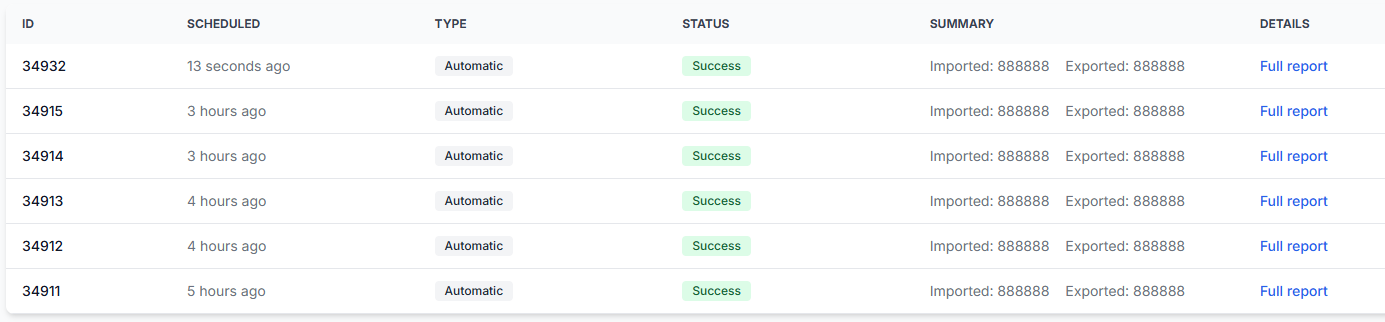
If a synchronization has already run, check whether products were received, matched, excluded, calculated, and included in the selected output.
To check this in your account, open Sync reports. To understand the report stages, read Synchronization reports: Review import, BuyBox calculation, and export results.
Common situations
The calculated price is lower than the current price
The latest known competing offer may be lower, and your selected strategy may be configured to match it or move below it. The calculation should still remain within the permitted minimum and maximum limits.
The calculated price is higher than the current price
Your offer may already be in a strong position, and the selected strategy may allow B2BLIX to increase the price while attempting to remain competitive.
The price does not change
The current price may already be appropriate for the selected strategy. A limit, exclusion rule, old marketplace observation, missing product match, or monitoring-only configuration may also prevent a different price from being prepared.
A newly added product is not visible yet
New products and categories may not appear immediately. The product must first appear on the marketplace and then be discovered by B2BLIX. Its category may also require monitoring to be configured.
The calculated price is not visible on the marketplace
The calculation may have been prepared without automatic publication, or it may only be present in an XML output. Check your synchronization settings and reports to confirm whether an export or API update was attempted.
Example
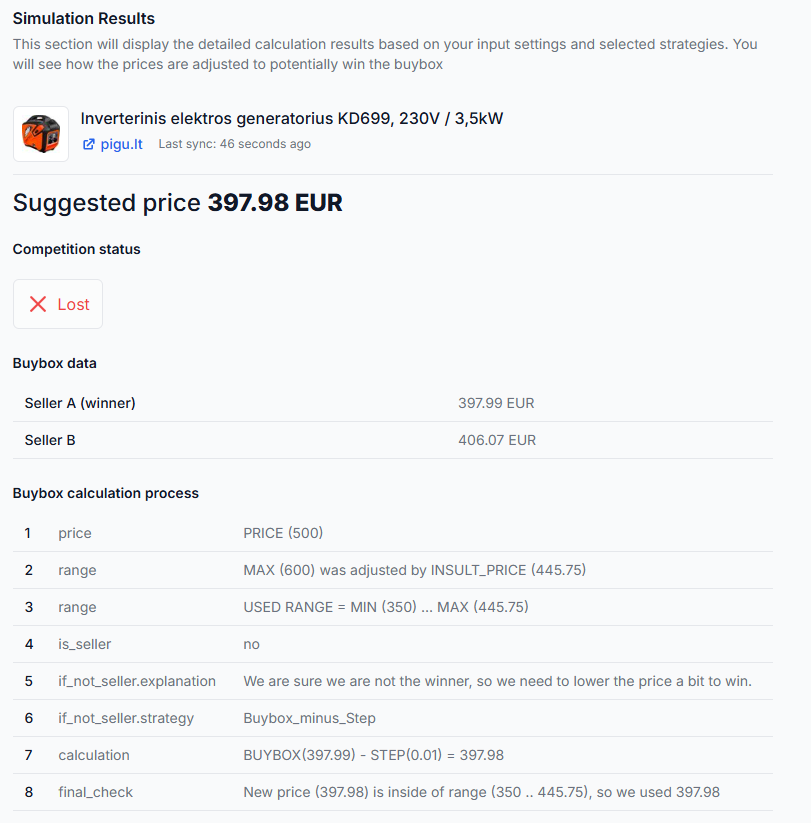
Assume the latest observed BuyBox price is EUR 20.00. Your product is allowed to sell between EUR 19.00 and EUR 21.00, and your selected strategy is to move EUR 0.01 below the observed BuyBox price.
B2BLIX may calculate a price of EUR 19.99. This price is inside the permitted range, but it is still only a calculation until it is included in your selected output and successfully applied by the marketplace.
You can test representative pricing situations without changing a live publication workflow by opening Buybox simulator. For instructions, read Using the BuyBox simulator.
What to do next
- Start with a limited product group or selected categories.
- Verify the minimum and maximum prices before enabling automatic publication.
- Confirm that monitoring is active for the relevant categories or individual products.
- Run synchronization without automatic publication when possible.
- Review calculated results in Product Checker, Sync Reports, or an XML preview.
- Enable broader exports or API updates only after the results match your intended pricing rules.
Contact B2BLIX support when a specific product cannot be explained after checking its imported data, EAN match, latest observation, applicable price limits, selected strategy, exclusion status, calculation result, and synchronization report. Include the affected marketplace and EAN, but never send account passwords or access tokens in an ordinary support message.