Practical Pigu BuyBox guides
Explore practical guides to importing products, setting min/max price limits, choosing repricing strategies, configuring monitoring, and exporting updates through XML or API.
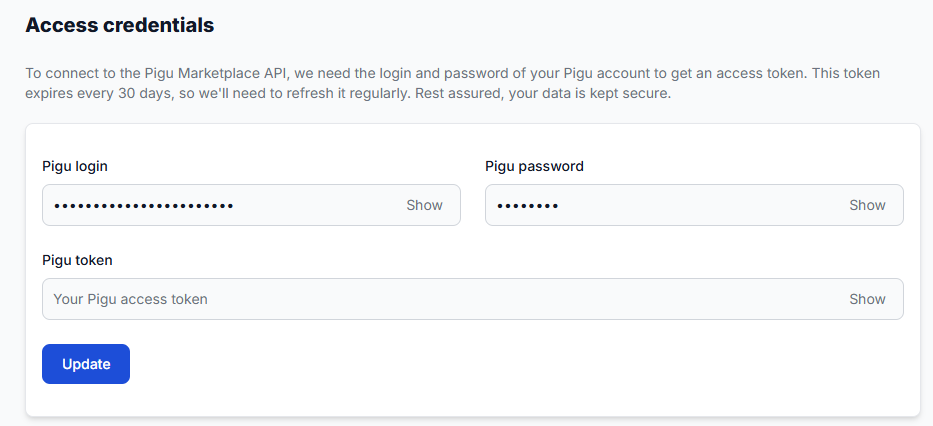
How to activate the pigu buybox service and connect credentials
Support questions· Getting started· Access credentials· Service activation
Learn how to activate B2BLIX Pigu BuyBox, connect your Pigu account, and choose between using your login credentials or a manually generated API token. This guide explains why account access is required, what information to prepare during activation, and what to check if the Pigu connection cannot be established.
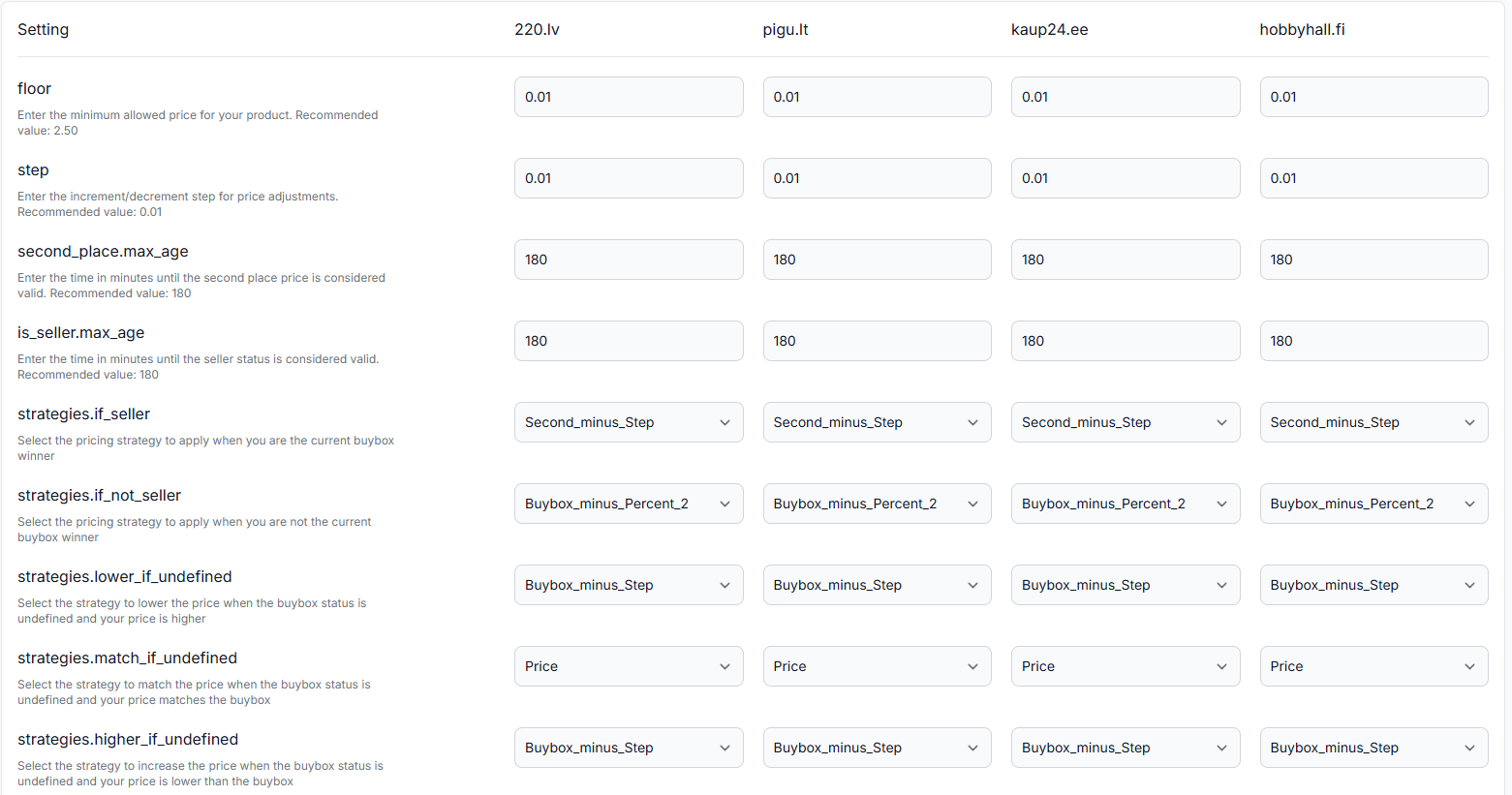
How to configure and choose the buybox price step
Support questions· Buybox algorithm· Price step· Strategy configuration
Learn where to configure the BuyBox price step, how its marketplace-level scope works, and how to choose a value that balances competitiveness with margin protection.
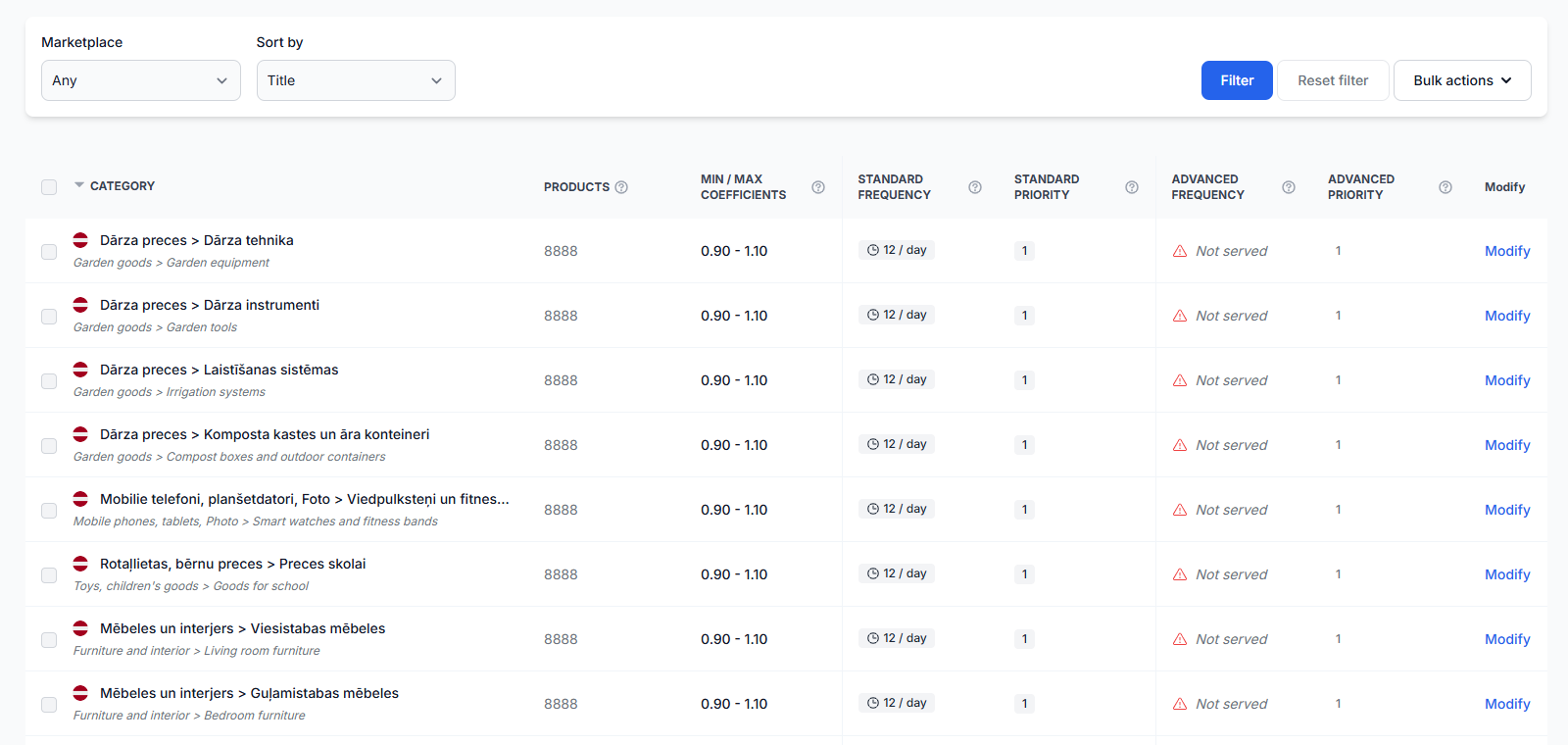
How to configure category monitoring, frequency, data freshness, and a limited rollout
Support questions· Category monitoring· Data freshness· Limited rollout
Learn how to enable category monitoring, choose practical data collection frequencies, keep marketplace observations fresh, and control usage costs while introducing BuyBox repricing gradually.

How to connect and use the B2BLIX XML feed in Pigu
Support questions· Xml export· Pigu import· Synchronization
Copy your permanent B2BLIX XML export URL into Pigu’s stock and price import settings, confirm the field mapping, and verify that Pigu can read the feed.

How to enable live price updates and export prices to pigu
Support questions· Export to pigu· Synchronization· Go-live
Learn how to review calculated prices safely, choose XML or API export, and connect B2BLIX price updates to your Pigu account.