Why prices may keep decreasing by 0.01
Learn why small repeated price reductions can happen, how monitoring frequency affects the calculation, and which account settings to check before changing your pricing strategy.
Why this article may be relevant
This article explains a situation where a product price decreases by 0.01 during several consecutive calculations, even though you expected the price to remain unchanged or increase.
This behaviour can occur when the latest collected marketplace information is too old to confirm whether your offer is currently winning the BuyBox. In that situation, B2BLIX may use a more conservative price-step rule instead of seller-aware logic.
Short answer
Check when the affected product was last monitored. If the marketplace observation is not recent enough, increase the product’s standard monitoring frequency so that future calculations can use fresher seller and BuyBox information.
Also verify the configured price step, strategy and minimum price. A decrease of exactly 0.01 may be produced by a strategy that uses a 0.01 adjustment when the current BuyBox position cannot be confirmed.
Important: Increasing monitoring frequency can increase usage costs. If automatic export or API updates are enabled, a newly calculated price may also be sent to the marketplace during a later synchronization. Review the affected product and its price limits before changing monitoring or pricing settings.
How data freshness affects the calculation
Monitoring and price calculation are separate processes. Monitoring collects marketplace information, including the latest known seller and BuyBox position. Synchronization then evaluates the product using the collected information and your configured pricing rules.
When the collected information is sufficiently recent, B2BLIX can apply logic based on the latest known situation. For example, it may use one strategy when your offer is winning and another when another seller is winning.
When that information is too old or uncertain, the system should not treat your BuyBox position as confirmed. It may therefore apply a conservative calculation based on the configured price step. If the step is 0.01, this can appear as repeated reductions of 0.01.
The calculated price remains limited by the available minimum price and maximum price. B2BLIX does not guarantee that a price change will win the marketplace BuyBox.
What to check in your account
-
Check the affected product
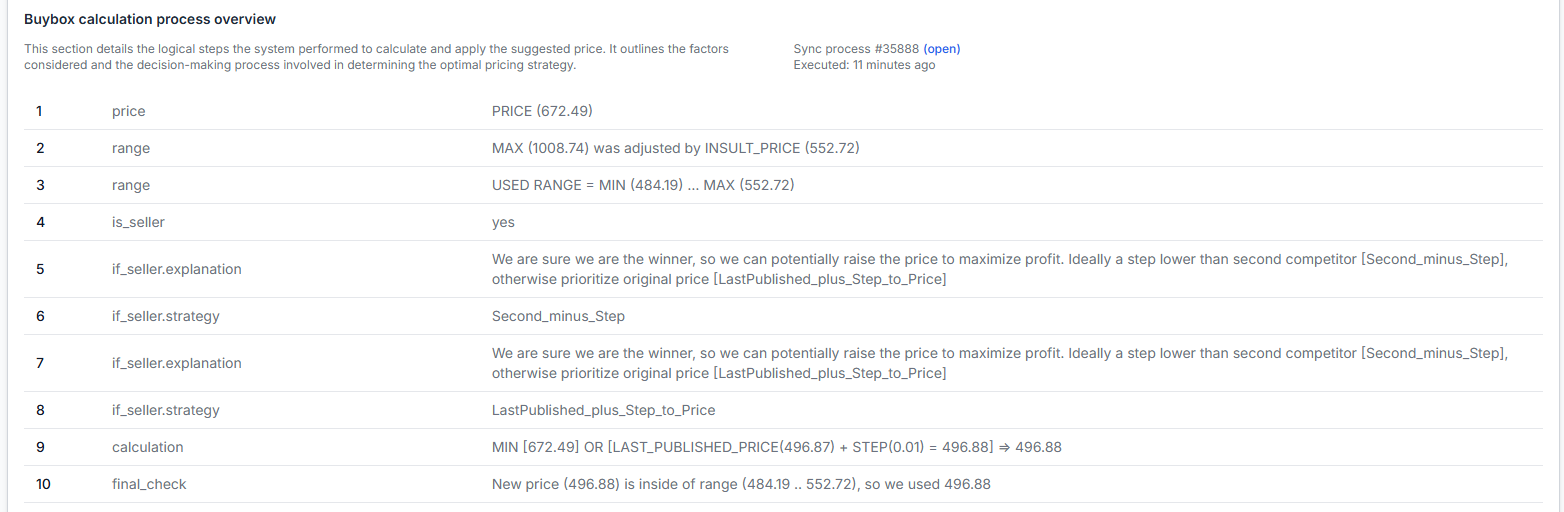
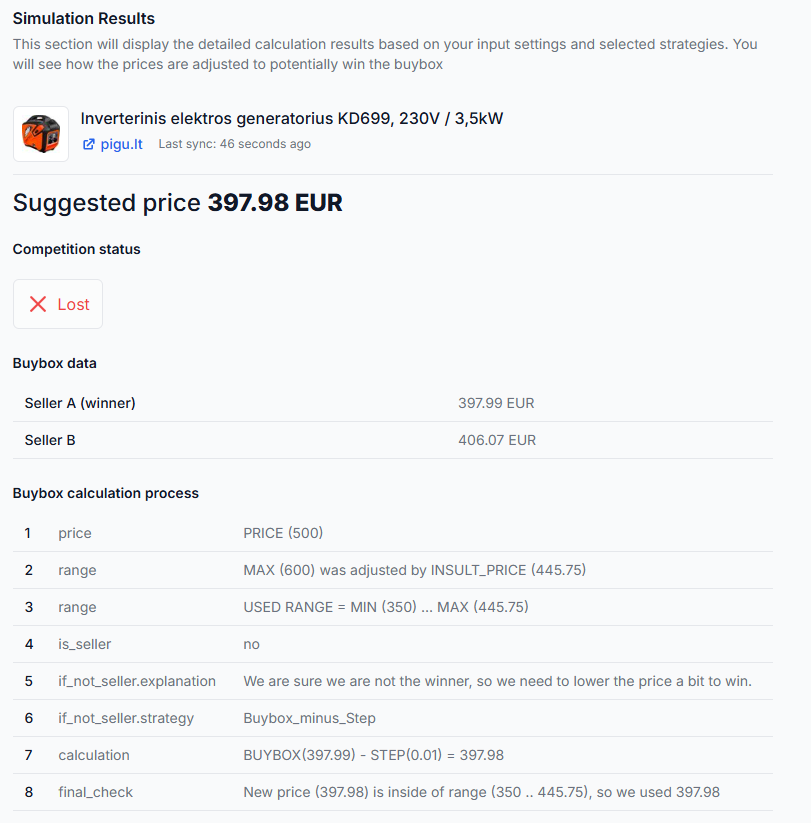
Open the product by its EAN and review the latest known marketplace observation, calculation details, selected strategy, price limits and export status.
To check this in your account, open Product Checker. To understand the information shown there, read Product Checker: review product data, price calculations and exports.
-
Review the category’s standard monitoring frequency
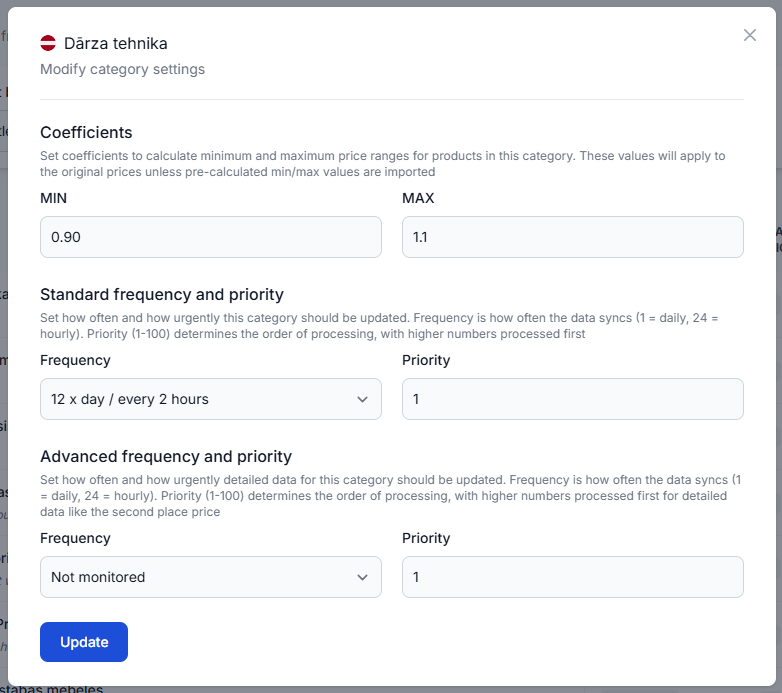
Find the product’s marketplace category and check its standard monitoring setting. A category that is checked infrequently may not provide fresh enough information for every synchronization.
To check this in your account, open Category Management. To understand the monitoring fields, read Category Management: monitoring frequencies and price coefficients.
-
Check for an individual product schedule
If only one product or a small group of products is affected, check whether those EANs have an individual monitoring schedule. An individual setting can override the broader category schedule.
To check this in your account, open Individual Products. To understand product-specific frequencies, read Individual Products: set product-specific monitoring frequencies.
-
Verify the pricing step and strategy
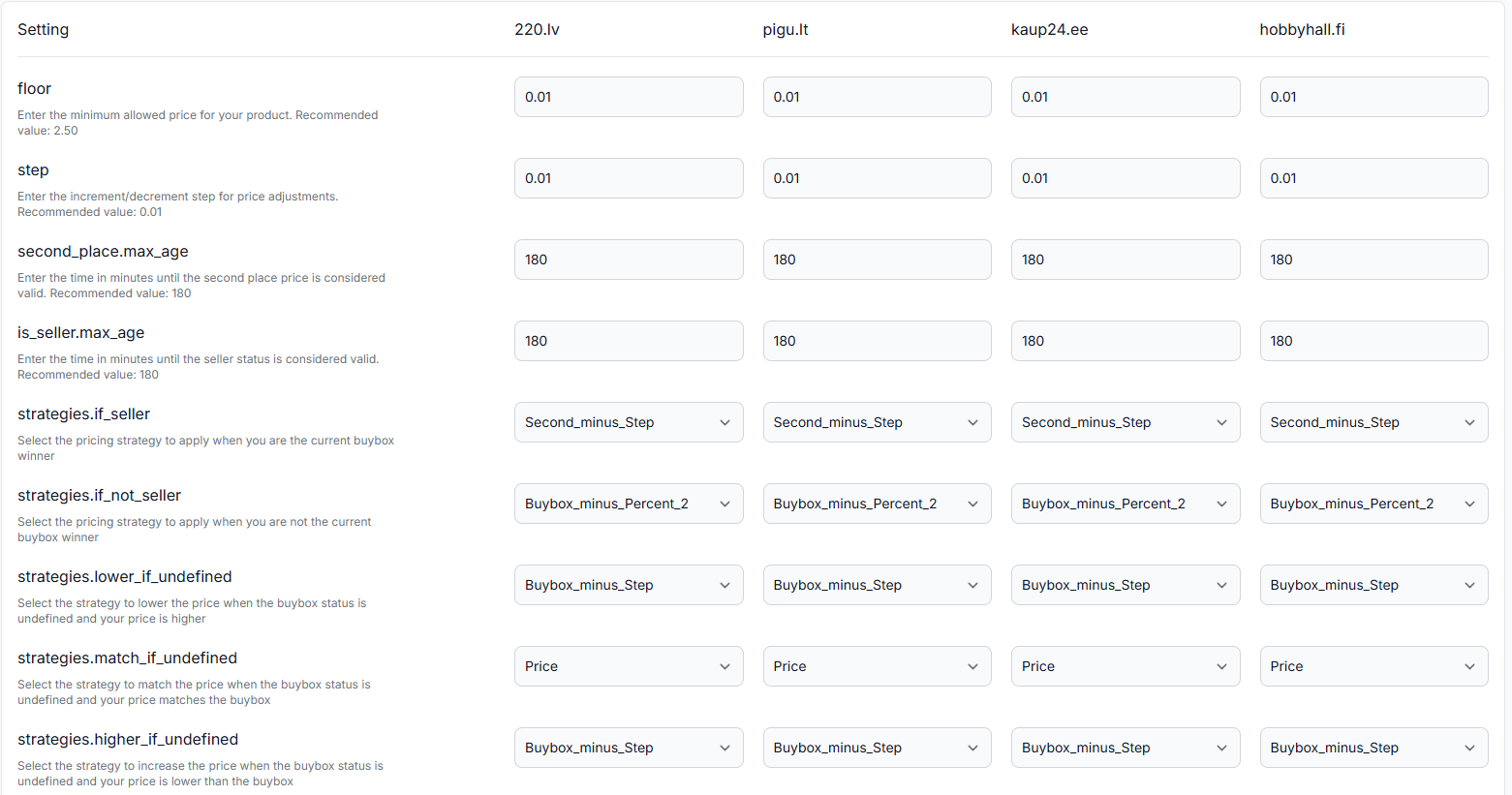
Check whether the configured price step is 0.01 and review the strategy used when the latest seller or BuyBox status is uncertain. Do not change the strategy until you have confirmed that stale marketplace data is the cause.
To check this in your account, open BuyBox Settings. To understand the available settings, read BuyBox Settings page.
-
Check whether the calculated price was exported
A calculation inside B2BLIX is not automatically the same as a live marketplace price. Review the synchronization report to confirm whether the price was only calculated, included in an export or submitted through the configured integration.
To check this in your account, open Synchronization Reports. To understand the report stages, read Synchronization Reports: review import, BuyBox calculation and export results.
Common causes
- The latest marketplace observation is too old. The system cannot reliably confirm whether your offer is currently winning.
- The category is monitored too infrequently. A synchronization may run before new marketplace information has been collected.
- An individual product frequency overrides the category. The affected EAN may be using a slower product-specific schedule.
- The configured fallback adjustment is 0.01. When seller-aware logic cannot be used, the selected rule may reduce the price by that amount.
- The product has not yet reached its minimum price. The permitted minimum can allow several small decreases before preventing further reductions.
Example
A product currently has a calculated price of €20.00, a minimum price of €19.50 and a configured adjustment step of €0.01.
If the latest seller and BuyBox information is no longer recent enough, the next calculation may use the conservative price-step rule and calculate €19.99. A later calculation may produce €19.98 if no sufficiently recent observation is available.
After the monitoring frequency is increased and a fresh observation is collected, the calculation can again use the latest known seller position and the relevant configured strategy. The resulting action may be to decrease, keep or increase the price, depending on the observed situation and your settings.
What to do next
- Choose one affected EAN and review it in Product Checker.
- Confirm the time of the latest marketplace observation.
- Check the product’s category and any individual monitoring override.
- Increase the standard monitoring frequency only when fresher data is needed and the expected usage cost is acceptable.
- Verify the configured 0.01 step, strategy and minimum price before changing them.
- Review the product again after a new monitoring and synchronization cycle to confirm which rule was applied.
A price shown as calculated or exported by B2BLIX is not necessarily live on Pigu, 220.lv, Kaup24.ee or HobbyHall.fi. The marketplace must receive and apply the update, and the marketplace remains responsible for selecting the BuyBox winner.