How B2BLIX feed handles discontinued products and stale stock
Learn what happens when a product disappears from a supplier feed, how stale stock is changed to zero, and when an old product is removed from the B2BLIX catalog.
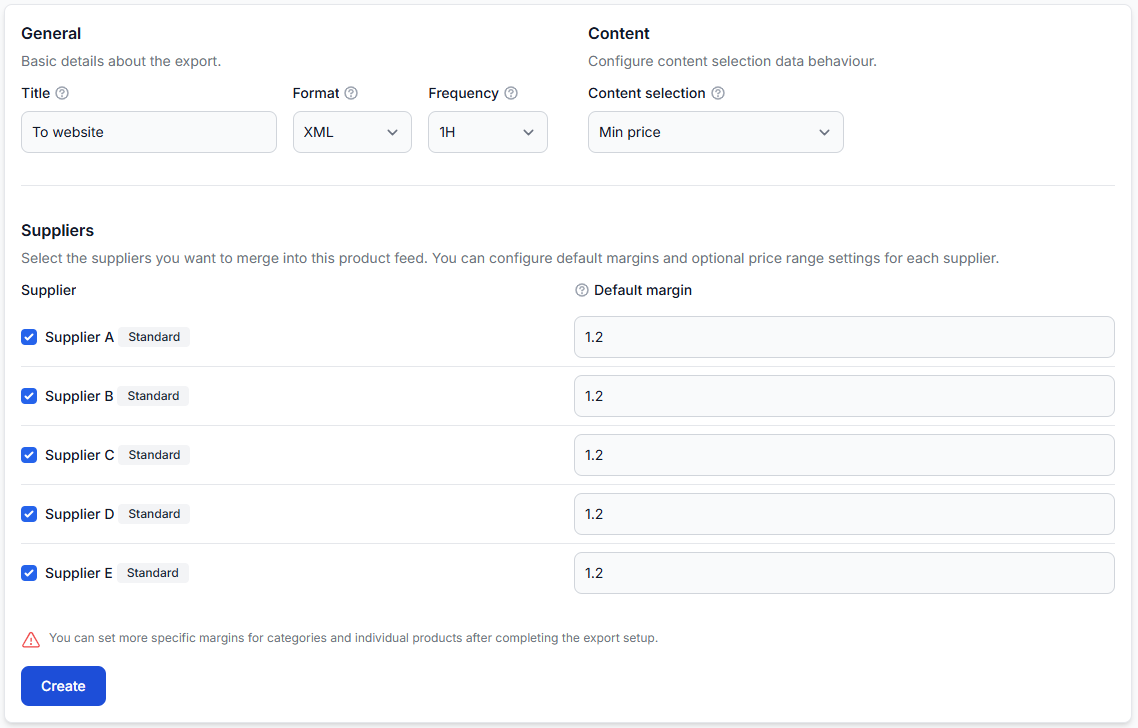
This guide explains the difference between Force zero stock and Max last seen, how temporary supplier failures are handled, and what to check before changing inventory freshness settings.
What happens when a supplier stops sending a product?
A product may disappear from a supplier feed because it has been discontinued, is temporarily unavailable, or was omitted from one update. B2BLIX Feed does not need to remove that product immediately.
Supplier-level freshness settings can keep the previously imported product in the catalog for a limited period. During that period, B2BLIX can change its stock to zero before eventually removing it if the supplier continues not to send it.
Short answer
Two separate settings control this process:
- Force zero stock defines how long a previously known product may remain unseen before B2BLIX changes its stock to zero.
- Max last seen defines how long an unseen product remains stored before it is removed from the catalog.
Changing stock to zero and removing a product are not the same action. A zero-stock product can remain available in the catalog and become active again if the supplier sends it in a later synchronization.
These settings can affect live stock values in generated exports and, after the export is downloaded, product availability on your website or marketplace. Review the supplier’s synchronization frequency and current product data before changing them.
How the freshness settings work
B2BLIX records when each supplier product was last received. When a product is missing from later successful supplier data, the system can apply the configured freshness limits.
- The product is imported and stored with its current stock.
- The product is not present in a later supplier update.
- After the Force zero stock period is reached, its stored stock is changed to zero.
- The product remains in the catalog until the Max last seen period is reached.
- If the product is still absent, it can then be removed from the stored supplier catalog.
If the supplier sends the product again before it is removed, B2BLIX receives the current product data and stock during synchronization. Later exports can then use the restored availability instead of the temporary zero value.
A failed supplier download is different
A temporary problem downloading a supplier source does not automatically mean that every previously imported product has disappeared. B2BLIX keeps the existing catalog data and attempts future synchronizations according to the configured supplier schedule.
Freshness limits are intended to control products that remain unseen over time. They should not be treated as proof that a product was permanently discontinued or that one failed synchronization removed the whole supplier catalog.
What to check in your account
1. Check the supplier synchronization frequency
Confirm how often the supplier source is expected to update. The Force zero stock period should normally be longer than the supplier’s usual synchronization interval.
For example, a product should not be forced to zero simply because one expected update was slightly delayed.
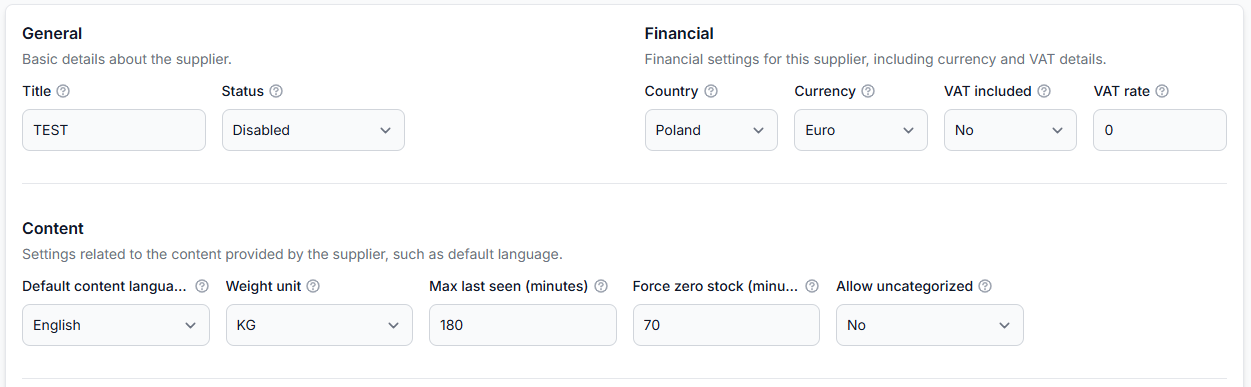
To review the supplier configuration, open Suppliers when you are logged in. To understand the settings on that page, read Add and configure a supplier feed.
2. Compare force zero stock with max last seen
Verify that the two values provide a sensible sequence:
- Force zero stock should allow enough time for normal supplier updates and short delays.
- Max last seen should normally be longer than Force zero stock.
This creates a protected period in which an old product is no longer offered as available but is still retained in case the supplier sends it again.
3. Check when the product was last received
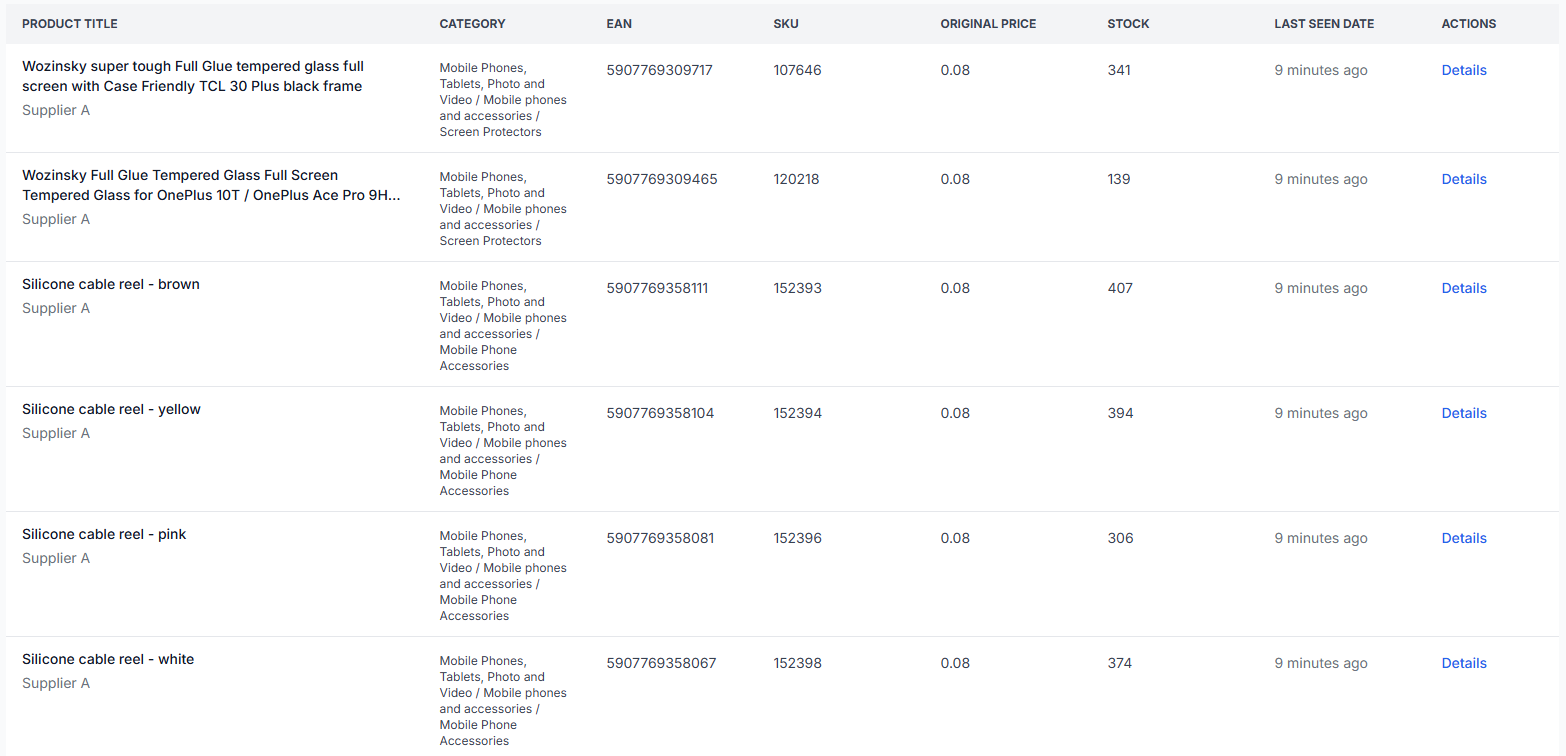
Search for the product by EAN and review its supplier data and last-seen information. This helps you determine whether the product has only recently disappeared or has remained stale for a longer period.
To inspect stored products, open All products. For an explanation of the table and product details, read All products interface.
4. Check the final export result
A product can remain in the B2BLIX catalog with stock zero. Whether it appears in a particular export also depends on that export’s filters and transformations.
For example, an export may exclude every product with stock equal to zero. In that case, the product remains stored in B2BLIX but is not written to that export.
To inspect one product from its supplier data through to the generated result, open Exports checker. For details about its reports, read Exports checker: review product data and export results.
Common causes and scenarios
The product was discontinued by the supplier
The product remains absent from successful supplier updates. Its stock is first changed to zero and it is later removed after the configured retention period.
The product is temporarily unavailable
The supplier may remove unavailable products instead of sending them with stock zero. B2BLIX can retain the product temporarily and force its stock to zero until it returns or reaches the removal limit.
One supplier synchronization was delayed
If the freshness period is too short, valid products may be changed to zero during an ordinary source delay. Compare the freshness setting with the supplier’s normal update frequency.
The supplier source could not be downloaded
A failed source download does not by itself erase all previously stored products. Check whether the supplier later synchronized successfully before treating the catalog as discontinued.
The product exists but is missing from an export
The product may have stock zero and be excluded by an export filter. It may also be affected by a stock transformation or another export-specific rule. Review the product in the Exports Checker rather than checking only the stored catalog.
The product returned but is still unavailable externally
First confirm that a successful supplier synchronization restored its stock in B2BLIX. Then check that the latest export contains the updated value. A marketplace or store may download and process the generated file on its own schedule.
Example
A supplier normally synchronizes every hour. A product with EAN 1234567890123 was last received with stock 8, but it is missing from the next supplier update.
If Force zero stock is configured for a period longer than the normal hourly update cycle, the product is not immediately treated as unavailable because of one delayed update. If it remains unseen until the force-zero limit is reached, B2BLIX changes its stock to zero.
The product stays in the catalog until the longer Max last seen limit is reached. If the supplier restores the product before then, a later synchronization can update its stock again. If it remains absent, it can eventually be removed.
What to do next
- Open the supplier configuration and note its synchronization frequency.
- Review Force zero stock and Max last seen before changing either value.
- Make sure the force-zero period is long enough to tolerate normal supplier delays.
- Make sure Max last seen is longer than the force-zero period if you want products to remain recoverable for a time.
- Search for an affected EAN in All products and check its current stock and last-seen information.
- Use the Exports checker to confirm whether the product is included, excluded, transformed, or exported with stock zero.
- Review the generated XML before relying on the updated settings for a live sales channel.