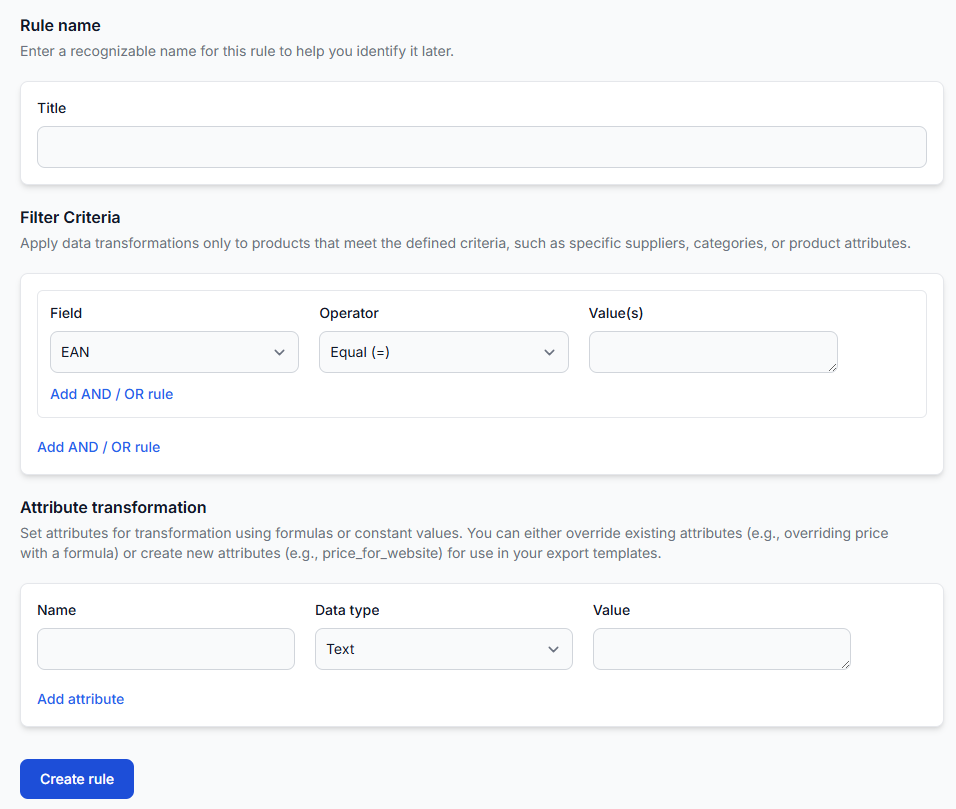
All products interface
The All Products interface shows the complete list of supplier products currently stored in B2BLIX Feed. Use it to search the catalog, review imported values, and open detailed information for a specific product.
What the all products interface is for
The All Products interface is a read-only view of the product catalog stored in B2BLIX Feed. It brings together products imported from all configured suppliers and displays the values available after supplier field mapping.
The information shown here is stored catalog data. It has not necessarily been adjusted by export-specific filters, price calculations, content transformations, or destination-specific XML rules.
Sellers usually open this page when they need to:
- Confirm that a supplier product was imported.
- Search for a product by supplier, title, EAN, or SKU.
- Review the supplier price and stock currently stored by B2BLIX.
- Check when information about a product was last received.
- Inspect all mapped fields available for a particular product.
- Compare imported data before preparing transformation rules or exports.
Important: This page is informational. Searching the list or opening product details does not change supplier data, export rules, live prices, stock values, or product visibility.
What you can do on this page
The interface allows you to browse the stored catalog and narrow the list to relevant products.
- Filter by supplier to review products received from one supplier instance.
- Search by product title to find products using words from the imported title.
- Search by EAN to find a product using its main catalog identifier.
- Search by SKU to find a specific supplier product code.
- Open details to inspect the complete set of mapped information stored for a product.
After entering the required search criteria, use the Filter action to update the displayed results. The filter changes only the list you are viewing.
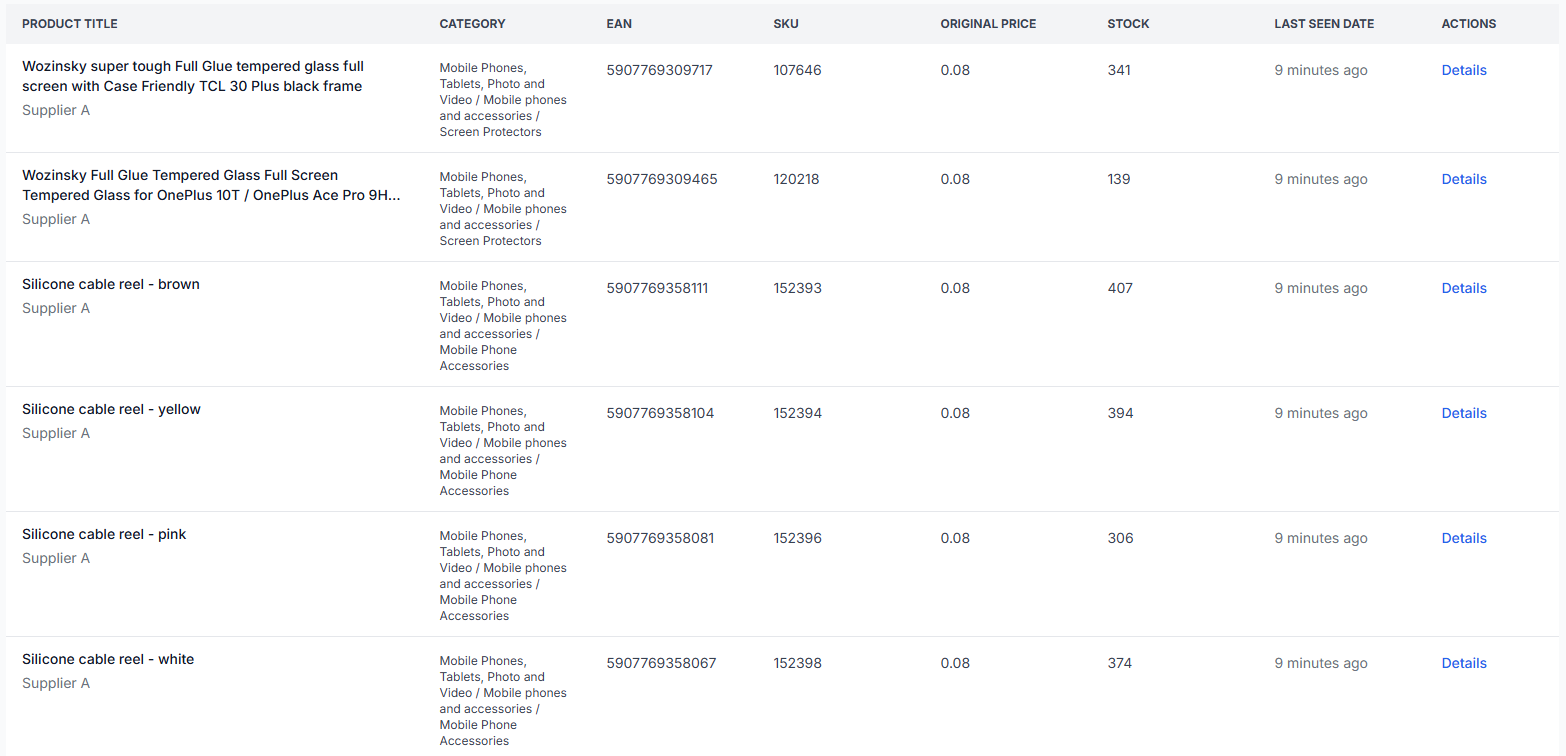
Understanding the product table
Each row represents one stored supplier product. The displayed values come from the supplier data and the field mapping configured for that supplier.
| Column | What it means | How to use it |
|---|---|---|
| Product title | The product name received from the supplier and stored through the configured mapping. | Use it to identify the item. The title may still require cleaning, translation, or destination-specific formatting in a transformation rule. |
| Supplier | The supplier instance from which the product was imported. | Check this when the same or a similar product is available from several suppliers. |
| Category | The category value stored for the product according to the supplier mapping and category configuration. | Review it before using category-based filters or export rules. |
| EAN | The product's primary catalog identifier in the standard B2BLIX Feed workflow. | Use it for precise searches and for comparing representations of the same product across suppliers. |
| SKU | The supplier's product or offer code. | Use it when communicating with the supplier or locating a specific supplier record. An SKU does not replace EAN as the standard cross-supplier identifier. |
| Original price | The imported supplier price stored for the product before export-specific margins or other transformation formulas are applied. | Use it as a reference when checking price calculations elsewhere in the service. |
| Stock | The number of units reported by the supplier and currently stored by B2BLIX. | Compare it with the Last seen date before treating it as current supplier availability. |
| Last seen date | The most recent time B2BLIX received or updated information about that product during supplier synchronization. | Use it to assess data freshness. It is not the time when a product was published or updated on an external marketplace. |
| Details | Opens a read-only window with additional stored fields for the selected product. | Use it when the table does not contain enough information to understand the imported record. |
Product details window
Select Details in a product row to open the detailed product view. The window groups the available information into pricing-related fields and content-related fields.
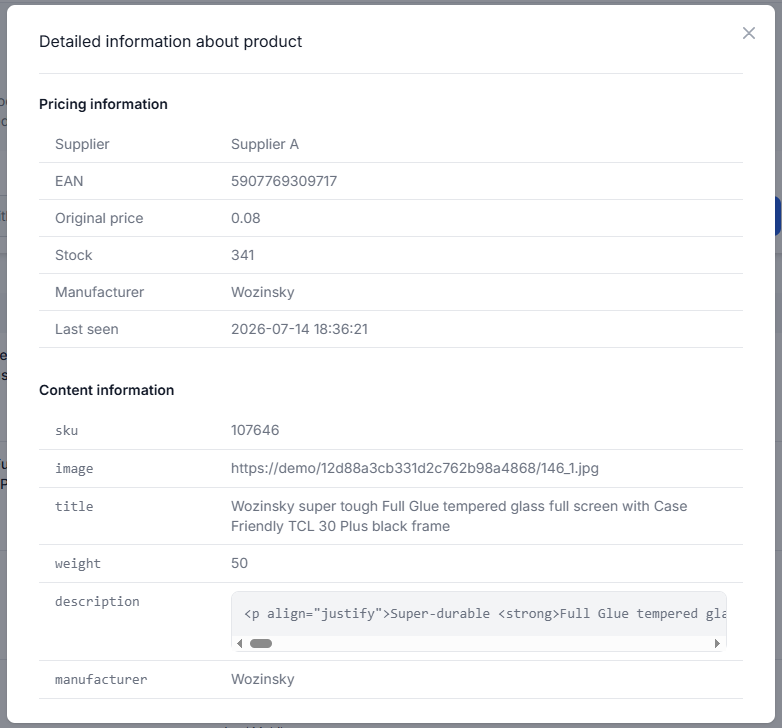
Pricing information
| Field | Meaning |
|---|---|
| Supplier | The supplier instance that provided this product record. |
| EAN | The accepted product identifier stored for the item. |
| Original price | The imported supplier price before export-specific calculations. |
| Stock | The most recently stored supplier stock quantity. |
| Manufacturer | The manufacturer or brand value mapped from the supplier data. |
| Last seen | The exact timestamp when this product was most recently received or updated. |
Content information
| Field | Meaning |
|---|---|
| SKU | The supplier-specific product code. |
| Image | The image address received from the supplier. The details window may show the address rather than an image preview. |
| Title | The original mapped product title. |
| Weight | The mapped product weight. Interpret the number together with the weight unit configured for the supplier. |
| Description | The supplier's long product description. It may contain HTML formatting instead of plain readable text. |
| Manufacturer | The mapped manufacturer or brand value. It may appear in more than one information group. |
Additional mapped fields may also appear when they are available in the supplier source and included in its data mapping.
How to interpret the data
The All Products interface helps you confirm what B2BLIX currently knows about a product. It should not be treated as a preview of the final XML export.
Keep the following data stages separate:
- The supplier provides the original product information.
- The supplier mapping connects those values to B2BLIX product fields.
- The mapped values are stored and shown in All Products.
- Transformation rules may later calculate or replace values for an export projection.
- The export projection selects products and generates its configured XML output.
For example, the Original price shown here may be used as the starting value for VAT, currency, margin, or rounding calculations. The calculated export price is not necessarily the same as the value displayed in this table.
Similarly, an HTML description shown in the details window may later be converted to plain text, translated, or otherwise adjusted through data transformation rules. Those transformed results are not written back to this read-only view unless the stored supplier data itself changes.
How to use this page safely
- Start with a precise identifier such as EAN or SKU when checking one product.
- Confirm the Supplier before interpreting price, stock, or content.
- Check the Last seen date to understand how recently the product was received.
- Open Details and review the mapped title, manufacturer, image, weight, and description.
- Compare the displayed values with the supplier mapping when an important field is missing or appears in the wrong format.
- Review the relevant transformation rule or export checker when you need to understand a calculated or exported value.
The page shows stored supplier data, not confirmation that an external store or marketplace has accepted or published the product.
Common mistakes
- Confusing the original price with the final selling price. Export projections may apply VAT, currency conversion, margins, rounding, or other rules later.
- Ignoring the supplier name. Products with the same EAN may have different prices, stock quantities, descriptions, or delivery information from different suppliers.
- Treating stock as current without checking last seen. Always review the freshness timestamp together with the stored stock value.
- Assuming an SKU identifies the product across all suppliers. Supplier SKUs are usually specific to one supplier; EAN is the standard cross-supplier identifier.
- Expecting transformed content in the details window. The page normally shows stored mapped data, not the final values produced for a particular export.
- Assuming every row from a supplier source must appear. This interface shows products admitted to the stored catalog. Records that do not meet normal import requirements, including products without a usable EAN, may not be present.
- Reading HTML as an error. A description containing HTML may be the original supplier format and can be processed later with content transformation functions.
Example use case
A seller wants to confirm the source data used for a marketplace price calculation. They search for the product by EAN, check that the correct supplier row is displayed, and review its Original price, Stock, and Last seen date.
They then open Details to verify the mapped manufacturer, title, weight, and description. After confirming the stored supplier values, they can review the relevant transformation rule or export checker to understand how the marketplace price and final XML values are produced.