B2BLIX Pigu BuyBox guides
Support questions
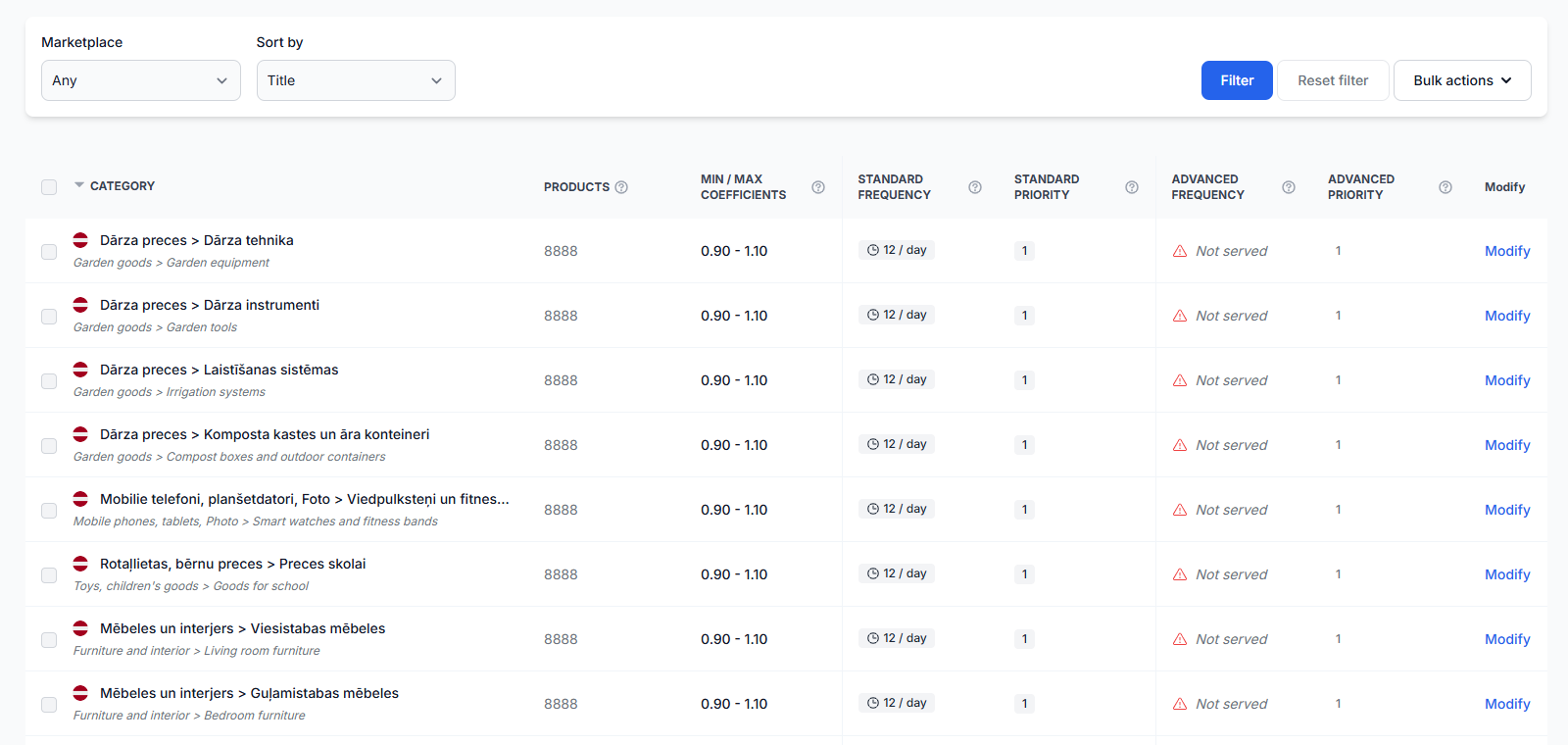
How to configure category monitoring, frequency, data freshness, and a limited rollout
Support questions· Category monitoring· Data freshness· Limited rollout
Learn how to enable category monitoring, choose practical data collection frequencies, keep marketplace observations fresh, and control usage costs while introducing BuyBox repricing gradually.

How to connect and use the B2BLIX XML feed in Pigu
Support questions· Xml export· Pigu import· Synchronization
Copy your permanent B2BLIX XML export URL into Pigu’s stock and price import settings, confirm the field mapping, and verify that Pigu can read the feed.

How to enable live price updates and export prices to pigu
Support questions· Export to pigu· Synchronization· Go-live
Learn how to review calculated prices safely, choose XML or API export, and connect B2BLIX price updates to your Pigu account.
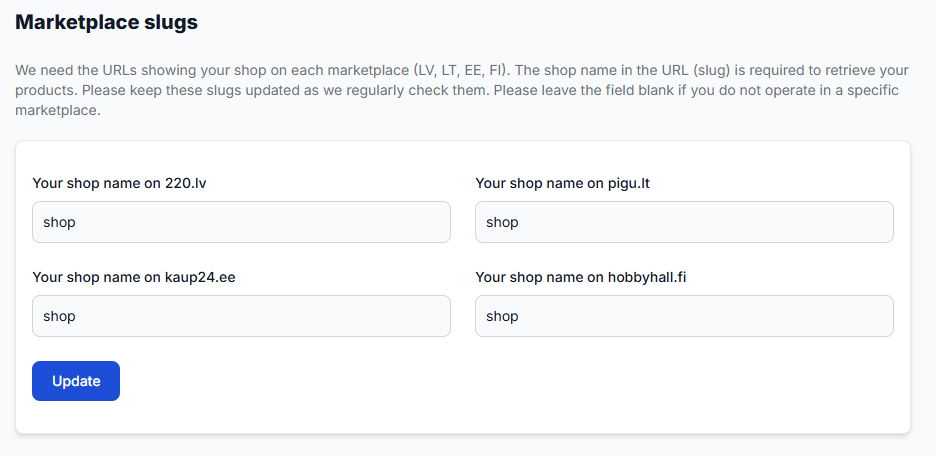
How to enable marketplaces and use marketplace-specific fields
Support questions· Marketplace setup· Synchronization· Min/max prices
Learn how to provide separate prices, minimum and maximum limits, and delivery hours for 220.lv, Pigu.lt, Kaup24.ee, and HobbyHall.fi, and what to check when a new marketplace is not appearing.
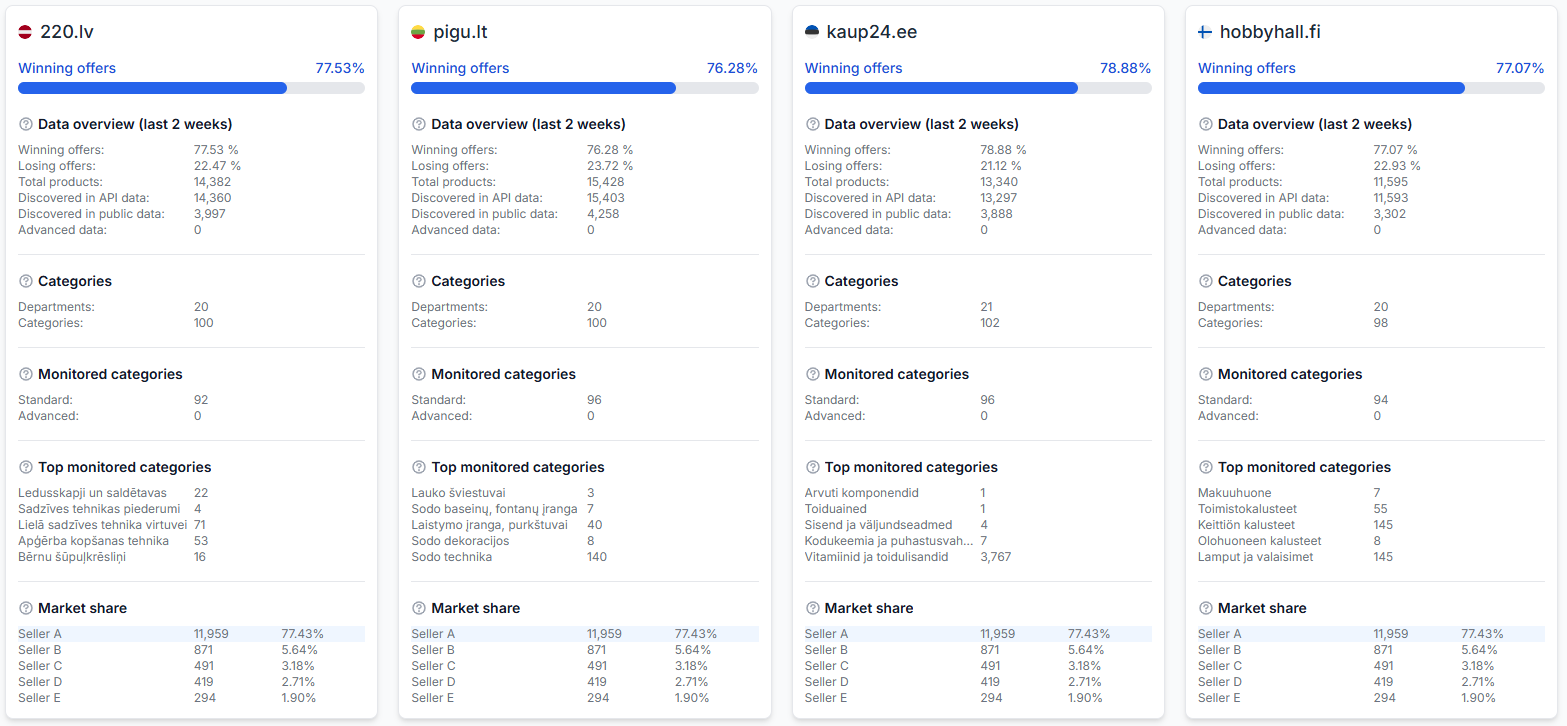
How to evaluate market differences between countries
Support questions· Optimization· Marketplace comparison· Statistics
This guide explains how to investigate country-level performance differences in B2BLIX and which marketplace-specific settings and product details you should verify before making changes.
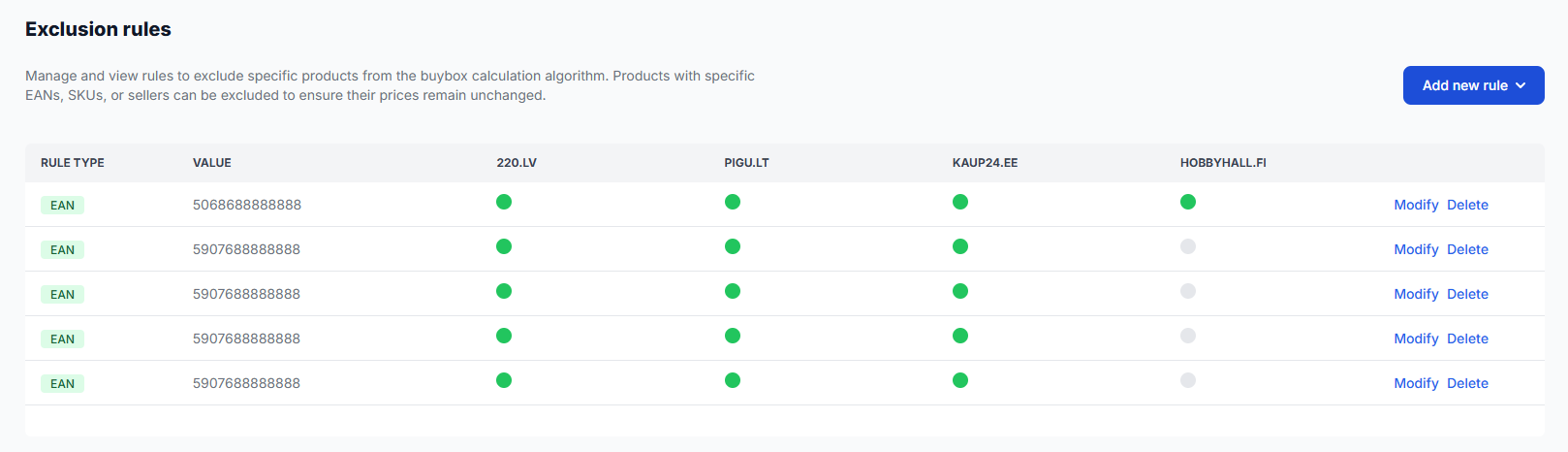
How to exclude products from repricing calculations
Support questions· Exclusion rules· Repricing· Monitoring & costs
Use BuyBox exclusion rules when you want selected products to remain outside automatic repricing calculations. This is different from disabling marketplace monitoring to reduce data-collection costs.
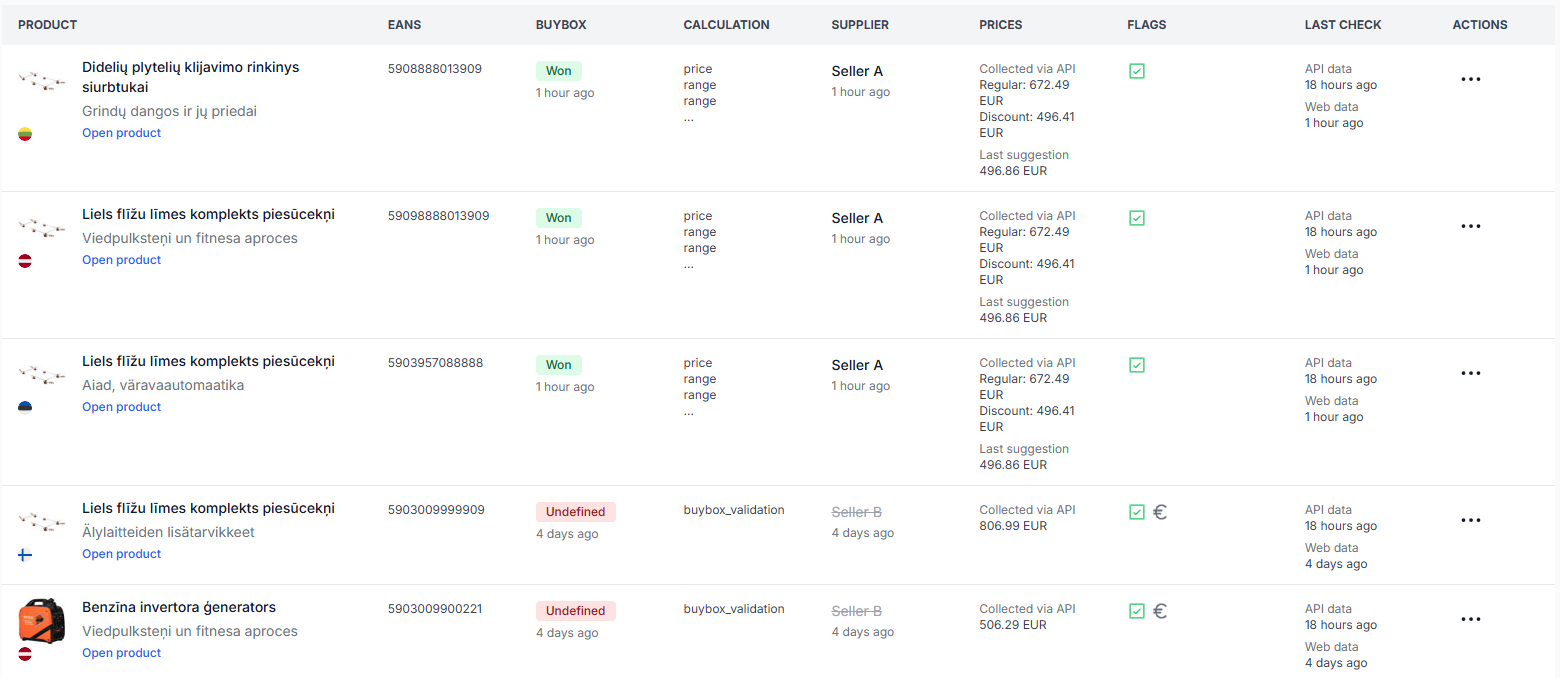
How to export product data from B2BLIX
Support questions· Export· All products· Csv
Learn how to create a product export from the All Products page, download the generated CSV file, and use it as a starting point for spreadsheet workflows.
How to fix pigu xml import, mapping, structure, or rejected-feed problems
Support questions· Xml export· Pigu mapping· Troubleshooting
Troubleshoot rejected XML feeds, missing attribute mapping, unreadable file structures, and imports that do not update in Pigu. Learn how to verify the B2BLIX export, recreate the Pigu import connection, and review the result.
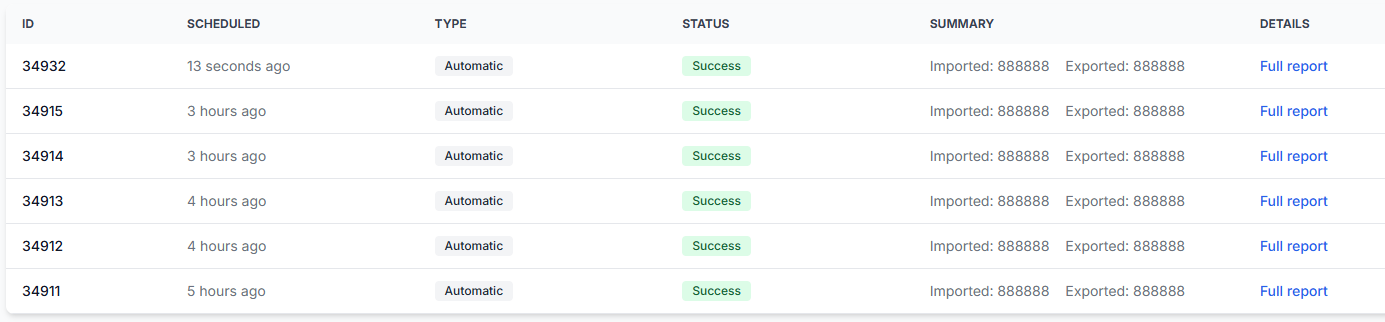
How to fix synchronization, import-column, ean, and report validation problems
Support questions· Synchronization· Import validation· Troubleshooting
Troubleshoot failed synchronization reports, unrecognized import columns, faulty EANs, items not found, and temporary source-reading problems.
How to improve buybox sales
Support questions· Optimization· Monitoring· Min/max prices
A practical guide to improving BuyBox performance across 220.lv, Pigu.lt, Kaup24.ee, and HobbyHall.fi through better monitoring, realistic minimum and maximum prices, and careful strategy testing.
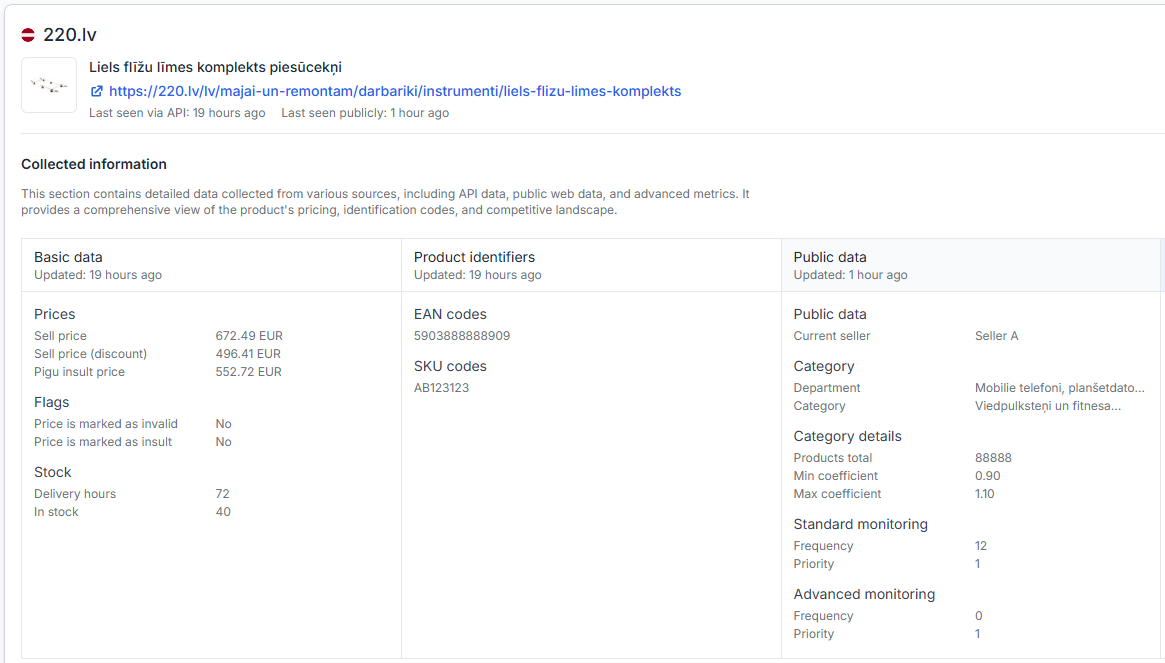
How to inspect a product’s buybox calculation
Support questions· Troubleshooting· Product checker· Price calculations
Use Product Checker to review the data recognized for a product, the latest observation times, the calculation steps, and the resulting price. Learn how to investigate an unexpected BuyBox price and verify which product data, marketplace observations, price limits, and pricing decisions were used.
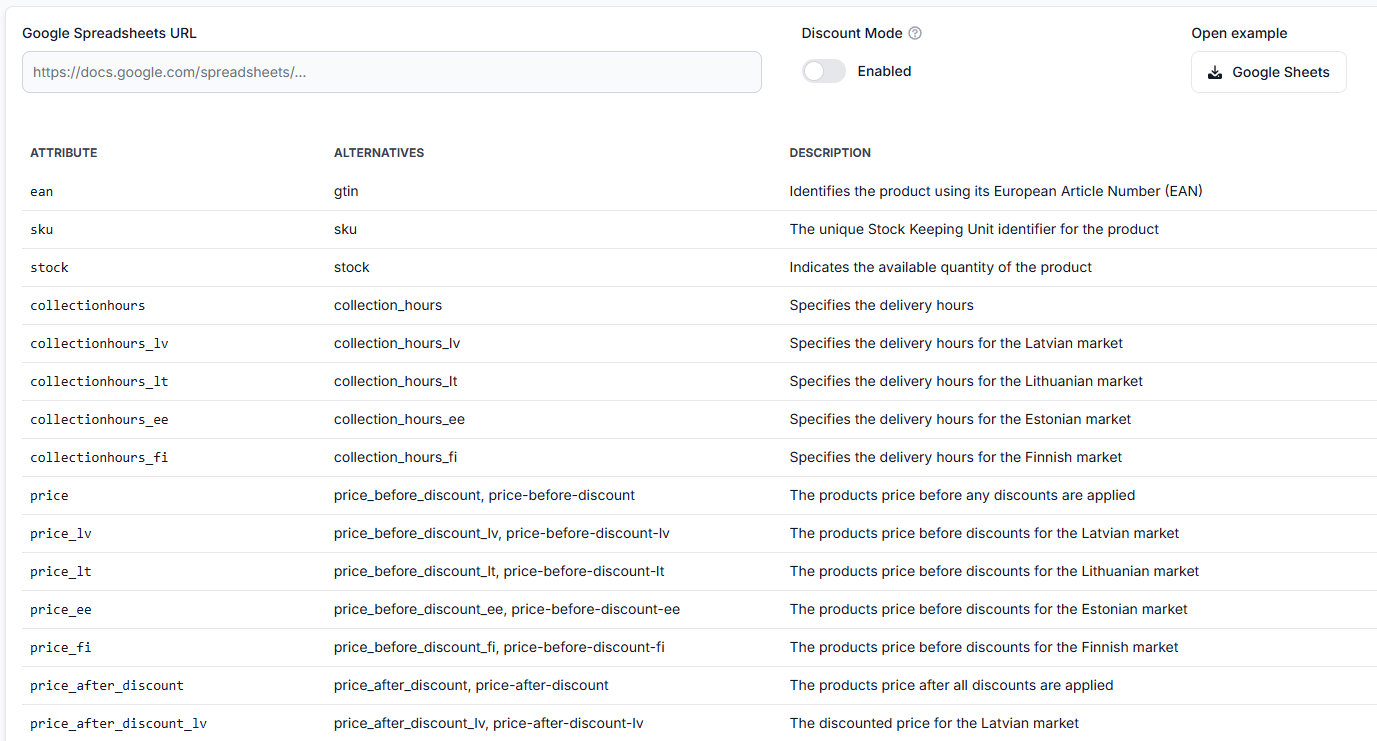
How to provide and validate min/max price limits
Support questions· Min/max prices· Pricing algorithm· Troubleshooting
This guide explains the two ways to configure MIN/MAX limits in B2BLIX, the validation rules that apply, and the checks sellers should complete before exporting calculated prices.
How to remove a product from export safely
Support questions· Export· Synchronization· Stock removal
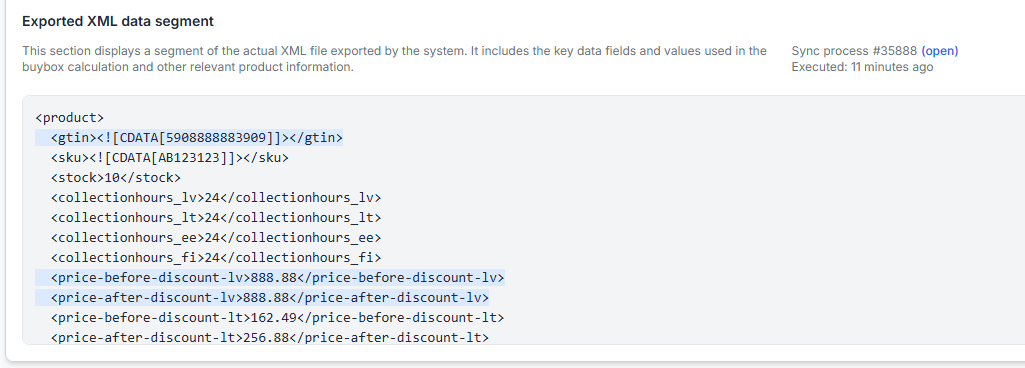
Safely remove a product from B2BLIX export by sending its stock as zero before removing it from your imported product data. This guide explains why a product should normally remain in the import with zero stock until the update has been exported and applied by the marketplace.
How to set up google sheets import for buybox repricing
Support questions· Google sheets· Synchronization· Setup
This guide explains how to create and connect a Google Spreadsheet for B2BLIX BuyBox repricing, including required product data, sharing permissions, synchronization testing, and XML export setup.
How to set up product import into B2blix
Support questions· Import & synchronization· Product feed· Setup
Learn how to connect a Google Sheet, XML feed, CSV feed, or PIM-generated data source to B2BLIX and verify the import before enabling regular synchronization or price updates.