How to inspect a product’s buybox calculation
Use Product Checker to review the data recognized for a product, the latest observation times, the calculation steps, and the resulting price. Learn how to investigate an unexpected BuyBox price and verify which product data, marketplace observations, price limits, and pricing decisions were used.
When to inspect a product calculation
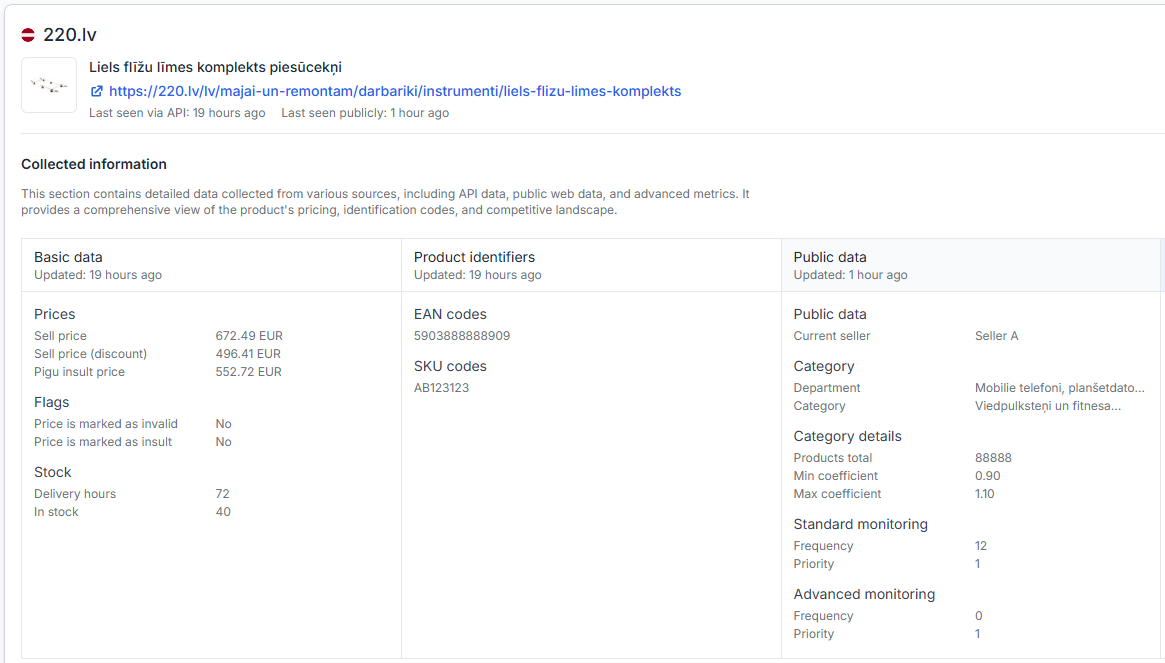
Product Checker is the main troubleshooting page for investigating one product in detail. It is useful when a product received an unexpected calculated price, appears to have been recognized incorrectly, or does not seem to use the latest marketplace information.
You can also use it after your first synchronization to confirm that B2BLIX has found the product, interpreted its data, and applied the expected pricing settings.
Short answer
Open Product Checker and search for the product by its EAN. Review the recognized product information, marketplace observations, timestamps, price limits, calculation steps, calculated result, and export status.
For a detailed explanation of the page and its fields, read Product Checker: review product data, price calculations, and exports.
A calculated or exported price is not necessarily the current live marketplace price. The price becomes live only after it has been sent through the configured output method and accepted and applied by the marketplace. Verify the product’s minimum and maximum price limits before changing pricing or synchronization settings.
How the calculation information works
A BuyBox calculation can use several types of information. Product Checker brings this information together so you can see what was available when the product was processed.
- Imported seller data: Information from your configured product source, such as the EAN, SKU, current or base price, availability, and product-level minimum or maximum prices.
- Observed marketplace data: The latest known BuyBox position, competing offers, observed prices, and the time when this information was collected.
- Pricing settings: The selected strategy and the price limits that restrict how far the calculated price may move.
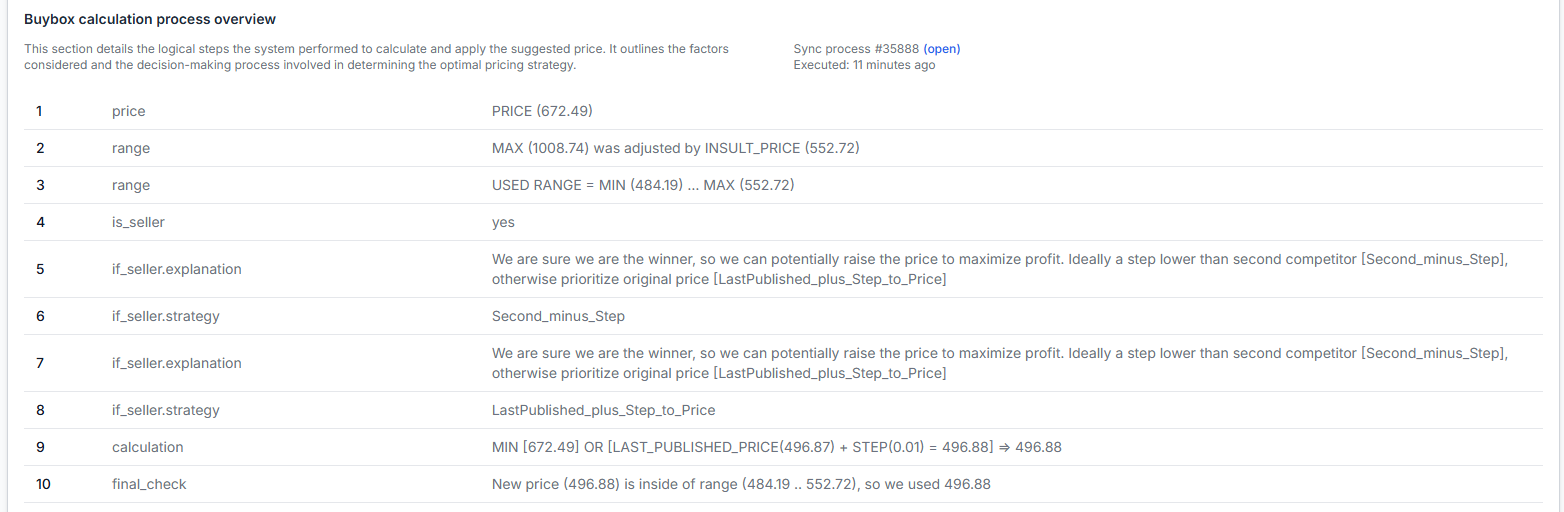
- Calculation decisions: The important steps used to produce the result, shown as a product-level explanation rather than only a final number.
- Output information: Whether a calculated result was prepared for export or included in a synchronization process.
Monitoring, calculation, and publication are separate processes. Monitoring collects marketplace information. Synchronization imports your latest product data and performs calculations. Export or API submission then prepares or sends the result through your configured output method.
What to check in your account
-
Confirm that at least one synchronization has completed.
The detailed calculation information is most useful after the product has been imported and processed. To confirm that a synchronization ran successfully, open Synchronization Reports. For help reading the results, see Synchronization Reports: review import, BuyBox calculation, and export results.
-
Search for the exact EAN.
Open Product Checker and enter the product’s EAN. Confirm that the displayed product, marketplace, seller information, and imported data match the item you intended to inspect.
-
Review the available data and its status.
Check whether public marketplace data, supported API data, and any available advanced data were recognized. Missing or unavailable data can limit what the algorithm can determine for that calculation.
-
Check the collection and calculation timestamps.
Freshness matters. An older marketplace observation may produce a result that differs from the price currently visible on the marketplace. Failed or incomplete collection attempts can have the same effect.
-
Verify the applicable minimum and maximum prices.
The algorithm should keep the calculated result within the available price range. Product-level minimum and maximum values from the imported data take precedence over category-derived limits.
-
Read the calculation steps in order.
Look for the recognized BuyBox situation, the selected pricing strategy, any limiting conditions, and the final calculated result. This helps distinguish an incorrect result from a result that correctly follows an unexpected setting.
-
Check whether the result was exported.
A valid calculation does not automatically mean that the same price is live. Review the export information in Product Checker and the related synchronization report to confirm what happened after the calculation.
Common reasons a price looks wrong
The marketplace information is older than the visible price
The price shown publicly on the marketplace may have changed after B2BLIX last collected the product information. Compare the visible marketplace offer with the observation timestamp in Product Checker.
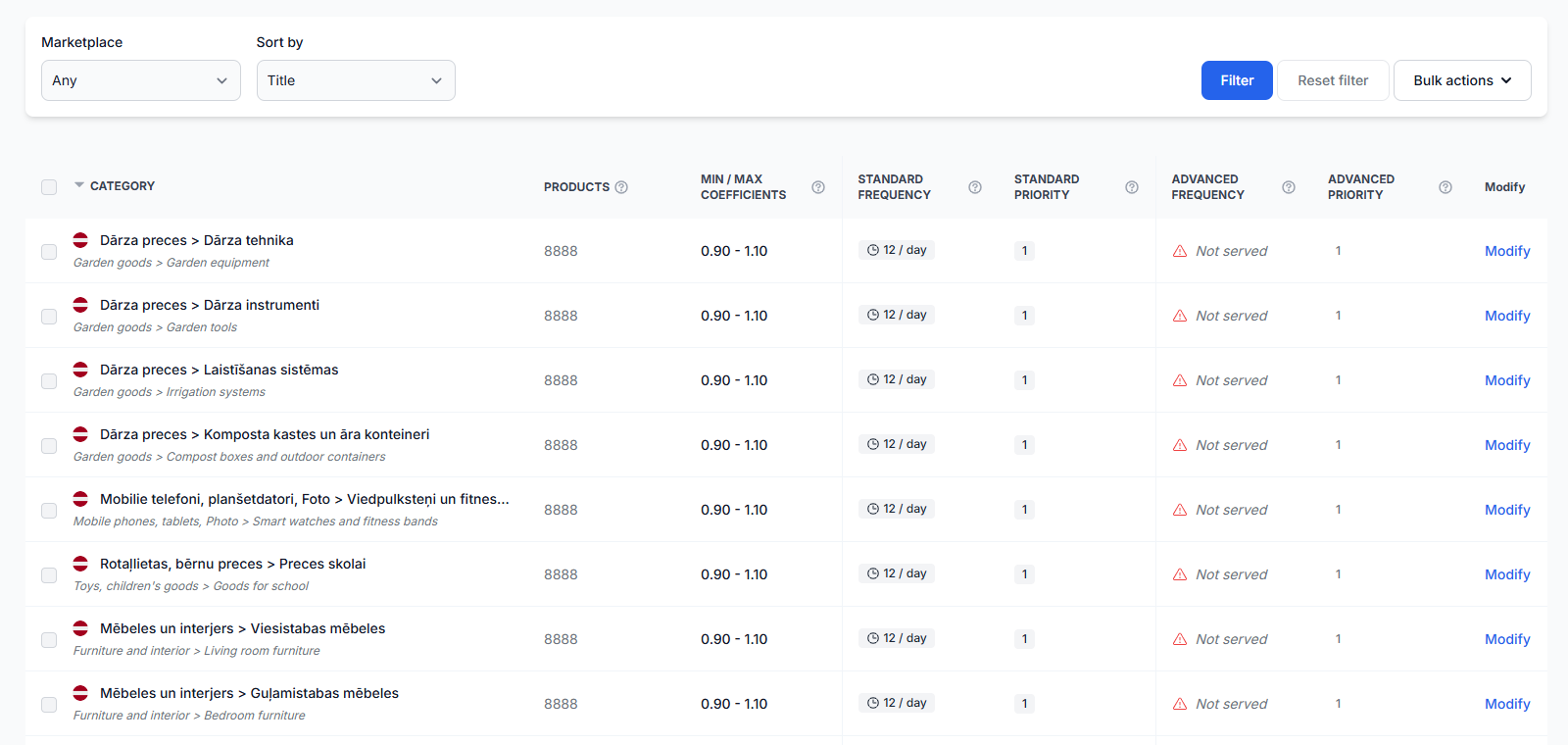
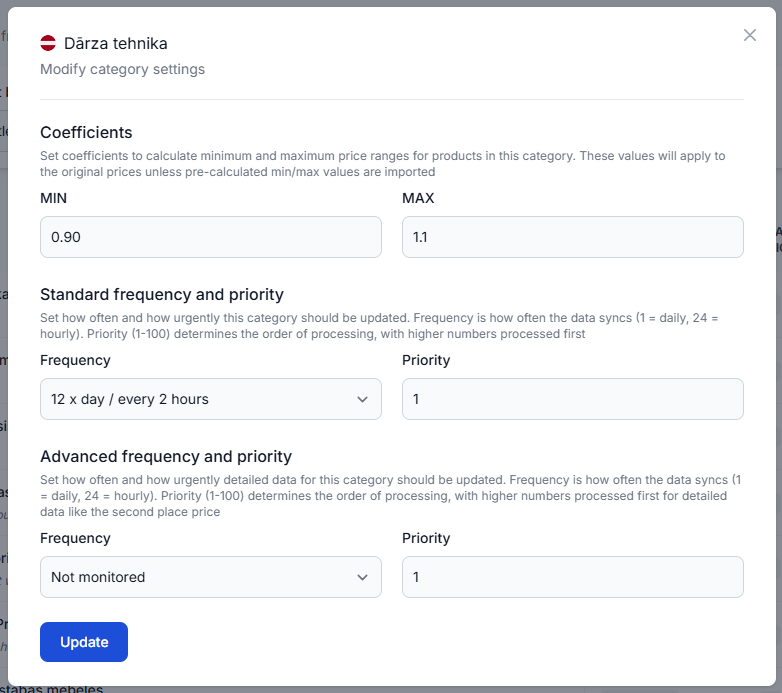
If the observation is old, check the product’s monitoring schedule. Category-level monitoring is managed in Category Management. See Category Management: monitoring frequencies and price coefficients for page instructions.
The product has a different individual monitoring schedule
A product can have an individual schedule that overrides its category schedule. Open Individual Products to check whether the EAN has a product-specific monitoring frequency. For page details, read Individual Products: set product-specific monitoring frequencies.
The pricing strategy is working as configured
A result can look unexpected even when the calculation is correct. For example, a strategy may keep the current price when you are already winning, match an observed BuyBox price when you are not winning, or raise a winning price when the configured conditions allow it.
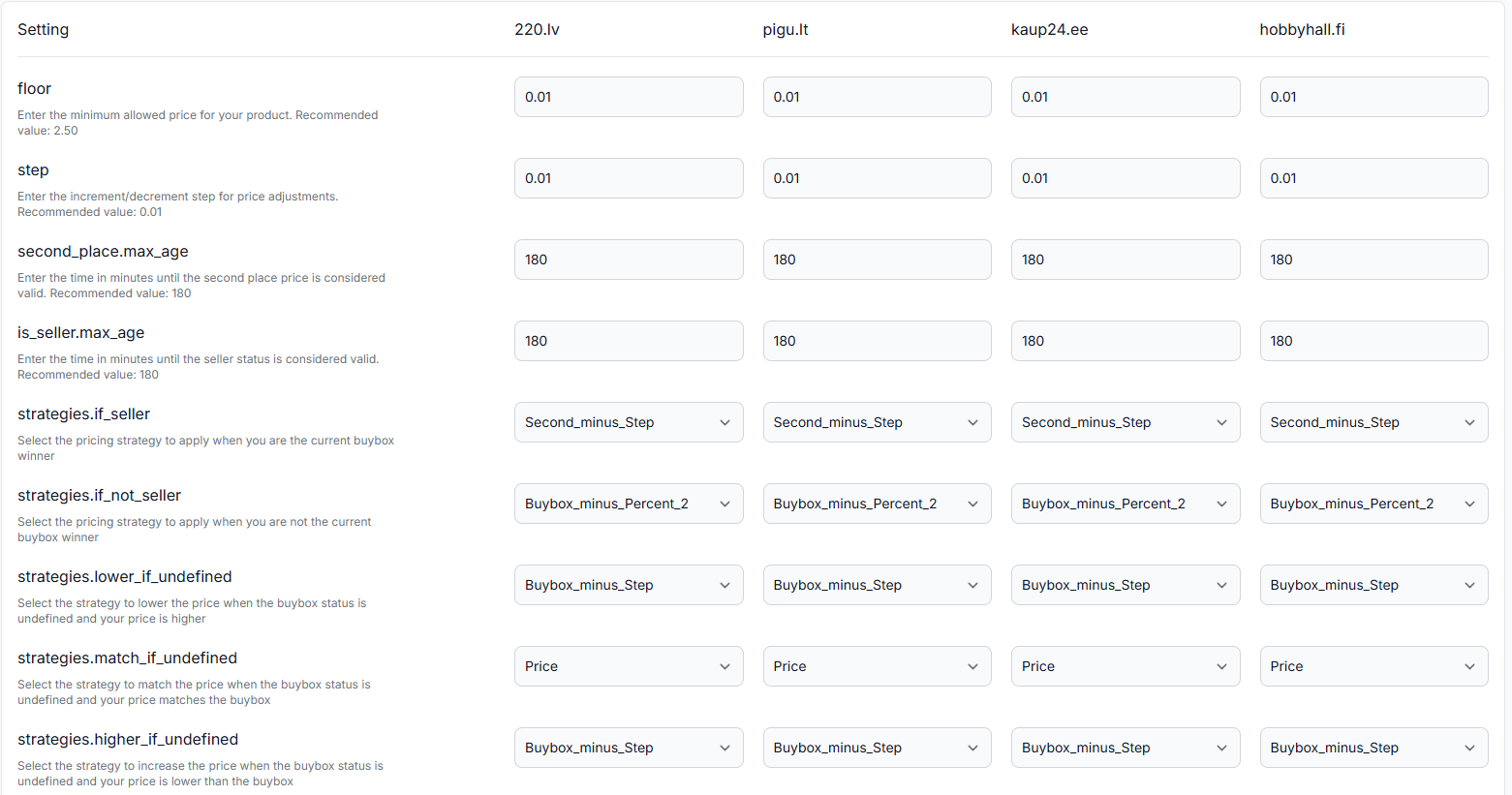
To verify the active strategy and related settings, open BuyBox Settings. For an explanation of the available fields, read the BuyBox Settings page guide.
A price limit changed the final result
The strategy may initially point to a lower or higher price, but the final result must remain within the applicable minimum and maximum limits. Check whether those limits came directly from the imported product data or were derived from category settings.
The product data does not match the intended item
Products are generally matched using EAN codes. An incorrect, missing, or reused EAN can cause the wrong product information to be inspected or prevent the expected marketplace product from being found.
The product was calculated but not published
The system may calculate a price without publishing it automatically. This can happen when the account is configured for review, XML export, monitoring-only use, or another output workflow.
Open Synchronization Settings to verify the configured import, synchronization, and output method. For page instructions, read Sync Settings: configure product import and price export.
Example
A product is publicly visible at €20.00, but Product Checker shows a calculated price of €19.99.
The calculation steps show that the last known BuyBox price was €20.00 and the selected strategy was to move €0.01 below it. The product’s permitted range was €19.00–€21.00, so €19.99 was allowed.
If the marketplace now shows a different BuyBox price, compare its current public information with the collection timestamp. The calculation may be correct for the latest observation that was available when synchronization ran, even though the marketplace changed afterward.
What to do next
- Confirm that the correct product and marketplace are displayed for the EAN.
- Check the latest marketplace observation and data-collection timestamps.
- Review the minimum and maximum price limits before changing any strategy.
- Read the calculation steps to identify which setting or data point affected the result.
- Check the synchronization report and export status if the calculated price is not visible on the marketplace.
- Compare the Product Checker result with a manual marketplace check when the observed BuyBox price appears outdated.
Do not change several pricing, monitoring, and synchronization settings at the same time. Verify the current data and calculation first, make one controlled change when necessary, and inspect the product again after the next relevant monitoring and synchronization cycle.