Standard vs advanced buybox monitoring frequency
Learn how standard and advanced BuyBox monitoring differ, when advanced monitoring is useful, and how to configure priority categories or individual EANs without adding unnecessary monitoring costs.
Which monitoring frequency should you use?
B2BLIX offers two general types of BuyBox monitoring: standard monitoring and advanced monitoring.
Standard monitoring is normally enough to use the BuyBox algorithm across your catalog. Advanced monitoring is intended for products where the algorithm needs additional information about competing offers, especially the second-place BuyBox price.
Short answer
- Use standard monitoring for general catalog monitoring, identifying the current BuyBox seller, and supporting normal price-lowering decisions.
- Use advanced monitoring when a selected pricing strategy needs the second-place BuyBox price, such as when looking for an opportunity to increase a price while remaining competitive.
- For a small number of important products, configure advanced monitoring by individual EAN instead of applying it to an entire category.
Advanced monitoring has a higher usage cost. Each product requires more detailed processing, so verify your pricing strategy, category size, and product priority before enabling it broadly.
Monitoring does not publish a price by itself. However, newly collected data can affect later BuyBox calculations and prices prepared during synchronization. A calculated or exported price is not necessarily live until it has been accepted and applied by the marketplace.
How standard monitoring works
Standard monitoring is optimized for collecting information efficiently across larger product groups. It collects the public marketplace information required to identify the current seller and the observed price.
Knowing who currently holds the BuyBox is important because the algorithm may need to react differently depending on whether your offer is winning.
For example, when your offer is not winning, a configured strategy may match the observed BuyBox price or move slightly below it. Standard monitoring provides enough information for these normal repricing decisions.
For most sellers, standard monitoring is the practical starting point because it is cost-effective, fast, and suitable for monitoring a large catalog.
How advanced monitoring works
Advanced monitoring collects more detailed information for each configured product. Its main additional purpose is to collect the second-place BuyBox price.
The second-place price can be useful when your offer is already in the first position. Without information about the next competing offer, the algorithm has less information for deciding whether the winning price could be increased.
Advanced monitoring is therefore most relevant when you use a strategy that looks for an opportunity to raise a winning price while remaining competitive. The final calculation is still limited by the product’s configured minimum and maximum prices.
Advanced data does not guarantee that an offer will win or keep the BuyBox. The marketplace determines the winner, and price may not be the only factor considered.
What to check in your account
1. Check whether your strategy needs advanced data
Before enabling advanced monitoring, review the strategy selected for each marketplace. Advanced monitoring is most useful when the strategy needs second-place price information.
To check this in your account, open BuyBox settings. To understand the available settings, read BuyBox settings page.
For an explanation of the main BuyBox situations and how different strategy types use marketplace information, open BuyBox schema. You can also read Understanding the BuyBox schema.
2. Review monitoring at category level
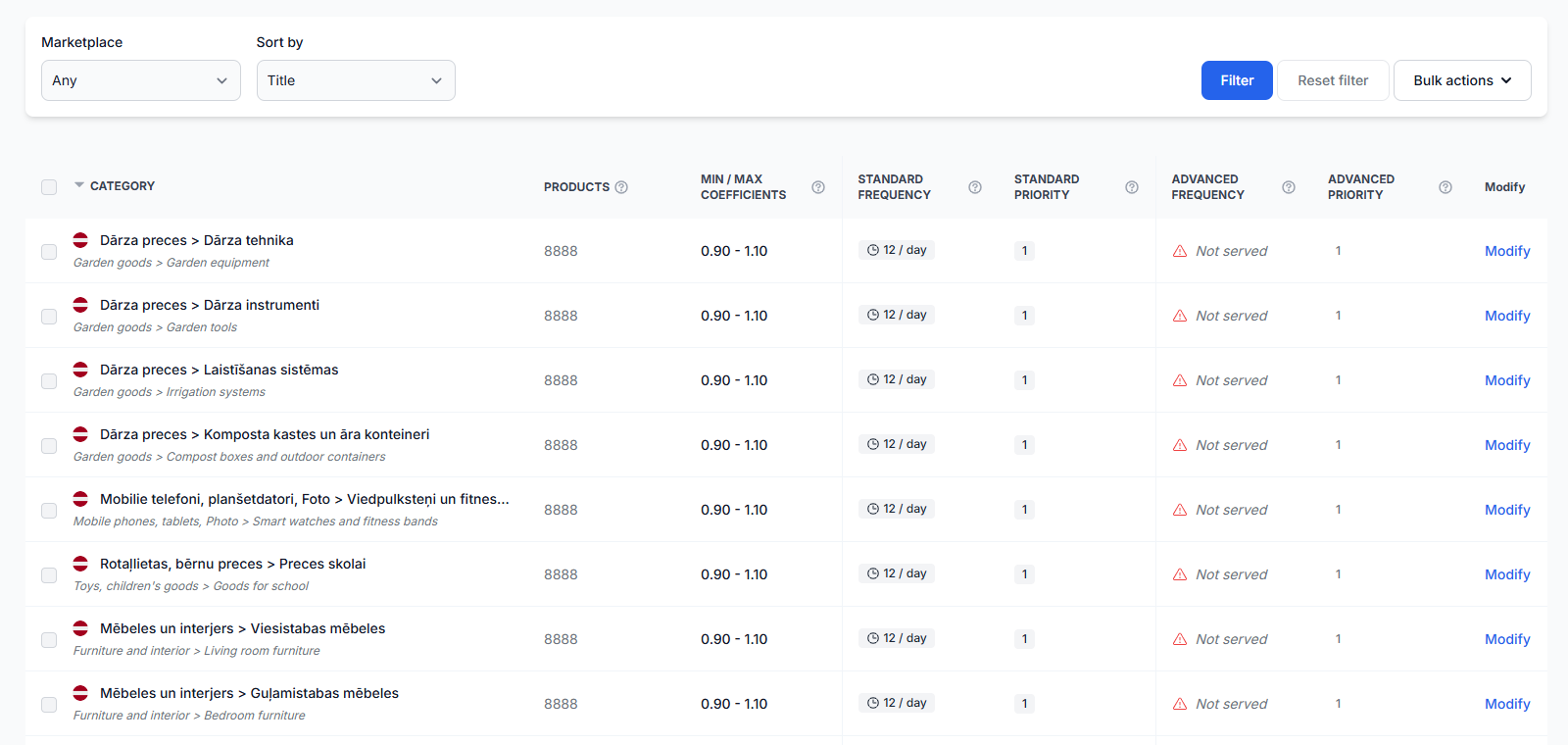
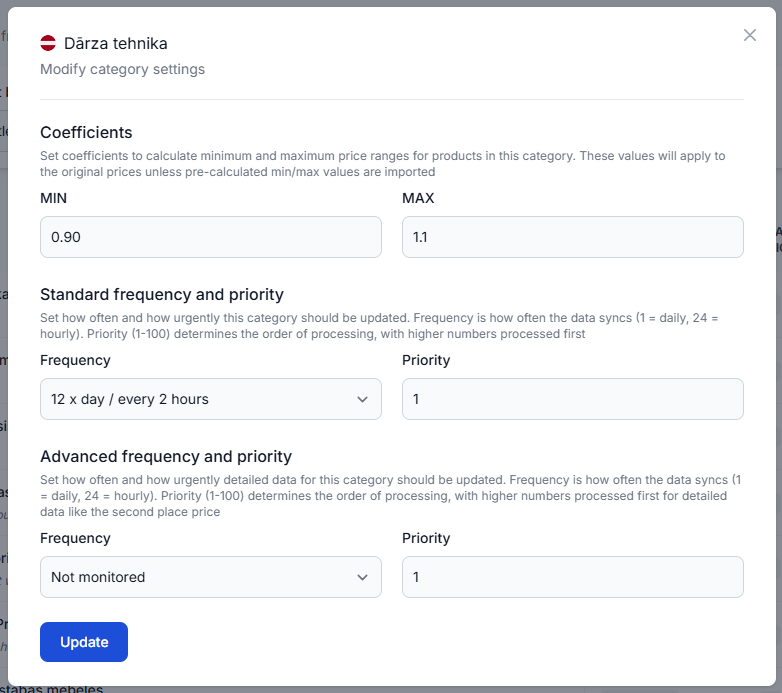
Monitoring frequencies can be configured separately for discovered categories and marketplaces. This lets you use standard monitoring for most categories while enabling advanced monitoring only where it is valuable.
To check this in your account, open Category management. To understand the frequency fields and category actions, read Category management: monitoring frequencies and price coefficients.
Before changing a category, verify:
- How many products are included in the category.
- How frequently prices change in that category.
- Whether your selected strategy uses second-place price information.
- Whether advanced monitoring is needed for the whole category or only for selected EANs.
- Whether the additional monitoring usage is appropriate for the expected benefit.
3. Use individual monitoring for priority products
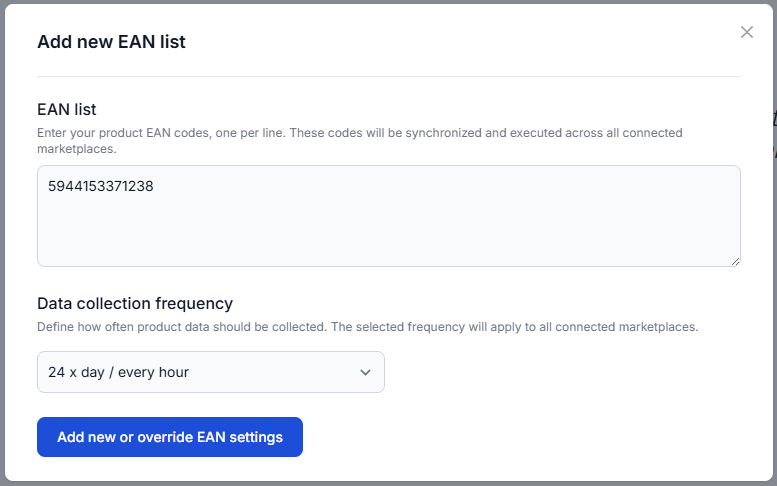
You do not need to enable advanced monitoring for an entire category when only a few products require it. The individual products section lets you create a separate list of priority EANs and assign an individual data-collection frequency.
This is useful for top-selling products, highly competitive EANs, or products whose prices change more often than the rest of their category.
To configure this in your account, open Individual products. For instructions, read Individual products: set product-specific monitoring frequencies.
Common monitoring scenarios
Large catalog with normal repricing
Use standard monitoring. It provides the current-seller and price information required for normal BuyBox calculations while keeping bulk monitoring more cost-effective.
Competitive category with frequent price changes
Consider advanced monitoring when your pricing strategy can use second-place price information. A practical starting range mentioned for competitive categories is approximately two to four advanced checks per day.
Adjust the frequency according to the importance of the category, how quickly competing prices change, and your acceptable monitoring usage.
A few important products need closer monitoring
Add those EANs under individual products. This avoids applying detailed monitoring to every product in the category.
Advanced monitoring is enabled, but the strategy does not use second-place data
In this situation, advanced monitoring may increase usage without providing a meaningful benefit to the selected pricing workflow. Review the strategy before continuing with advanced monitoring across a large product group.
Example
Suppose your offer is currently winning the BuyBox at €20.00.
Standard monitoring can identify that your shop is the current seller and record the winning price. Advanced monitoring may also identify that the second-place offer is €20.50.
If your selected strategy allows price increases, B2BLIX can use that additional information when calculating whether the price could be raised. The result must still remain within the product’s minimum and maximum limits.
The calculated result is only a B2BLIX calculation until it is included in the configured synchronization output and successfully applied by the marketplace.
What to do next
- Keep standard monitoring as the default for normal catalog coverage.
- Review your strategy in BuyBox settings before enabling advanced monitoring.
- Use advanced monitoring for competitive categories where second-place prices can support your selected strategy.
- Use individual products when only selected EANs require priority monitoring.
- Start with a limited product group and review the results before expanding advanced monitoring to a wider catalog.