Why a product may not win the buybox because of min/max or strategy limits
Learn how price limits and pricing strategies affect BuyBox calculations, what to check for a non-winning product, and how to review the calculation before changing live pricing settings.
Why this happens
B2BLIX calculates a price according to the selected pricing strategy. However, the calculated result must remain within the seller’s permitted MIN and MAX price range.
If winning the BuyBox would require a price below the product’s MIN, B2BLIX will not cross that limit. The product may therefore remain outside the BuyBox even though a calculation was completed successfully.
This is expected safety behavior. The purpose of the minimum price is to prevent the algorithm from reducing a product below the lowest price the seller has approved.
Short answer
Compare the latest observed BuyBox price with your product’s MIN price. If the winning price is below your MIN, the algorithm cannot match or undercut it.
You should also verify the selected strategy and its step value. A larger step does not override the MIN/MAX limits.
Important: Do not lower a product’s MIN price until you have checked the product cost, fees, taxes, delivery costs, and required margin. Changing MIN may affect future calculated and exported prices.
How the calculation works
The calculation can be understood as two main checks:
- B2BLIX applies the selected strategy, such as matching the observed BuyBox price or moving below it by a configured amount.
- The result is checked against the product’s permitted MIN and MAX prices.
If the strategy produces a price below MIN, the final calculated price cannot go below MIN. If a strategy attempts to increase a price beyond MAX, the result cannot go above MAX.
In a lost BuyBox situation, the MIN price is normally the most relevant limit. The MAX price is more commonly relevant when a strategy tries to increase a winning price while keeping it inside the approved range.
Why changing the step may not solve the problem
A fixed step, such as EUR 5.00, controls how the strategy adjusts the price. It does not replace the MIN/MAX validation.
For example, if the strategy tries to lower the price by EUR 5.00 but the result would be below MIN, B2BLIX must stop at the minimum permitted price. The competitor may still remain cheaper.
What to check in your account
-
Review the product-level calculation.
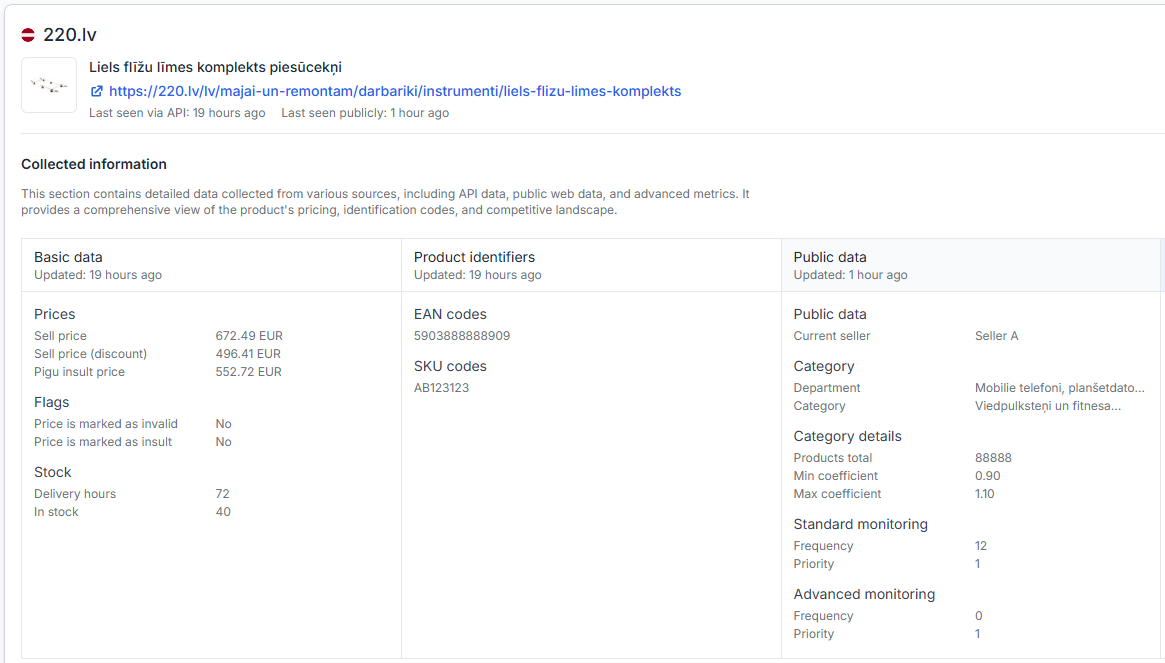
Open Product Checker and search for the product by EAN. Review the known marketplace price, your price limits, selected strategy, calculated price, and available calculation details. To understand the information shown there, read Product Checker: review product data, price calculations, and exports.
-
Compare the observed BuyBox price with MIN.
If the observed winning price is lower than your MIN, the algorithm cannot reach the winning price without crossing your safety limit.
-
Check the selected strategy and adjustment value.
Open BuyBox Settings when you are logged in. Verify which strategy applies when your offer is not winning and check the configured price step or adjustment. For field-level explanations, read the BuyBox Settings page guide.
-
Check where the product’s MIN and MAX values come from.
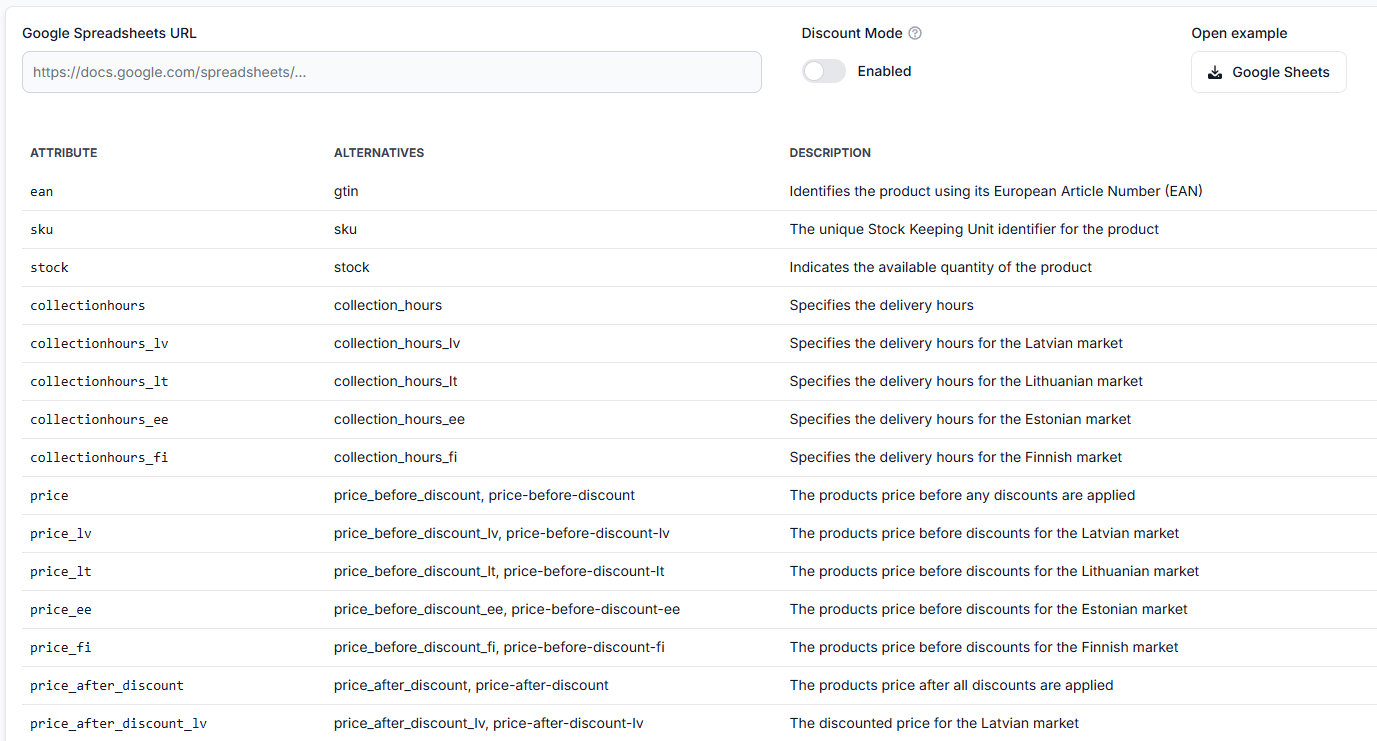
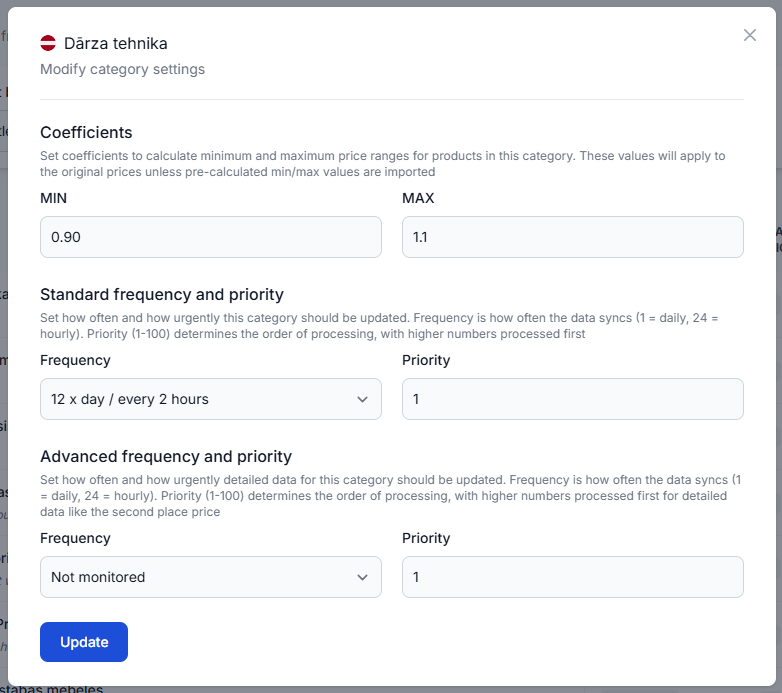
Product-specific MIN and MAX values may be provided in the imported product data. Category-level coefficients may also be used to derive limits from the product’s base price. Explicit product-level limits take precedence over category-derived values.
-
Check whether MIN, PRICE, and MAX are identical.
If all three values are the same, the algorithm has no permitted range in which to move the price. It cannot reduce the price to compete with a cheaper seller or increase it when the selected strategy allows an increase.
-
Test the situation before changing live settings.
Open the BuyBox Simulator to test representative prices, limits, and strategies without relying on a live publication workflow. Instructions are available in Using the BuyBox Simulator.
Common scenarios
The buybox price is below min
This is the most common reason. The algorithm uses the closest permitted price instead of matching an unprofitable competitor.
The strategy step is too small
The calculated adjustment may leave your offer above the competing price. Review the strategy and step, but remember that increasing the step will not allow the result to cross MIN.
The strategy step is large, but min still blocks it
A larger reduction may initially produce a lower target price, but the final MIN/MAX validation still applies. The permitted result will stop at MIN.
Min, price, and max are equal
There is no allowed price range. If another seller offers a lower price, the algorithm cannot move your price to compete.
The marketplace still selects another seller
Even when your calculated price is competitive, B2BLIX cannot guarantee that the marketplace will select your offer. Price is important, but the marketplace controls the final BuyBox decision and may consider other offer conditions.
Example
Suppose the latest observed BuyBox price is EUR 20.00. Your permitted range is EUR 22.00 to EUR 30.00, and your selected strategy attempts to move slightly below the BuyBox price.
The strategy may initially target a value below EUR 20.00, but that value is outside your permitted range. B2BLIX therefore cannot calculate a final price below EUR 22.00.
Your price remains protected by MIN, but the product may not win the BuyBox because another seller is offering EUR 20.00.
What to do next
- Use Product Checker to confirm whether MIN, MAX, or the selected strategy restricted the result.
- Verify the product’s costs and required margin before changing its MIN price.
- Review the relevant strategy and step in BuyBox Settings.
- Use the BuyBox Simulator to compare possible settings before applying them to a live workflow.
- If MIN and MAX come from imported product data, correct the source data rather than repeatedly changing only the calculation settings.
Price publication warning: Monitoring, calculation, export, and marketplace publication are separate processes. A price shown as calculated or exported is not necessarily live until it has been accepted and applied by the marketplace.
If the calculated price is within the permitted range but the marketplace still shows a different price, open Synchronization Reports and review the latest processing and export result. For help reading the report, see Synchronization Reports: review import, BuyBox calculation, and export results.